Skip to content
Trio Travel guide

Bank Receipt Voucher

On this page
  1. Create the receipt voucher
  2. Post the voucher
  3. Follow the posting queue
  4. Open the linked journal entry
  5. Review the debit and credit

A bank receipt voucher records money received into a bank account. Posting creates the linked journal entry.

Create the receipt voucher
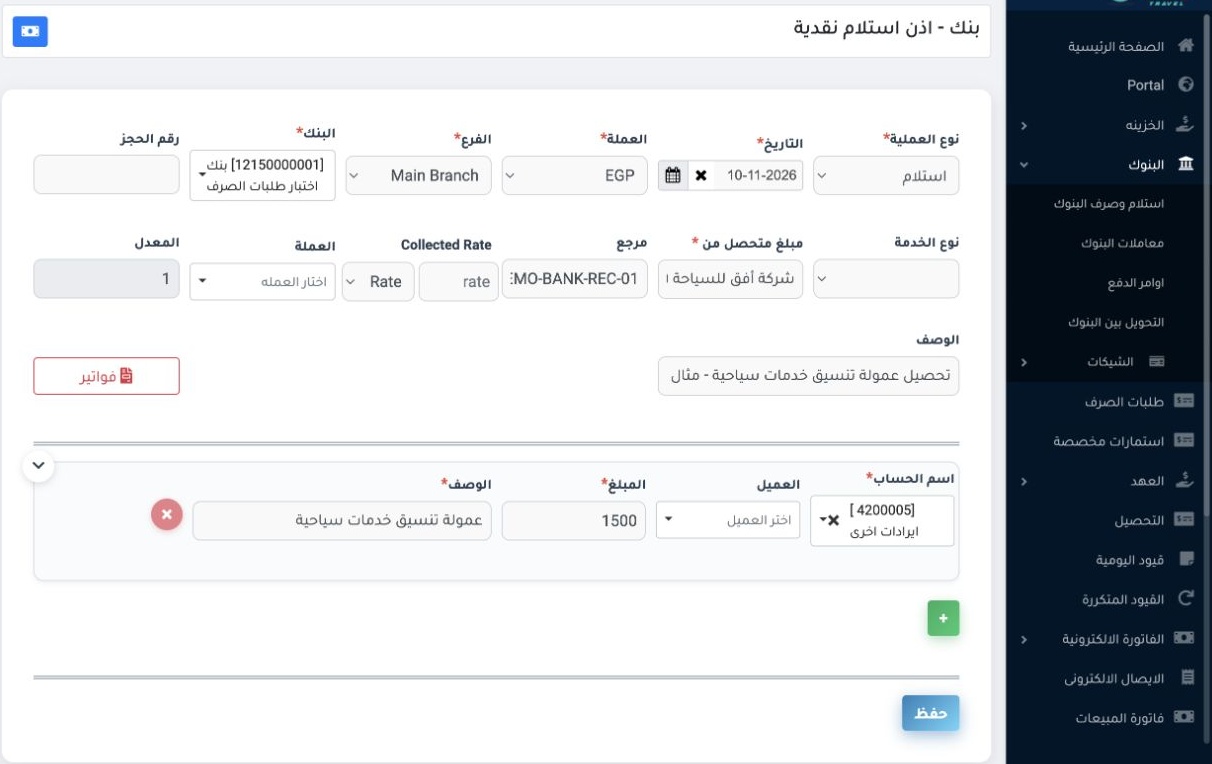
1 In Accounting, open Banks → Bank Receipts and Payments and set the type to Receipt. Set the date, branch, currency and receiving bank. Enter...
In Accounting, open Banks → Bank Receipts and Payments and set the type to Receipt. Set the date, branch, currency and receiving bank. Enter the payer in Collected from and add a reference. On the receipt line, select the offset account and enter the amount and description, then choose Save. The example records an EGP 1,500 training commission.

Post the voucher

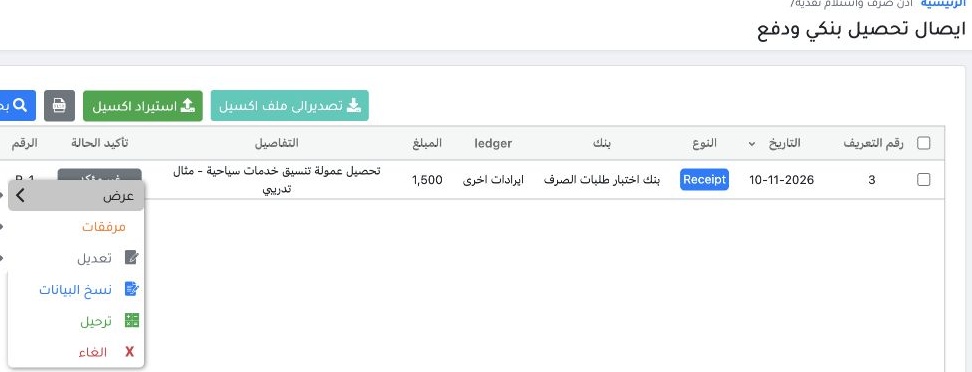
2 Open Banks → Bank Transactions. Locate receipt R-1 using reference DEMO-BANK-REC-01. Right-click the voucher row, choose Post, and confirm.
Open Banks → Bank Transactions. Locate receipt R-1 using reference DEMO-BANK-REC-01. Right-click the voucher row, choose Post, and confirm.

Follow the posting queue

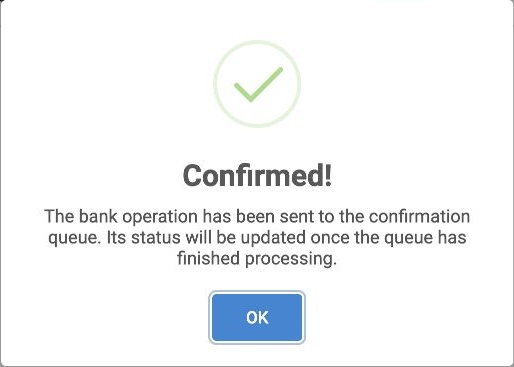
3 The message confirms that the voucher was sent to the queue. Refresh the search results and check the voucher status after processing.
The message confirms that the voucher was sent to the queue. Refresh the search results and check the voucher status after processing.

Open the linked journal entry

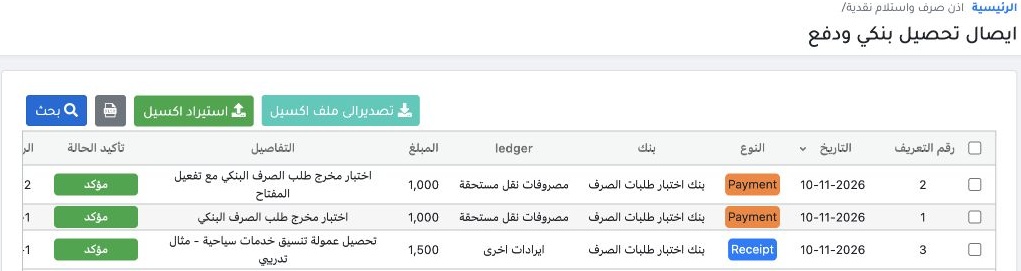
4 In Search, set Confirmation Status to All if the voucher disappears from the results. Once it shows Confirmed and Posted, open the Entry Num...
In Search, set Confirmation Status to All if the voucher disappears from the results. Once it shows Confirmed and Posted, open the Entry Number link on the voucher row. Scroll the table horizontally if needed.

Review the debit and credit

5 In Journal Entries, choose View from the row menu for RB-1. In this example, the system debited the Payment Requests Test Bank (12150000001)...
In Journal Entries, choose View from the row menu for RB-1. In this example, the system debited the Payment Requests Test Bank (12150000001) for EGP 1,500 and credited Other Revenue (4200005) for EGP 1,500.

Sign in to record the lessons you have read. Sign in