Skip to content
Trio Travel guide

Withholding Tax Receipt

On this page
  1. Review the withholding result
  2. Review the withholding result
  3. Review the withholding result

This example covers supplier setup, recording a withholding receipt and reviewing its journal entry.
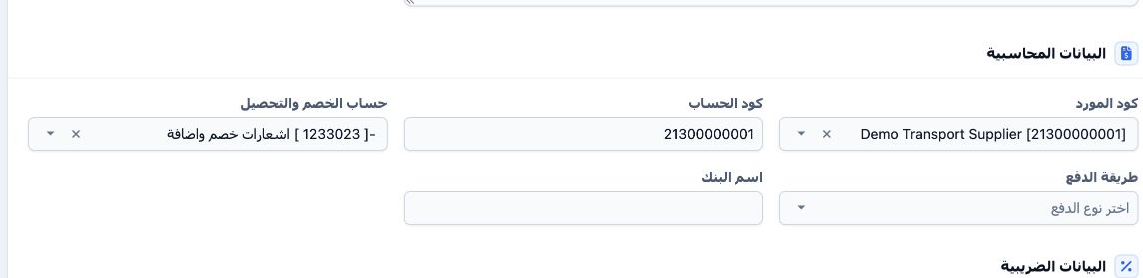
1 In Portal → Suppliers, edit the supplier. Under Accounting Data, choose the Deduction and Collection Account and save. The training account...
In Portal → Suppliers, edit the supplier. Under Accounting Data, choose the Deduction and Collection Account and save. The training account is 1233023. Set this account before posting the receipt.
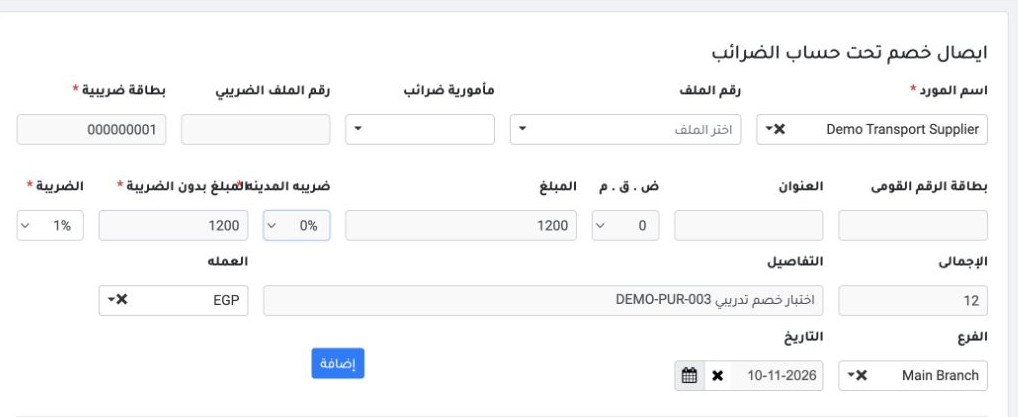
2 Open Accounting → Deduction and Addition and select Demo Transport Supplier. Review the tax details and set branch, currency and date. In th...
Open Accounting → Deduction and Addition and select Demo Transport Supplier. Review the tax details and set branch, currency and date. In this demo, enter EGP 1,200 for Amount and Amount Before Tax, select 1% withholding, verify EGP 12, and select Add.

Review the withholding result

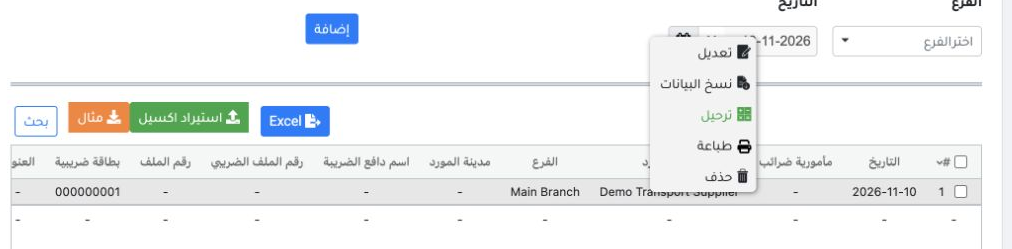
3 From the saved receipt’s context menu, select Post. Use Search to find a receipt or Excel to export the register.
From the saved receipt’s context menu, select Post. Use Search to find a receipt or Excel to export the register.
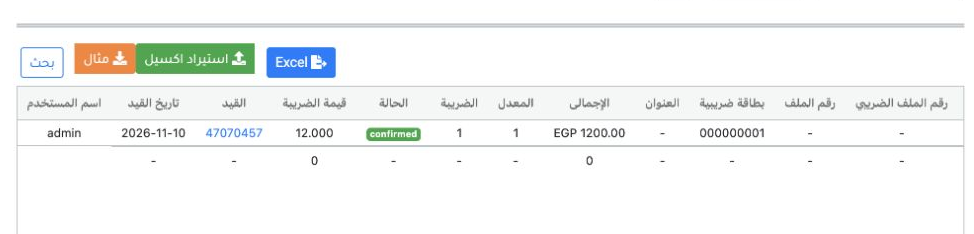
4 Refresh the register and verify the confirmed status and journal link. The example shows process reference 47070457.
Refresh the register and verify the confirmed status and journal link. The example shows process reference 47070457.

Review the withholding result

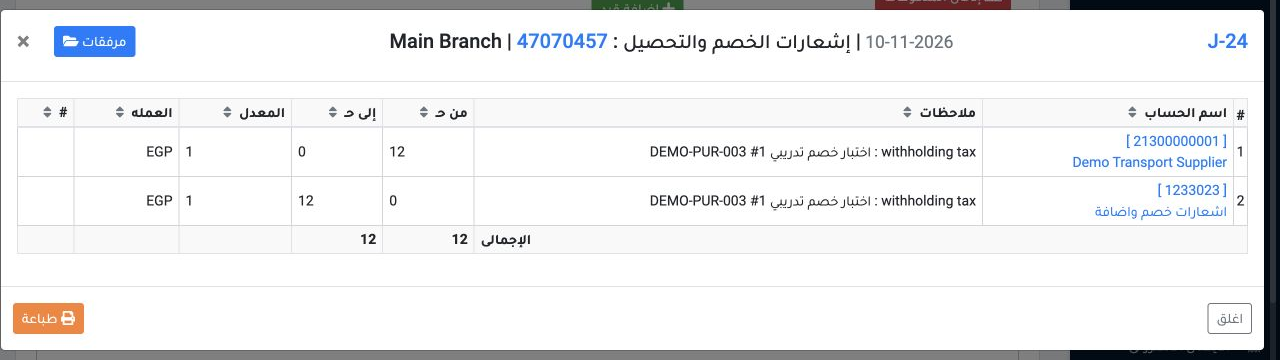
5 Open the journal link and choose View. J-24 debits supplier ledger 21300000001 and credits deduction and addition ledger 1233023, EGP 12 eac...
Open the journal link and choose View. J-24 debits supplier ledger 21300000001 and credits deduction and addition ledger 1233023, EGP 12 each.
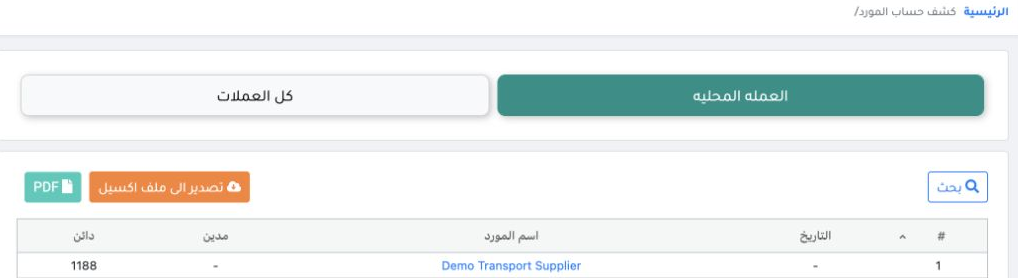
6 In Supplier Statement, the supplier credit balance fell from EGP 1,200 to EGP 1,188.
In Supplier Statement, the supplier credit balance fell from EGP 1,200 to EGP 1,188.

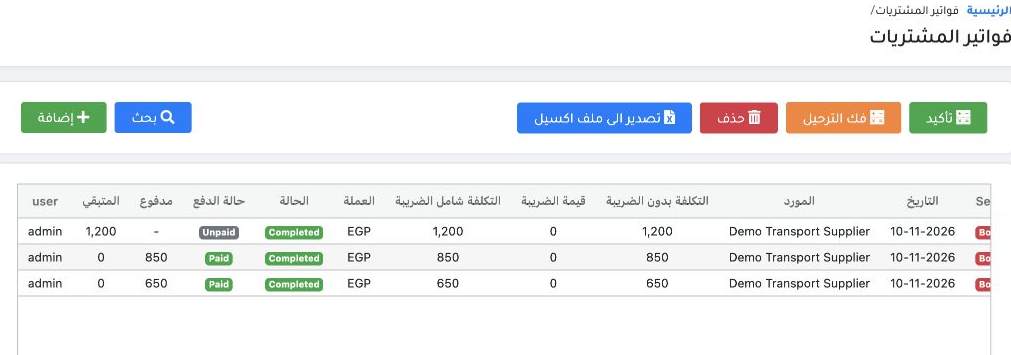
Review the withholding result

7 In Purchase Invoices, DEMO-PUR-003 still shows EGP 1,200 remaining. The invoice number was recorded in the receipt details, and the deductio...
In Purchase Invoices, DEMO-PUR-003 still shows EGP 1,200 remaining. The invoice number was recorded in the receipt details, and the deduction affected the supplier ledger.

Sign in to record the lessons you have read. Sign in