Skip to content
Trio Travel guide

Tourism Files | Tags

On this page
  1. Add and review a tourism file
  2. Find a tourism file

Add and review a tourism file

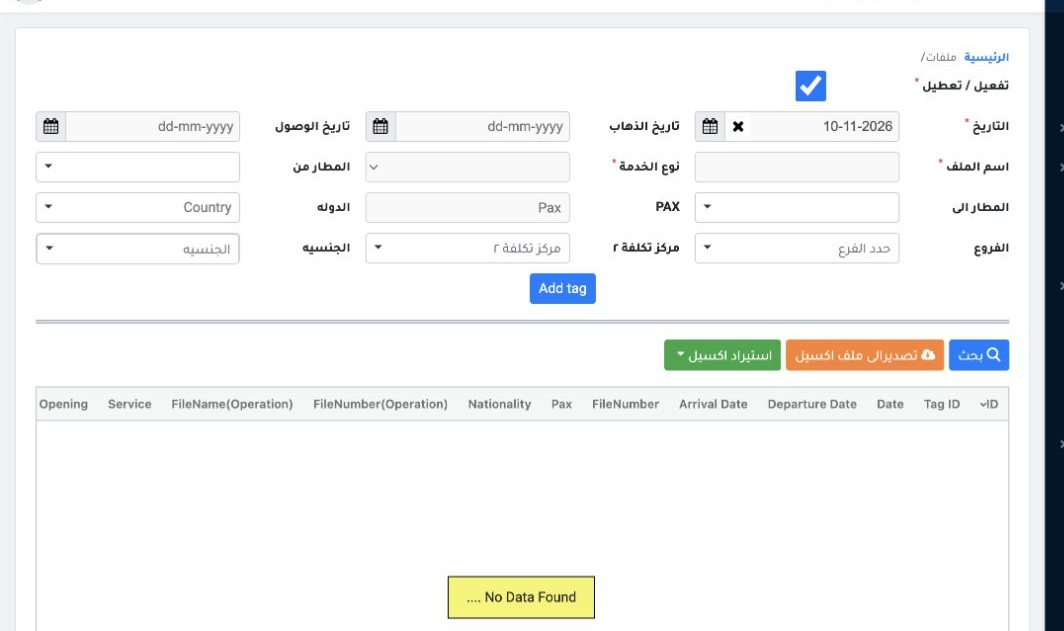
1 Open Accounting → Settings → Tags. Set the active status and date, and enter the file name and service type. Complete travel details, branch...
Open Accounting → Settings → Tags. Set the active status and date, and enter the file name and service type. Complete travel details, branch and Tag2 as needed. Select Add tag. Use the Excel controls to export or import.

Find a tourism file

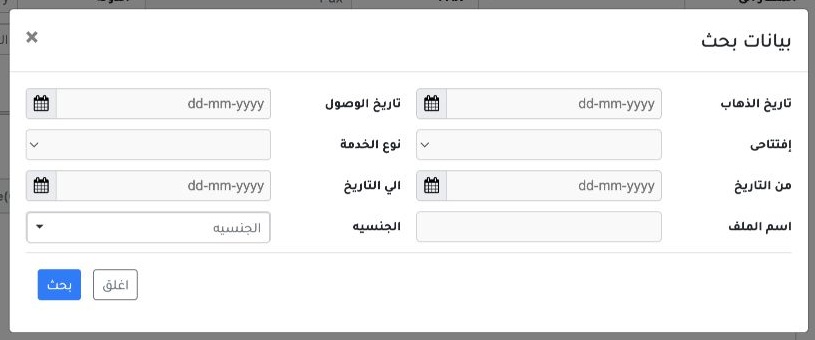
2 Select Search. Choose criteria such as service type, date range, file name or nationality, then select Search in the dialog.
Select Search. Choose criteria such as service type, date range, file name or nationality, then select Search in the dialog.

Sign in to record the lessons you have read. Sign in