Skip to content
Trio Travel guide

Customer Statement

Use the statement to review the customer’s net balance and open the account transactions to check the journal entries.
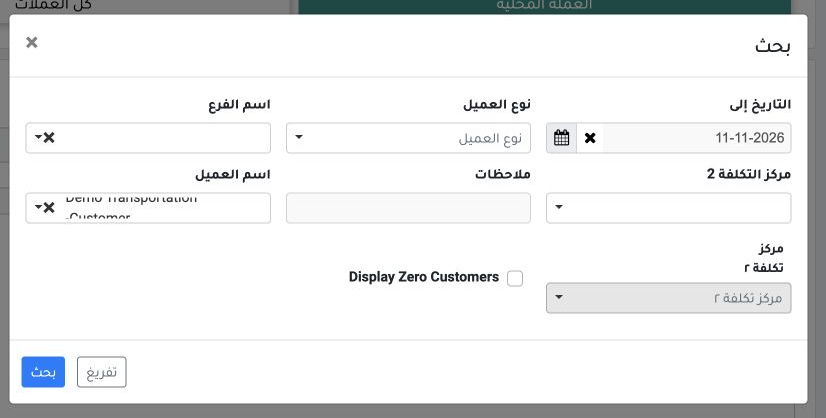
1 Open Accounting → General Reports → Customer Statement. Select Local Currency, open Search, select Demo Transportation Customer, and set To...
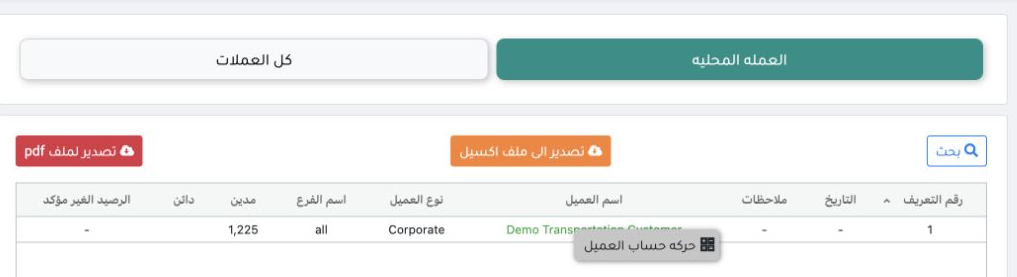
Open Accounting → General Reports → Customer Statement. Select Local Currency, open Search, select Demo Transportation Customer, and set To Date to 11 November 2026. Leave Branch unrestricted for this example and select Search.
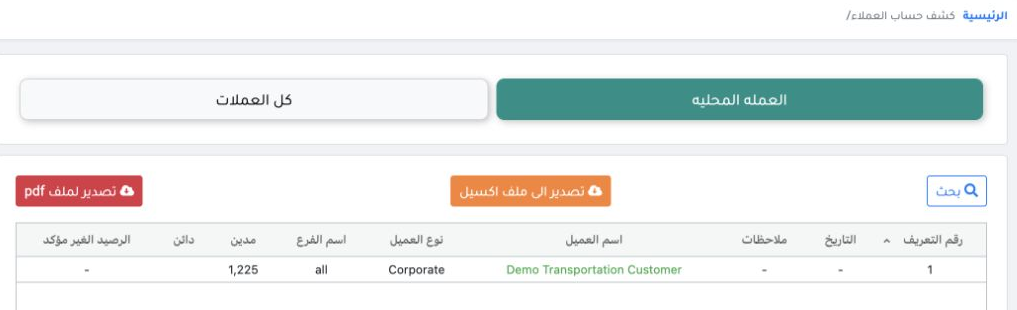
2 The customer row shows a net debit balance of EGP 1,225. Use the Excel export or statement printing control when needed.
The customer row shows a net debit balance of EGP 1,225. Use the Excel export or statement printing control when needed.

Review the supporting transactions
3 Right-click the customer row and select Customer Account Transactions.
Right-click the customer row and select Customer Account Transactions.
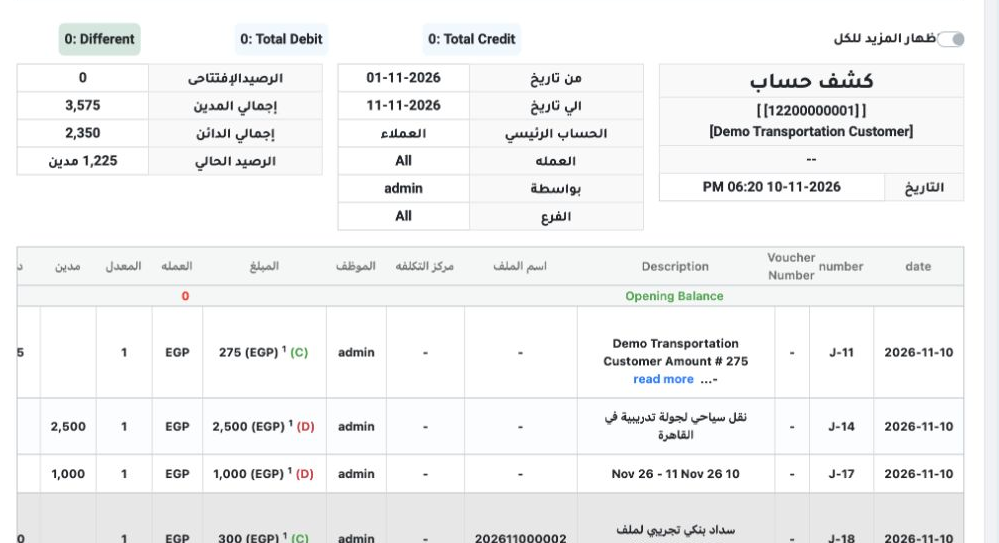
4 In the detailed ledger, use Search to set Branch to All and the end date to 11 November 2026. The ledger shows EGP 3,575 debit and EGP 2,350...
In the detailed ledger, use Search to set Branch to All and the end date to 11 November 2026. The ledger shows EGP 3,575 debit and EGP 2,350 credit, giving an EGP 1,225 debit balance. Invoice i-1/2026 is posted for EGP 2,500 in J-14.

Sign in to record the lessons you have read. Sign in