Skip to content
Trio Travel guide

Chart of Accounts

On this page
  1. Browse and search the chart
  2. Add a main account
  3. Add a subaccount
  4. Customer and supplier account codes
  5. Subaccount options
  6. Revaluation eligibility

Browse and search the chart

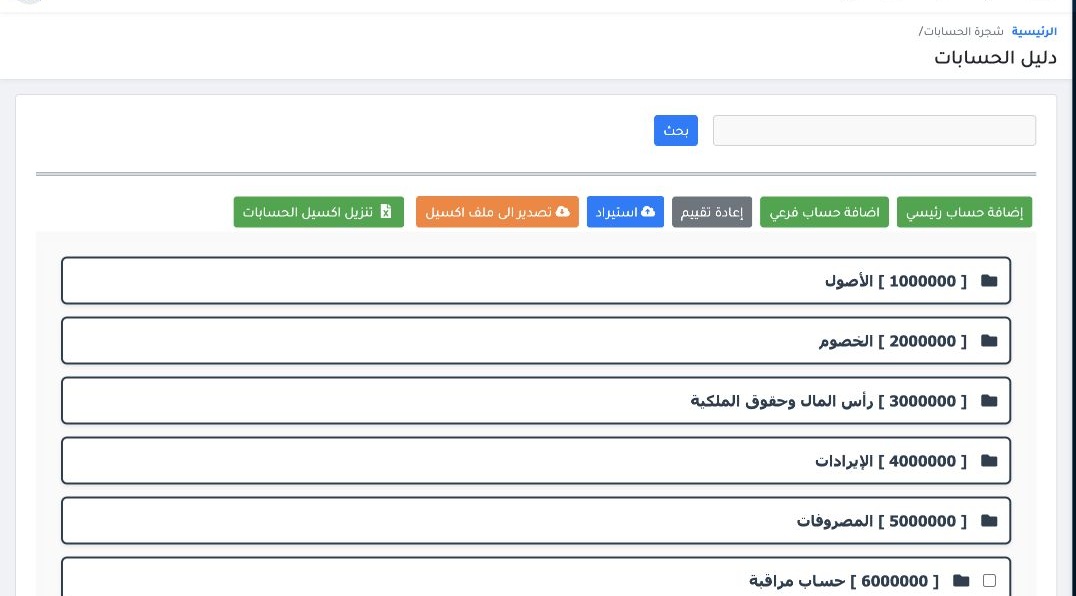
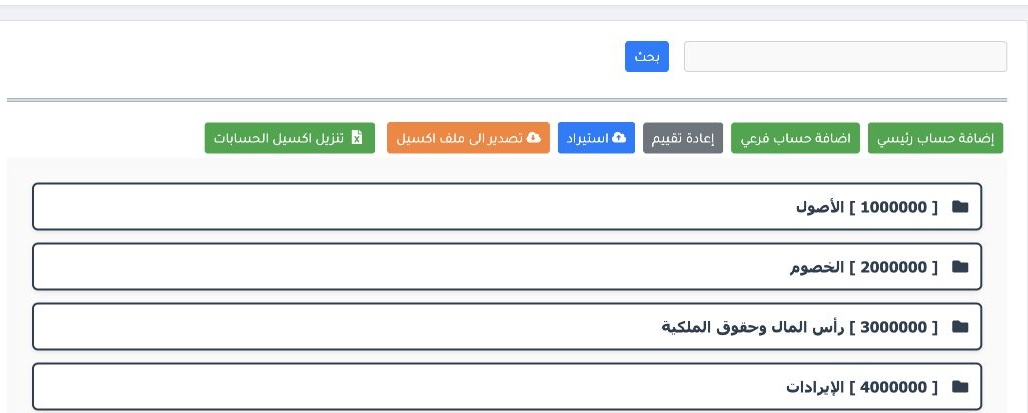
1 Open Accounting → Settings → Chart of Accounts. Expand a group to view its children. Use the search box and Search, or choose Export to Exce...
Open Accounting → Settings → Chart of Accounts. Expand a group to view its children. Use the search box and Search, or choose Export to Excel.

Add a main account

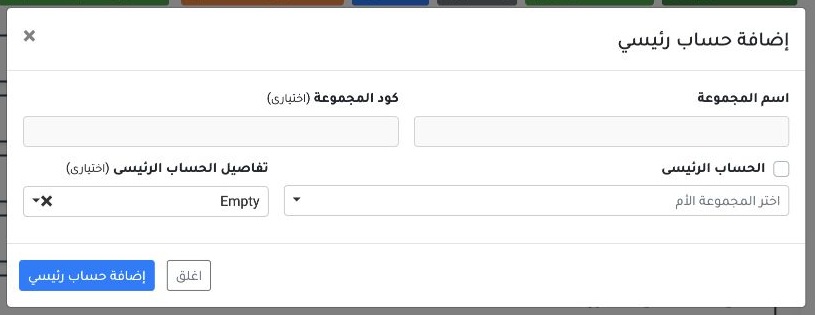
2 Select Add Main Account. Enter the group name and choose a parent group when the new group belongs under another account. The code and detai...
Select Add Main Account. Enter the group name and choose a parent group when the new group belongs under another account. The code and details are optional. Select the add button in the dialog.

Add a subaccount

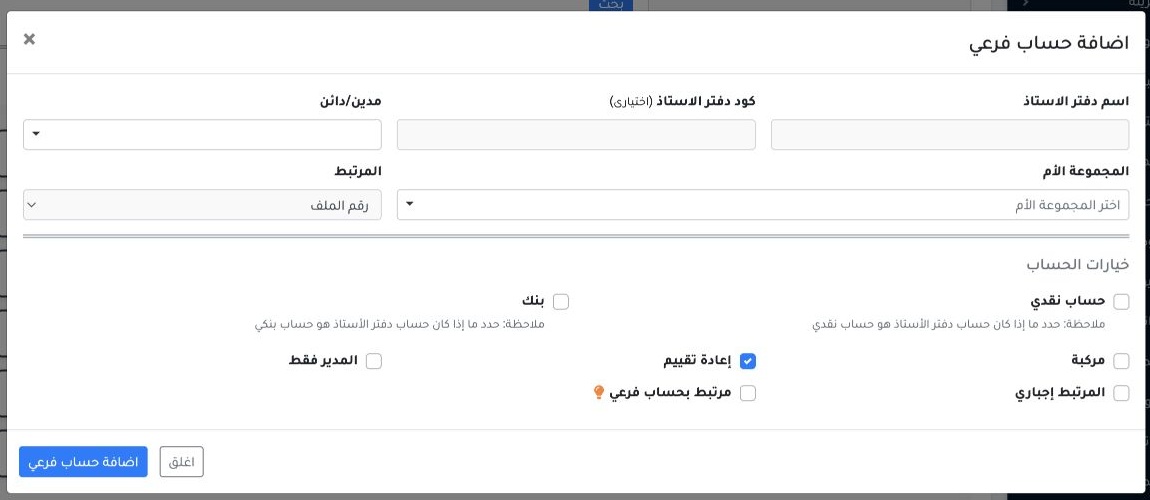
3 Select Add Subaccount. Enter the ledger name and choose the debit or credit nature and parent group. Review Related and the account options,...
Select Add Subaccount. Enter the ledger name and choose the debit or credit nature and parent group. Review Related and the account options, then select the add button in the dialog.

Customer and supplier account codes

4 Create general ledger accounts from the chart. For a new customer or supplier, add the record in Customers or Suppliers. The system creates...
Create general ledger accounts from the chart. For a new customer or supplier, add the record in Customers or Suppliers. The system creates its account code in the chart automatically.

Subaccount options

5 Enable Cash Account for a safe ledger, then complete its mapping under Settings → Safes. Flag a bank ledger as Bank so it is available in th...
Enable Cash Account for a safe ledger, then complete its mapping under Settings → Safes. Flag a bank ledger as Bank so it is available in the bank picker for payment orders, payments and cheques. Flag the account as Vehicle when it relates to a vehicle and make vehicle selection mandatory for transport expenses that require it. Set whether choosing a cash customer is mandatory or optional.

Revaluation eligibility

6 Set Revaluation per account under the company’s accounting workflow. Turn it off for revenue and expense accounts. The accountant can enable...
Set Revaluation per account under the company’s accounting workflow. Turn it off for revenue and expense accounts. The accountant can enable it for eligible accounts, such as customer, supplier, safe and bank accounts.

Sign in to record the lessons you have read. Sign in