Skip to content
Trio Travel guide

Trial Balance

On this page
  1. Set the reporting period
  2. Read and export the trial balance

Set the reporting period

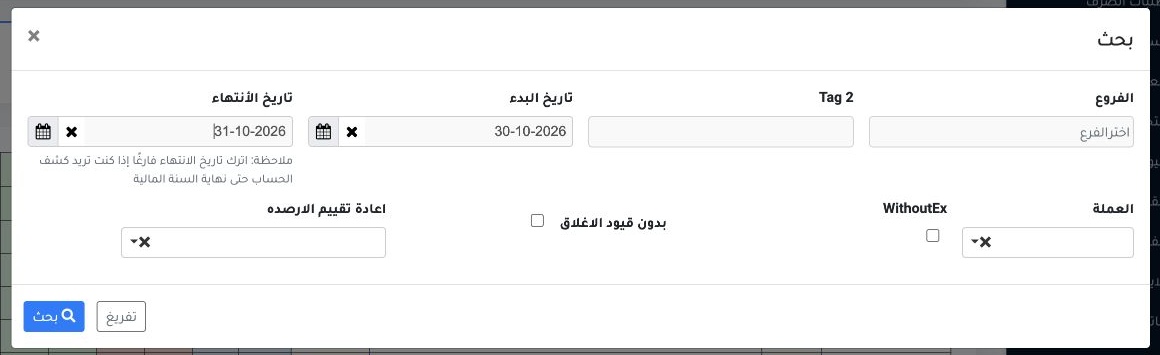
1 In Financial Reports → Trial Balance, select Search. Set the start and end dates, and choose a branch or Tag2 as needed. The example uses 30...
In Financial Reports → Trial Balance, select Search. Set the start and end dates, and choose a branch or Tag2 as needed. The example uses 30–31 October 2026.

Read and export the trial balance

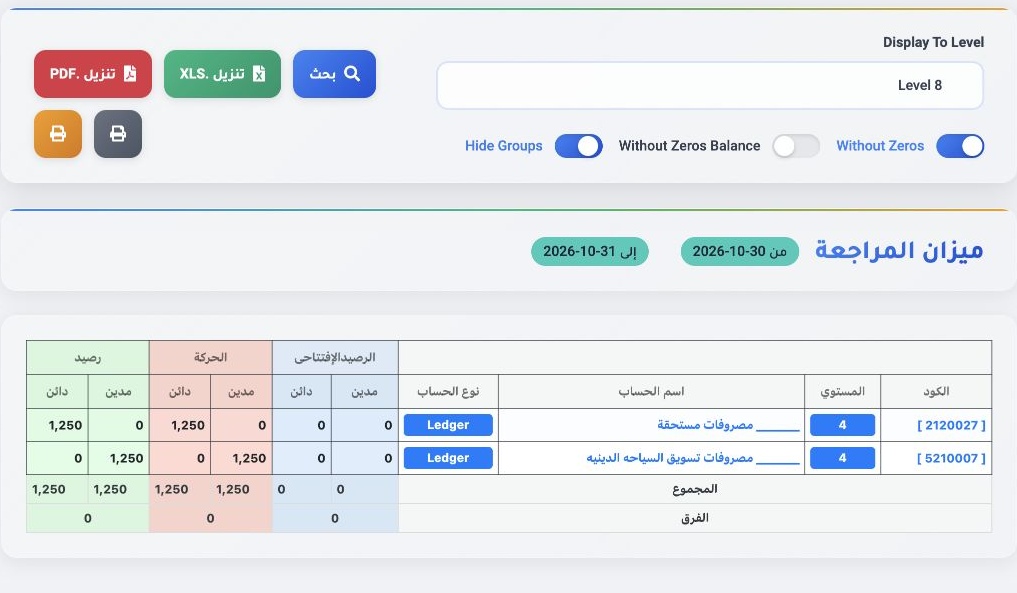
2 Enable Without Zeros and Hide Groups to show the accounts with movement in the example. Review opening balances, movements and closing balan...
Enable Without Zeros and Hide Groups to show the accounts with movement in the example. Review opening balances, movements and closing balances. Debit and credit each total EGP 1,250. Download as XLS or PDF.

Sign in to record the lessons you have read. Sign in