Skip to content
Trio Travel guide

Currencies and Exchange Rates

On this page
  1. Review and export currencies
  2. Add a currency
  3. Find a currency
  4. Open exchange rates for a foreign currency
  5. Add and review an exchange rate

Review and export currencies

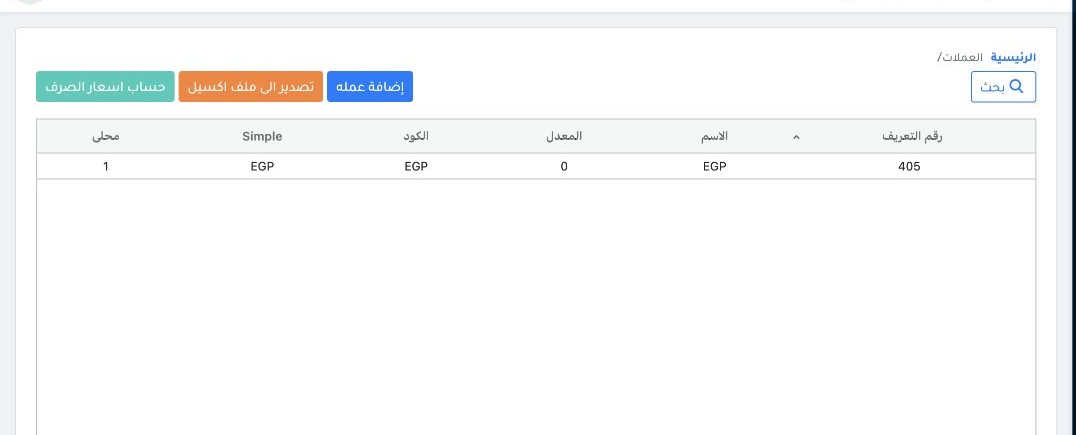
1 Open Accounting → Settings → Currencies. Review the name, code, rate and local-currency indicator. Use Export to Excel to download the list.
Open Accounting → Settings → Currencies. Review the name, code, rate and local-currency indicator. Use Export to Excel to download the list.

Add a currency

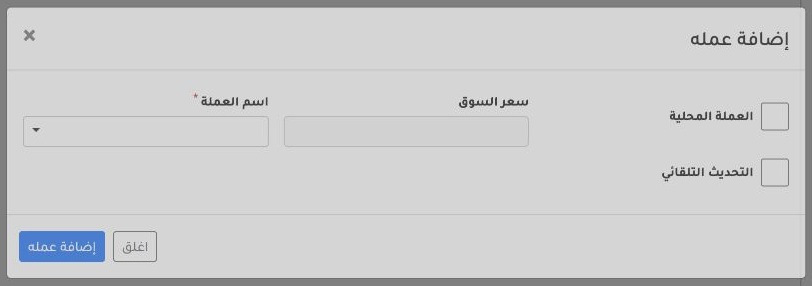
2 Select Add Currency, choose the currency name and review Local Currency. To retrieve exchange rates automatically through an API instead of...
Select Add Currency, choose the currency name and review Local Currency. To retrieve exchange rates automatically through an API instead of entering them manually, enable Automatic Update. Then select Add Currency in the dialog.

Find a currency

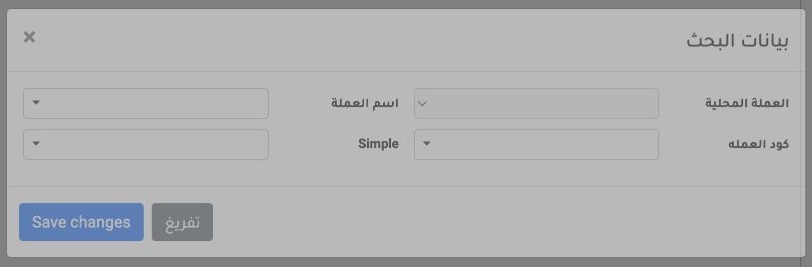
3 Open Search. Set the name, code or local-currency filter. Select Save changes to apply the search or Clear to reset the criteria.
Open Search. Set the name, code or local-currency filter. Select Save changes to apply the search or Clear to reset the criteria.

Open exchange rates for a foreign currency

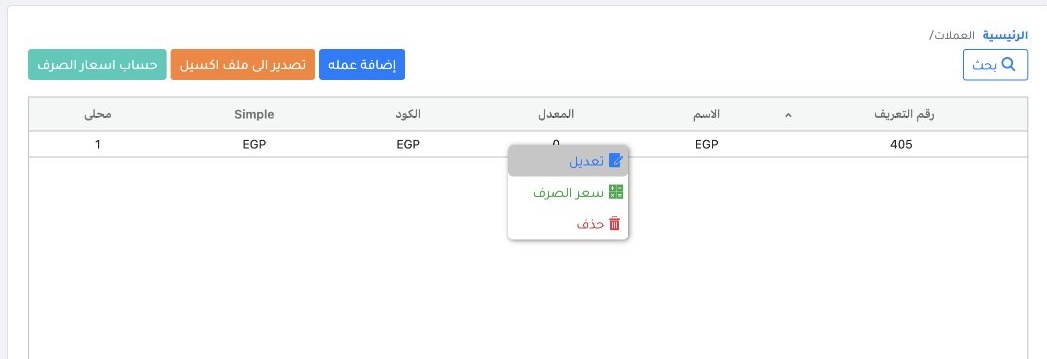
4 In Accounting Settings → Currencies, right-click the foreign currency row and select Exchange Rate. The example shows where the action is lo...
In Accounting Settings → Currencies, right-click the foreign currency row and select Exchange Rate. The example shows where the action is located. The local currency is set when the organization is created and marked 1 in the Local column. It serves as the base currency and needs no exchange-rate entry.

Add and review an exchange rate

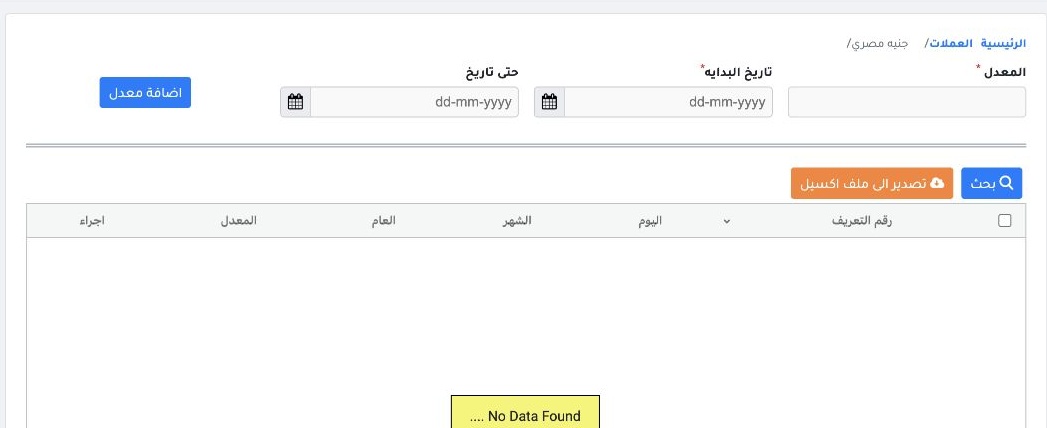
5 For the foreign currency, enter the Rate and Start Date, and set Until Date if the rate has an end date. Select Add Rate and review it in th...
For the foreign currency, enter the Rate and Start Date, and set Until Date if the rate has an end date. Select Add Rate and review it in the table. Set up the currencies you will use before operations begin, such as SAR for Umrah costs and USD or EUR for outbound tourism.

Sign in to record the lessons you have read. Sign in