Skip to content
Trio Travel guide

Special Deductions

On this page
  1. 1 Add and schedule installments
  2. 2 Review and edit the schedule
  3. 3 Search and export
  4. 4 Deletion confirmation

Select the employee, deduction total and installment schedule.

1 Add and schedule installments
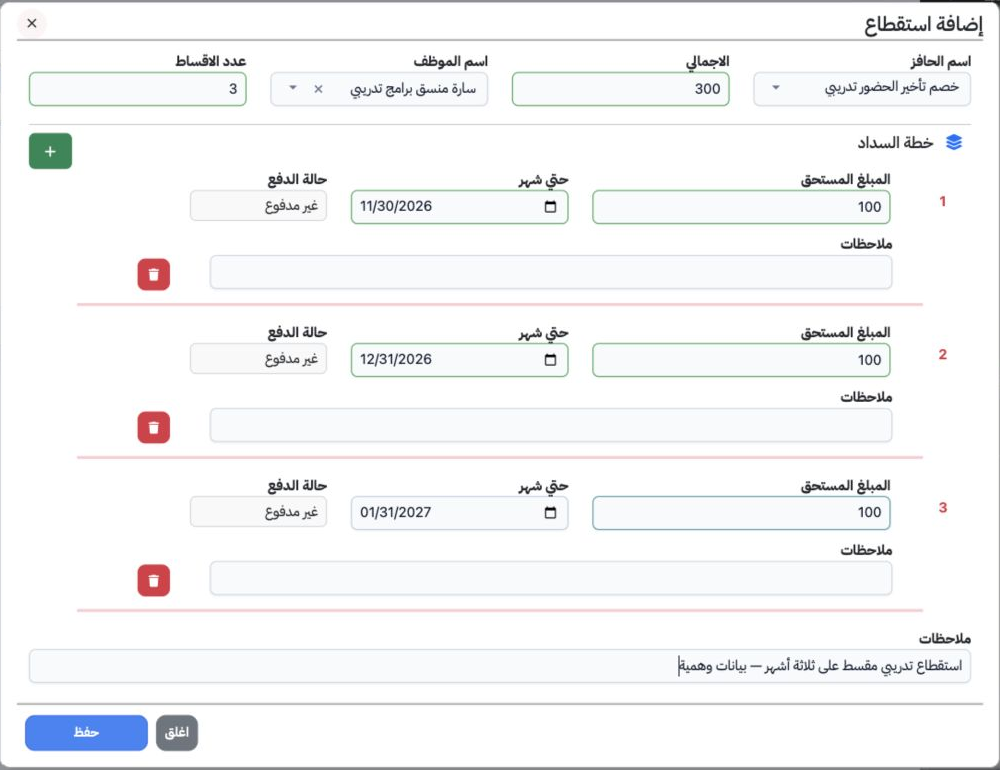
1 Open Human Resources → Operations → Special Deductions and select Add. Choose the deduction type in the field labelled Incentive Name (اسم ا...
Open Human Resources → Operations → Special Deductions and select Add. Choose the deduction type in the field labelled Incentive Name (اسم الحافز); types are configured under Deductions in HR Settings. Select the employee and enter the total and installment count. Enter each installment amount and date in Until Month, and review its status. The example records 300 for Sarah as three unpaid installments of 100. Add notes and save.

2 Review and edit the schedule

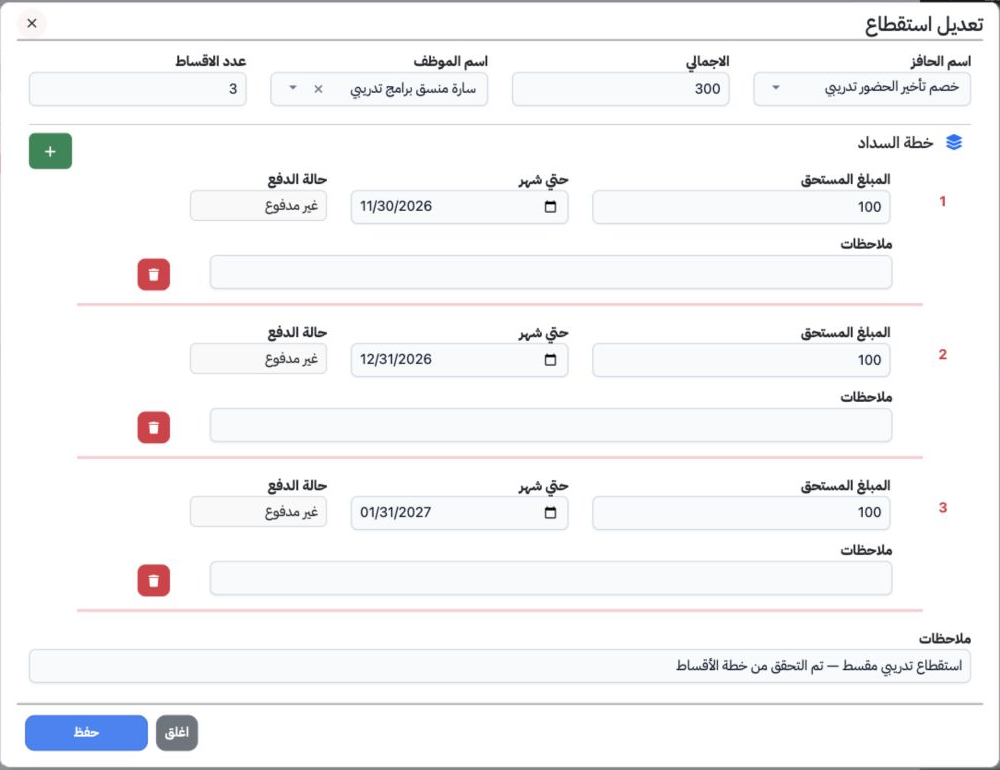
2 Choose Edit from the row menu. Review amounts and dates, change the required fields and save. The three installments were retained for the e...
Choose Edit from the row menu. Review amounts and dates, change the required fields and save. The three installments were retained for the ends of November and December 2026 and January 2027. The general note was updated and the total remained 300. The list displays a green 0 and red 3 for the schedule statuses.

3 Search and export

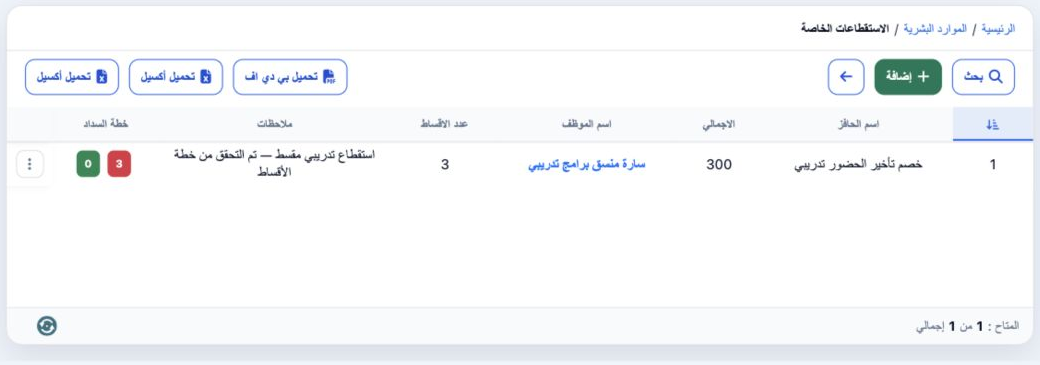
3 Select Search, enter the record number in ID and choose the magnifier. The example returns record 1. Filters also include type, employee, in...
Select Search, enter the record number in ID and choose the magnifier. The example returns record 1. Filters also include type, employee, installment count and dates. For the verified detailed Excel export, use the Download Excel button nearest the left edge. Download PDF produces a report with the total, installment dates, values and statuses.

4 Deletion confirmation

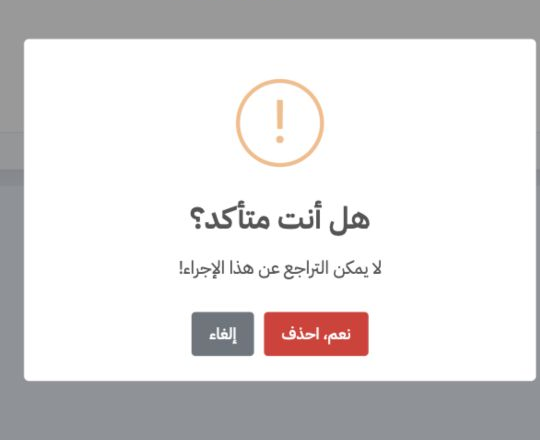
4 Choose Delete from the row menu. Check the intended record before Yes, Delete, or select Cancel to keep it. Deletion was cancelled and the s...
Choose Delete from the row menu. Check the intended record before Yes, Delete, or select Cancel to keep it. Deletion was cancelled and the schedule remains saved.

Sign in to record the lessons you have read. Sign in