Skip to content
Trio Travel guide

Salary Systems

On this page
  1. 1 Define a salary system
  2. 2 Edit the system
  3. 3 Search and export
  4. 4 Deletion confirmation
  5. 5 Select the system for an employee

Define a salary system, its payment frequency and its employee assignment.

1 Define a salary system
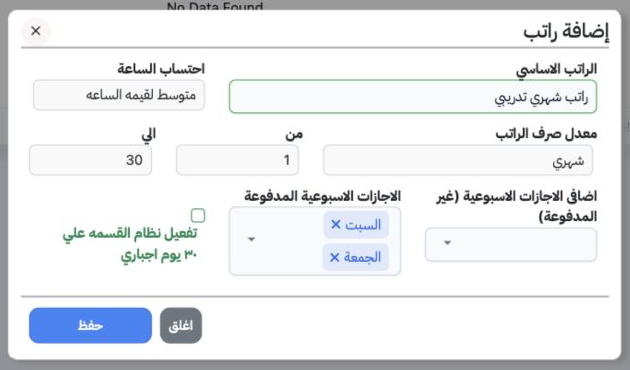
1 Open Human Resources, Settings, Salaries and select Add. Enter the system name in the field labelled Basic Salary (الراتب الاساسي). Select H...
Open Human Resources, Settings, Salaries and select Add. Enter the system name in the field labelled Basic Salary (الراتب الاساسي). Select Hour Calculation: Average, Fixed per Hour or No Calculation. Choose Monthly or Weekly payment frequency and set From and To. The training example is monthly, from day 1 to day 30, with Friday and Saturday as paid weekly days off. Explicitly select Hour Calculation, then save.

2 Edit the system

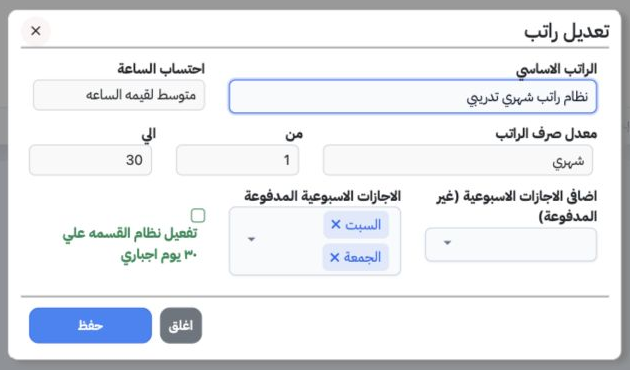
2 Choose Edit from the system’s row menu. Review the name, hour calculation, frequency and days. The form includes paid and unpaid weekly days...
Choose Edit from the system’s row menu. Review the name, hour calculation, frequency and days. The form includes paid and unpaid weekly days off and a Force Division by 30 Days option, unchecked in this example. The system was renamed نظام راتب شهري تدريبي and saved.

3 Search and export

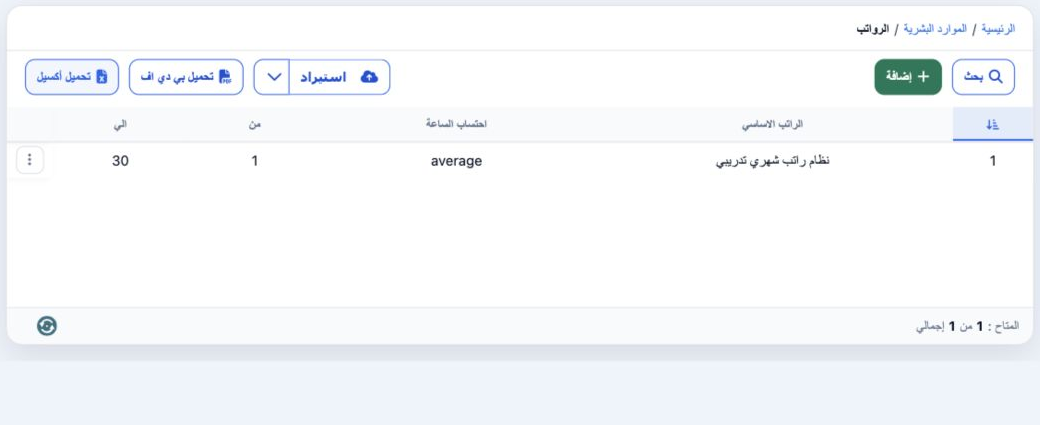
3 Select Search, enter the full system name in Name and choose the magnifier. The example returns one record with average hour calculation and...
Select Search, enter the full system name in Name and choose the magnifier. The example returns one record with average hour calculation and days 1 to 30. Clear inside Search removes the filter. Download Excel produces an XLSX of system names.

4 Deletion confirmation

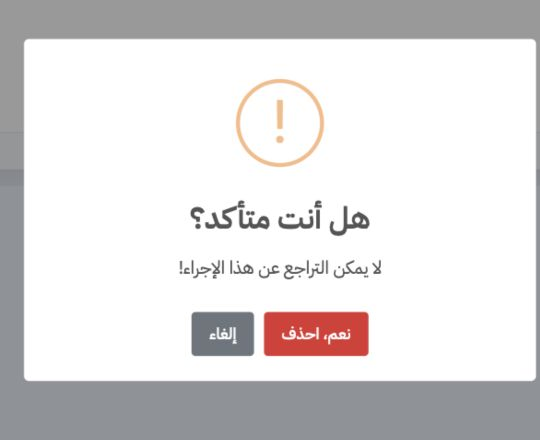
4 Choose Delete from the intended system’s row menu. Review the warning, then Cancel to keep it, or Yes, Delete to confirm removal of that rec...
Choose Delete from the intended system’s row menu. Review the warning, then Cancel to keep it, or Yes, Delete to confirm removal of that record. Deletion was cancelled so the system remains available for employees.

5 Select the system for an employee

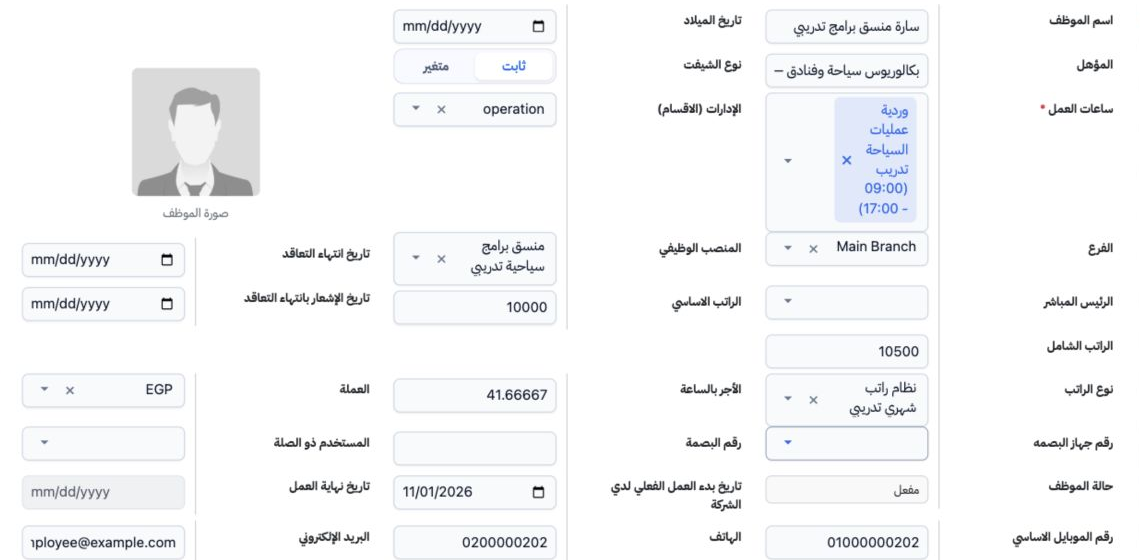
5 Open Employees and select the employee name or Edit from the row menu. Choose the system in Salary Type, review Hourly Rate and currency, th...
Open Employees and select the employee name or Edit from the row menu. Choose the system in Salary Type, review Hourly Rate and currency, then save. Reopening Sarah retained نظام راتب شهري تدريبي and an hourly rate of 41.66667 on a basic salary of 10,000.

Sign in to record the lessons you have read. Sign in