Skip to content
Trio Travel guide

Attendance and Timekeeping

On this page
  1. 1 Read attendance
  2. 2 Filter attendance
  3. 3 Correct a punch time
  4. 4 Verify the correction
  5. 5 Related operations

Review employee times, correct a punch and verify the working duration.

1 Read attendance
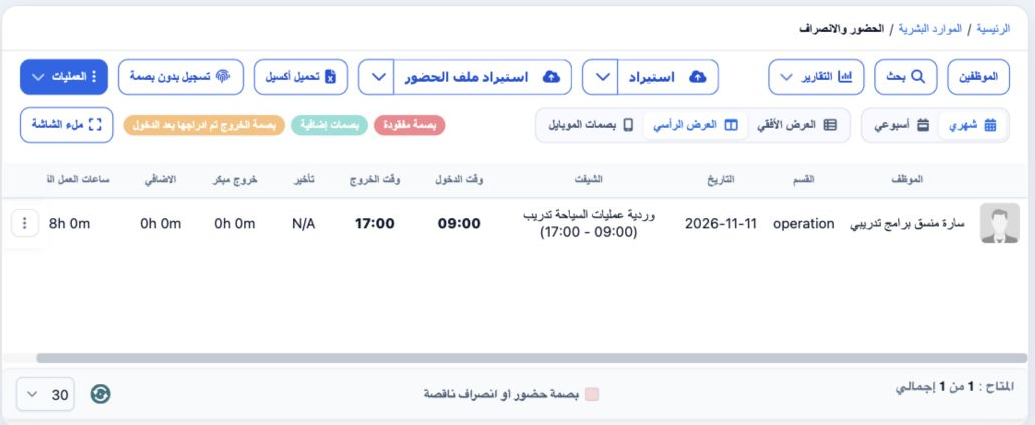
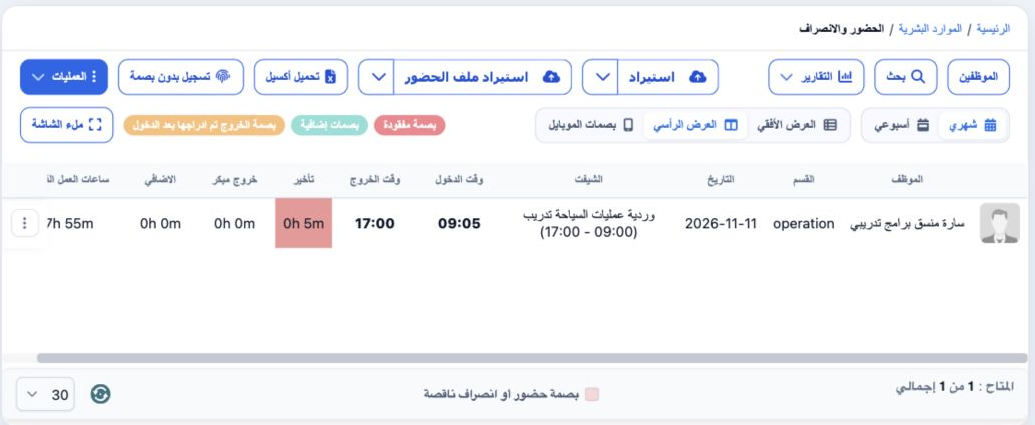
1 Open HR → Attendance. Vertical View shows employee, department, date, shift, check-in/out, lateness, early exit, overtime and actual working...
Open HR → Attendance. Vertical View shows employee, department, date, shift, check-in/out, lateness, early exit, overtime and actual working hours. Sarah initially showed 09:00–17:00 on 11 November, totaling eight hours. Tabs offer monthly/weekly, horizontal/vertical and mobile punch views.

2 Filter attendance

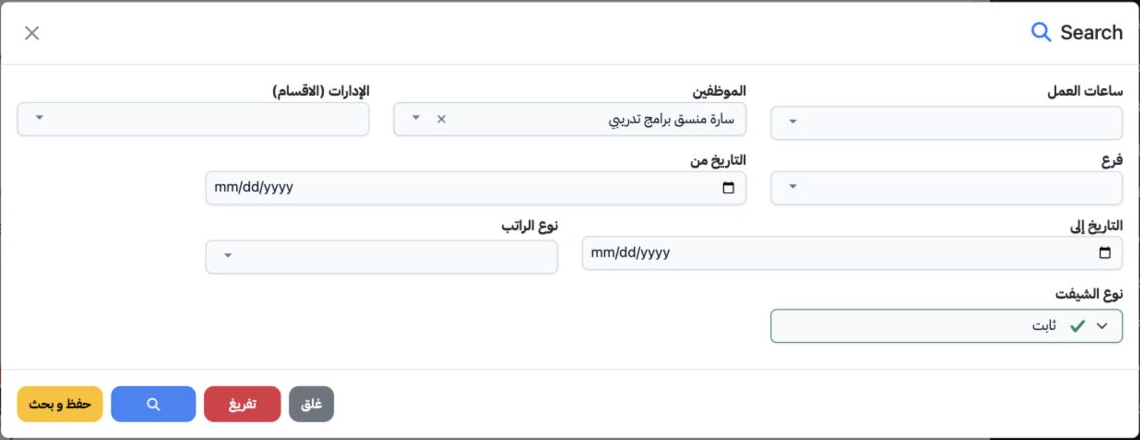
2 Select Search. Choose the employee and optionally working hours, department, branch, date range, salary type and shift type. Select the sear...
Select Search. Choose the employee and optionally working hours, department, branch, date range, salary type and shift type. Select the search icon inside the dialog. Clear resets the filters. Searching for Sarah returned the training attendance row.

3 Correct a punch time

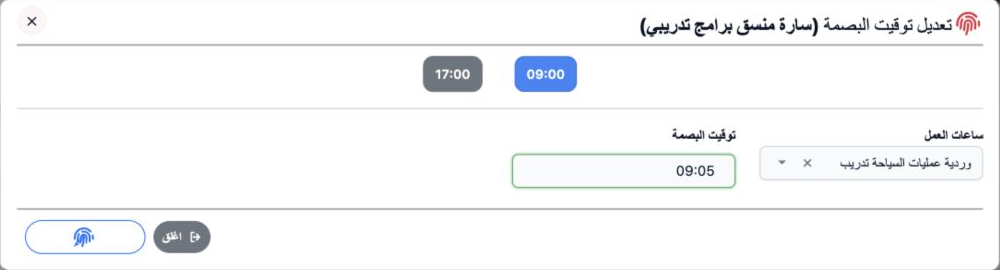
3 Choose Edit Punch Time from the row menu. Select Working Hours, then select the existing time to edit. Set the new Punch Time and use the fi...
Choose Edit Punch Time from the row menu. Select Working Hours, then select the existing time to edit. Set the new Punch Time and use the fingerprint button to save. Sarah’s check-in changed from 09:00 to 09:05; check-out remained 17:00.

4 Verify the correction

4 Review the row after saving. Check-in is 09:05, check-out 17:00, lateness five minutes and actual work seven hours 55 minutes. Early exit an...
Review the row after saving. Check-in is 09:05, check-out 17:00, lateness five minutes and actual work seven hours 55 minutes. Early exit and overtime are zero. Use Download Excel to request a list export.

5 Related operations

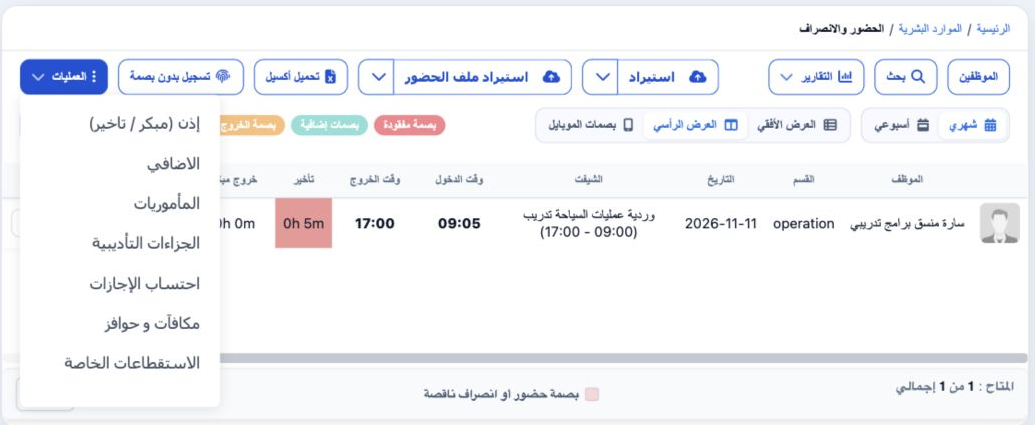
5 The Operations menu links to permits, overtime, missions, disciplinary actions, leave calculation, rewards and special deductions. Manual At...
The Operations menu links to permits, overtime, missions, disciplinary actions, leave calculation, rewards and special deductions. Manual Attendance opens the manual entry form. Import, Import Attendance File and Example/Catalog controls appear above the list.

Sign in to record the lessons you have read. Sign in