Skip to content
Trio Travel guide

Employment Verification Letter

On this page
  1. 1 Open the letter action
  2. 2 Review the certificate text
  3. 3 Review the signature area and save a copy

Generate an employment verification letter from the employee record and review its contents.

1 Open the letter action
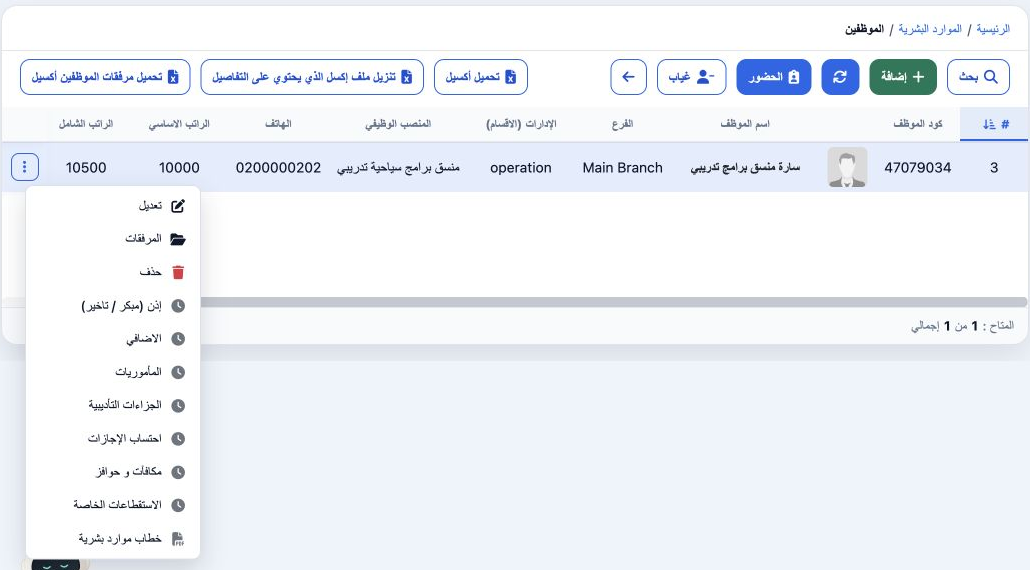
1 Open HR → Employees and find the employee. Review the name, code, job, branch and salary, then open the row’s three-dot menu and choose HR L...
Open HR → Employees and find the employee. Review the name, code, job, branch and salary, then open the row’s three-dot menu and choose HR Letter (خطاب موارد بشرية). The system opens an employment verification PDF in a new tab. This example uses Sarah, employee code 47079034.

2 Review the certificate text

2 Review the company and employee names, identification, job, department and employment start date. This example states 1 November 2026 and de...
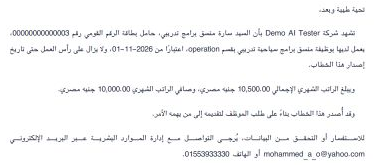
Review the company and employee names, identification, job, department and employment start date. This example states 1 November 2026 and department operation. The letter displays 10,500 EGP under gross salary and 10,000 under net salary. Maintain employee data in the employee record and company information in Company Settings.

3 Review the signature area and save a copy
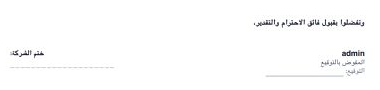
3 Review the company-stamp area, responsible person’s name, signature and date lines. This example shows admin as the responsible person. The...
Review the company-stamp area, responsible person’s name, signature and date lines. This example shows admin as the responsible person. The certificate header is dated 11 November 2026 and carries reference HR-2026-000005. The PDF viewer exposes download and print controls.

Sign in to record the lessons you have read. Sign in