Skip to content
Trio Travel guide

Incentives and Rewards

On this page
  1. 1 Add an incentive
  2. 2 Edit notes
  3. 3 Search by employee
  4. 4 Review the incentive
  5. 5 Deletion confirmation

Record an employee incentive and its payment schedule.

1 Add an incentive
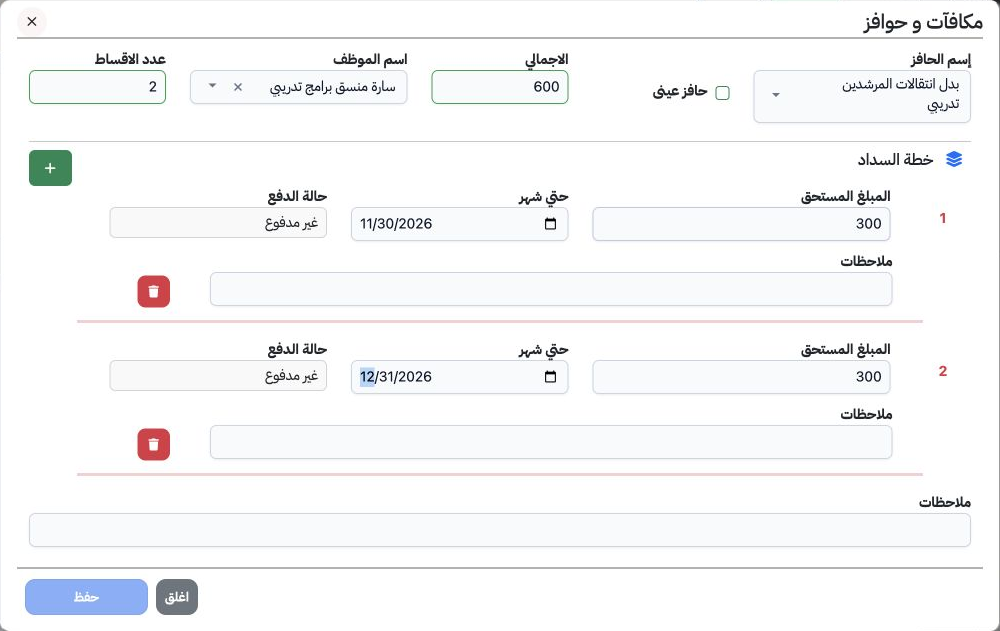
1 Open Human Resources → Operations → Incentives and Rewards, then Add. Select the incentive and employee, enter the total and number of insta...
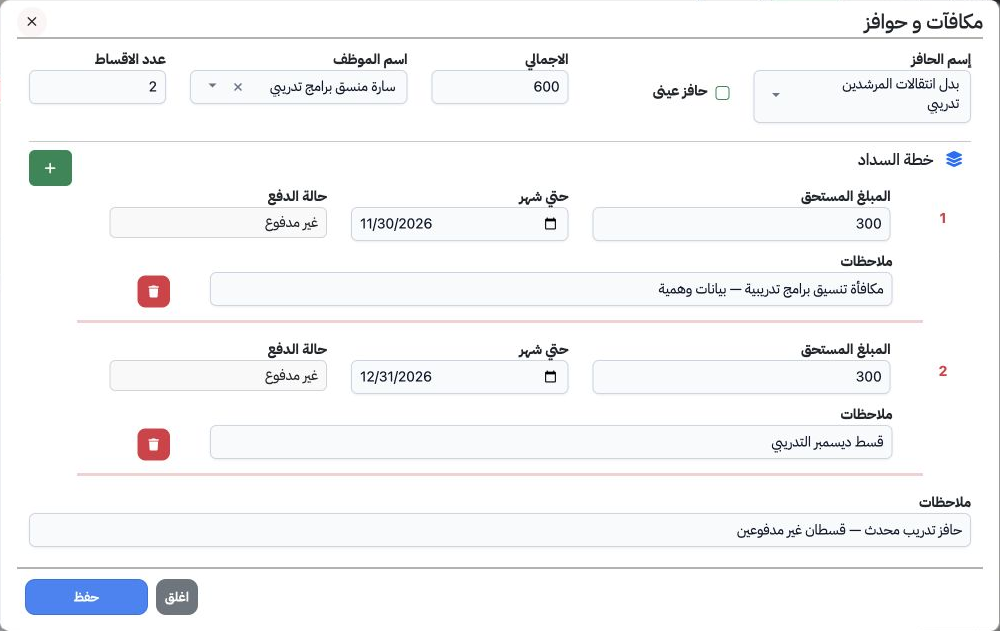
Open Human Resources → Operations → Incentives and Rewards, then Add. Select the incentive and employee, enter the total and number of installments. For each installment, enter its amount, Until Month date, payment status and notes, then save. The example uses Sarah, total 600 and two unpaid installments of 300 dated 30 November and 31 December 2026.

2 Edit notes

2 Choose Edit from the row menu. Update the general note or an individual installment note, then save. The general note and December installme...
Choose Edit from the row menu. Update the general note or an individual installment note, then save. The general note and December installment note were changed separately and persisted on reopening. Both installments remained unpaid.

3 Search by employee

3 Select Search, choose an employee from the list and run the search, then Close the dialog. The form also offers incentive and date range fil...
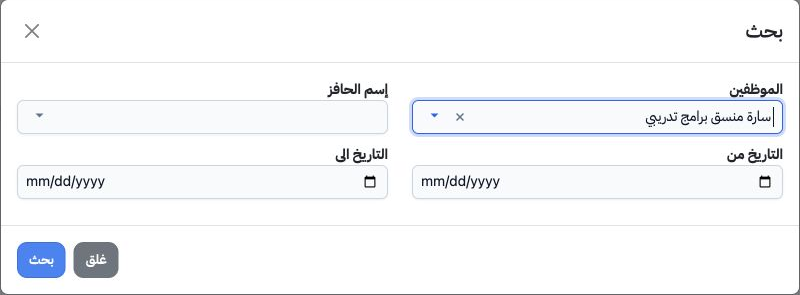
Select Search, choose an employee from the list and run the search, then Close the dialog. The form also offers incentive and date range filters. Searching for Sarah returned the training record.

4 Review the incentive

4 Review the total, employee, installment count and notes in the list. Record 1 shows a total of 600 and two installments.
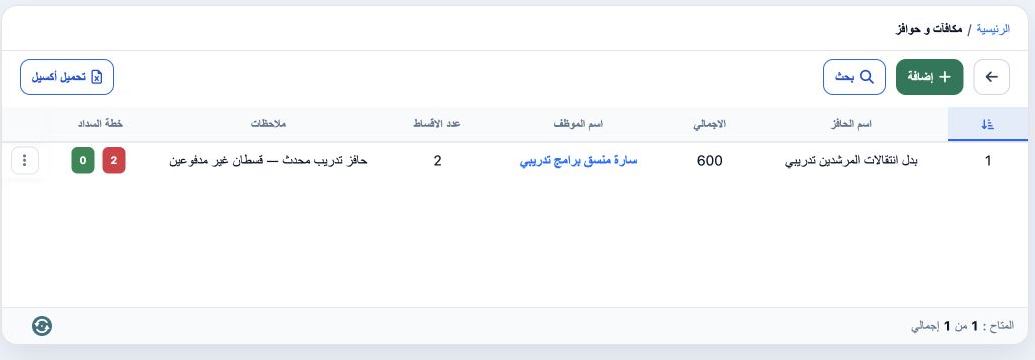
Review the total, employee, installment count and notes in the list. Record 1 shows a total of 600 and two installments.

5 Deletion confirmation

5 Choose delete from the row menu. Cancel keeps the record; Yes, Delete confirms removal. Deletion was cancelled in the example.
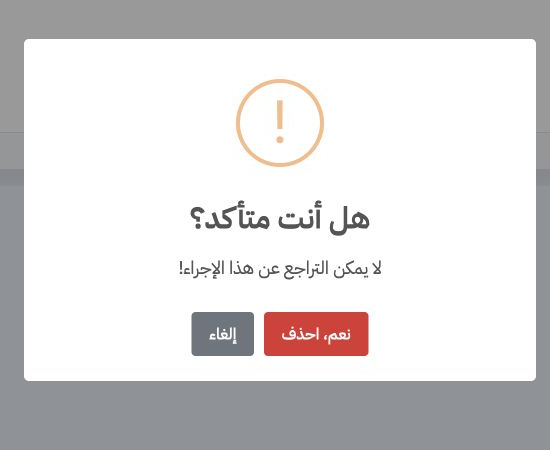
Choose delete from the row menu. Cancel keeps the record; Yes, Delete confirms removal. Deletion was cancelled in the example.

Sign in to record the lessons you have read. Sign in