Skip to content
Trio Travel guide

HR Departments

On this page
  1. 1 Add a department
  2. 2 Update the name
  3. 3 Find and export a department
  4. 4 Review deletion confirmation

Create a department, update its name and find it in the list.

1 Add a department
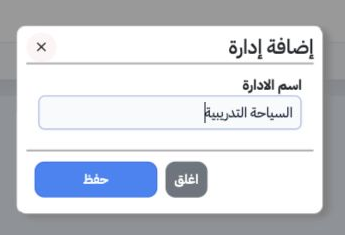
1 Open Human Resources, Settings, then Departments (الإدارات (الاقسام)). Select Add, enter the department name and save. The example created ا...
Open Human Resources, Settings, then Departments (الإدارات (الاقسام)). Select Add, enter the department name and save. The example created السياحة التدريبية as record 533.

2 Update the name

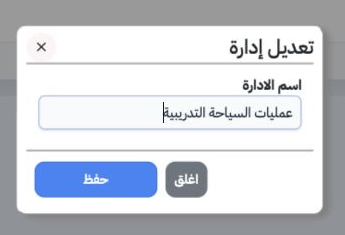
2 Open the intended department row menu and choose Edit. Update the name and save. The training department was renamed عمليات السياحة التدريبي...
Open the intended department row menu and choose Edit. Update the name and save. The training department was renamed عمليات السياحة التدريبية.

3 Find and export a department

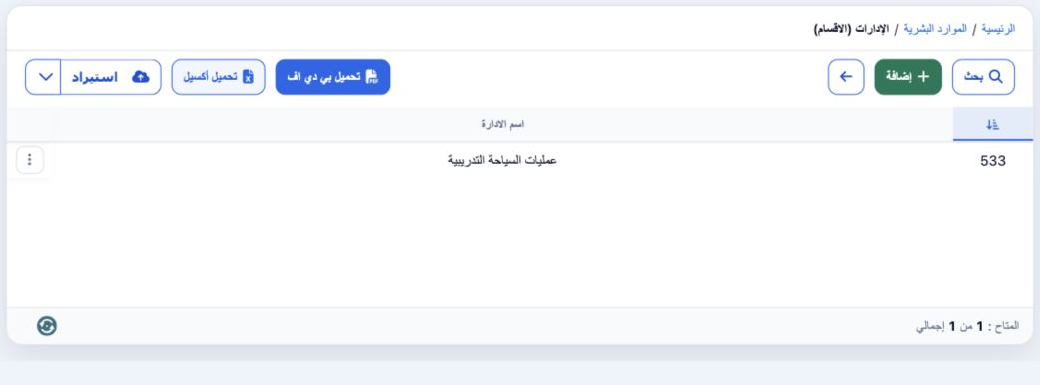
3 Select Search, enter the name in Name and select the magnifier. The example shows only record 533 after an exact-name search. Download Excel...
Select Search, enter the name in Name and select the magnifier. The example shows only record 533 after an exact-name search. Download Excel downloads the list. Clear (تفريغ) inside Search removes the filter.

4 Review deletion confirmation

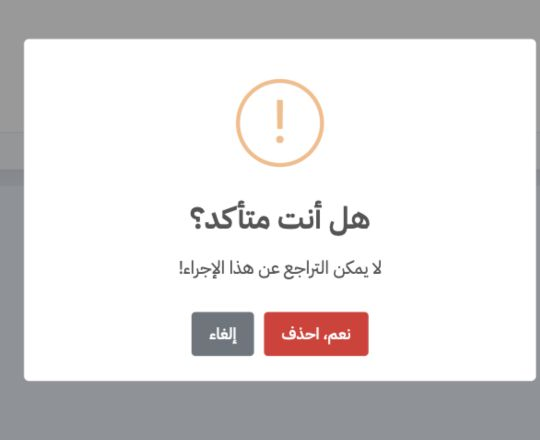
4 Choose Delete from the intended department’s row menu. Review the warning before confirming Yes, Delete, or select Cancel to return. Deletio...
Choose Delete from the intended department’s row menu. Review the warning before confirming Yes, Delete, or select Cancel to return. Deletion was cancelled and the training department remains available.

Sign in to record the lessons you have read. Sign in