Skip to content
Trio Travel guide

Salary Summary Report

On this page
  1. 1 Search for a salary
  2. 2 Employee and salary details
  3. 3 Attendance and period indicators
  4. 4 Earnings and payroll inputs
  5. 5 Deductions and net pay
  6. 6 Choose report columns

Select an employee and period, then inspect earnings, deductions and net pay.

1 Search for a salary
1 Open HR → Overview → Reports → Salary Report. Select the search icon and choose the employee from the selector results. Set From and To date...
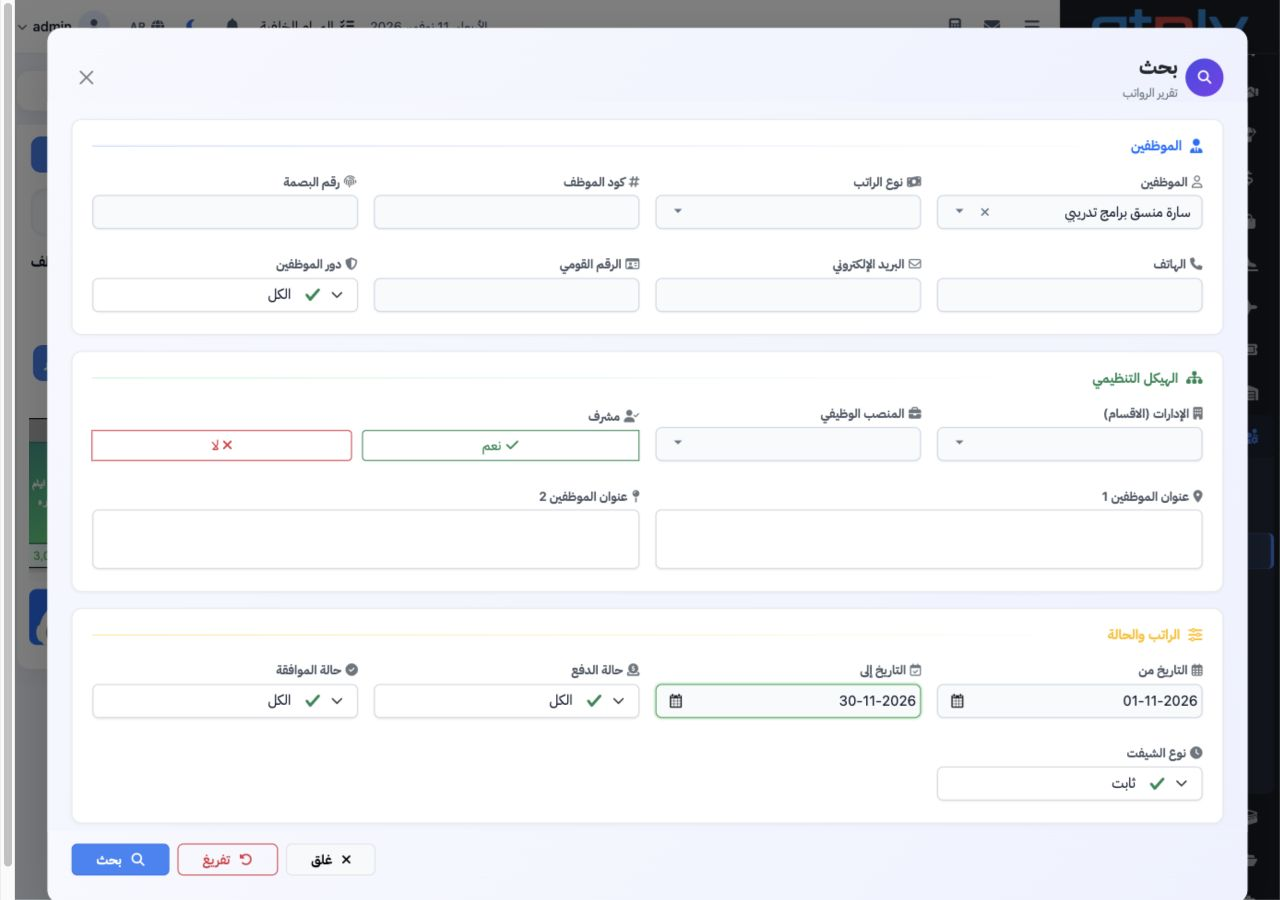
Open HR → Overview → Reports → Salary Report. Select the search icon and choose the employee from the selector results. Set From and To dates, Payment Status, Approval Status and Shift Type, then select Search inside the dialog. Salary type, department, job, role, identification and contact filters can narrow the results. Clear resets the filters. The example uses Sarah, 1–30 November 2026 and All approval statuses.

2 Employee and salary details

2 Review the employee name, code, department, job and salary system. The example displays a 10,000 EGP basic salary and an hourly rate rounded...
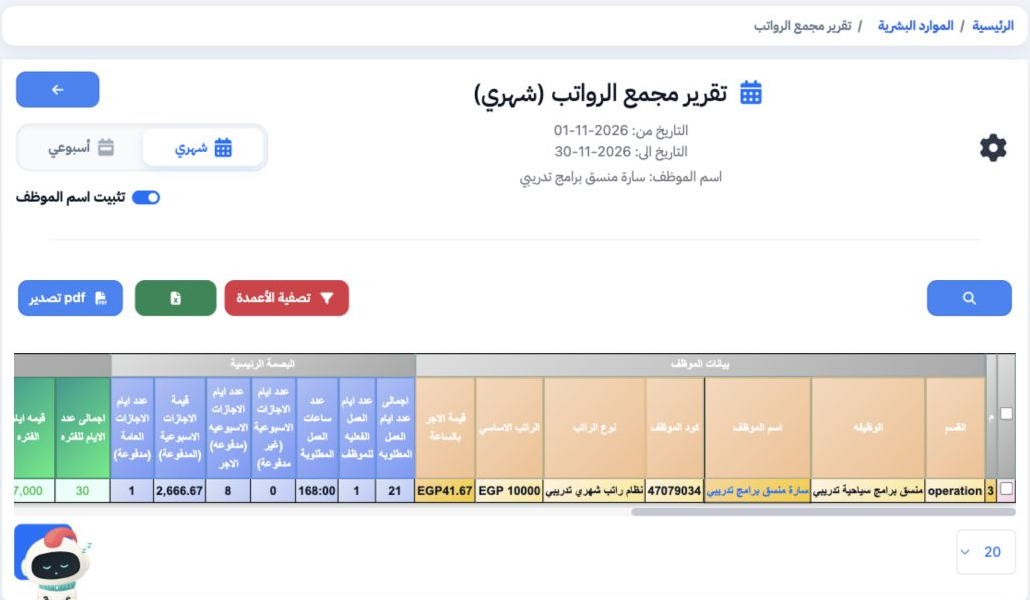
Review the employee name, code, department, job and salary system. The example displays a 10,000 EGP basic salary and an hourly rate rounded to 41.67. Maintain these details in Employees and the salary rules in Salary System settings. Pin Employee Name keeps the name visible while scrolling horizontally through the report.

3 Attendance and period indicators

3 Scroll the table horizontally to inspect required and actual working days, required hours, weekly days off and public holidays. The example...
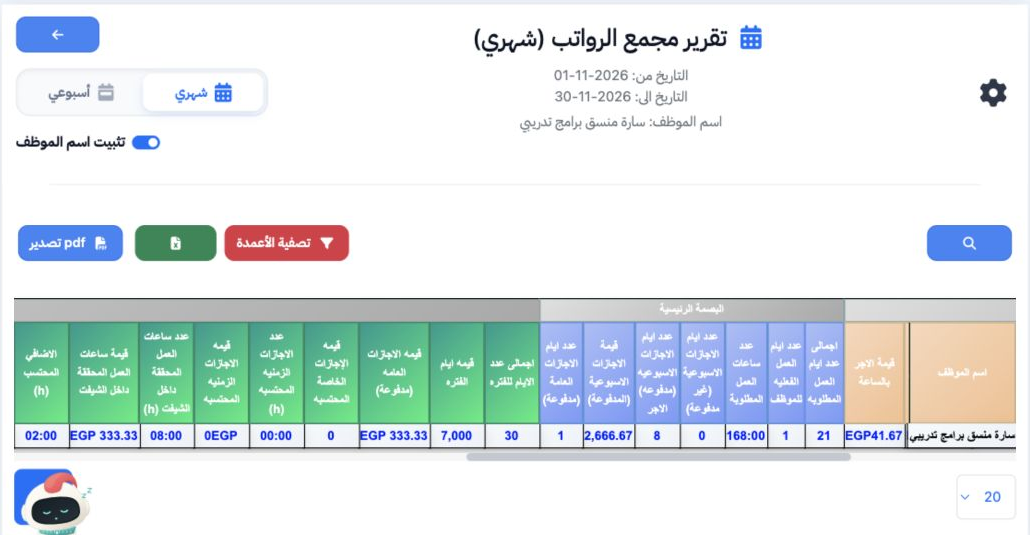
Scroll the table horizontally to inspect required and actual working days, required hours, weekly days off and public holidays. The example displays 21 required working days, one actual working day and 168:00 required hours. Review period-day and holiday values before moving on to earnings.

4 Earnings and payroll inputs

4 Review overtime, missions, incentives, allowances, leave, lateness and disciplinary columns. The example displays 02:00 overtime worth 83.33...
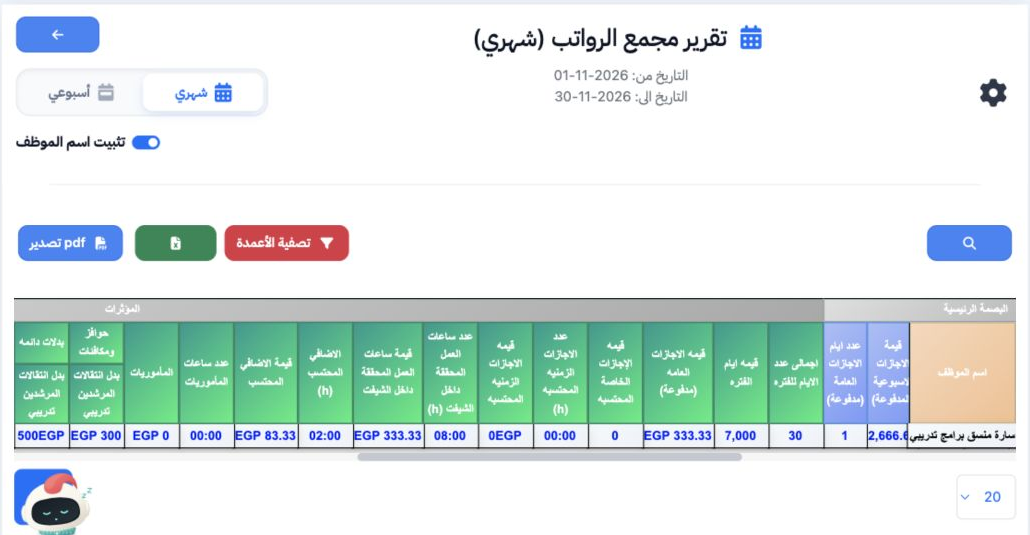
Review overtime, missions, incentives, allowances, leave, lateness and disciplinary columns. The example displays 02:00 overtime worth 83.33 EGP, a 300 EGP incentive and a 500 EGP permanent allowance. Record transactions in HR Operations; configure permanent allowances on the employee record.

5 Deductions and net pay

5 Inspect insurance, tax and deduction columns, followed by Total Earnings, Total Deductions and Net Salary. This example displays 10,883.33 E...
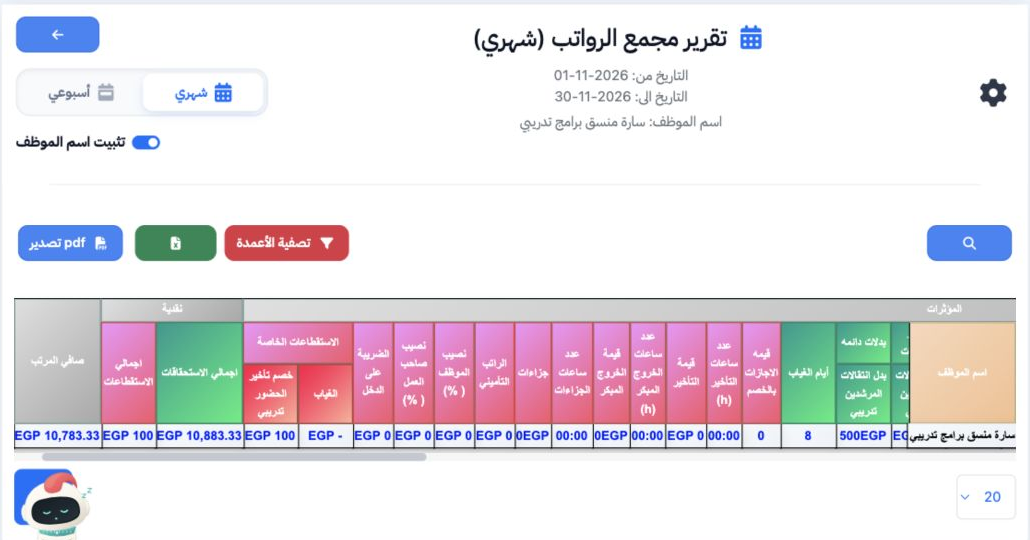
Inspect insurance, tax and deduction columns, followed by Total Earnings, Total Deductions and Net Salary. This example displays 10,883.33 EGP earnings, 100 EGP deductions and 10,783.33 EGP net pay. These are the displayed preview values. Use the Excel icon or Export PDF to request a report copy.

6 Choose report columns

6 Select Filter Columns, choose the fields to display and Save. To restore a hidden column, reopen the dialog, enable its checkbox and save ag...
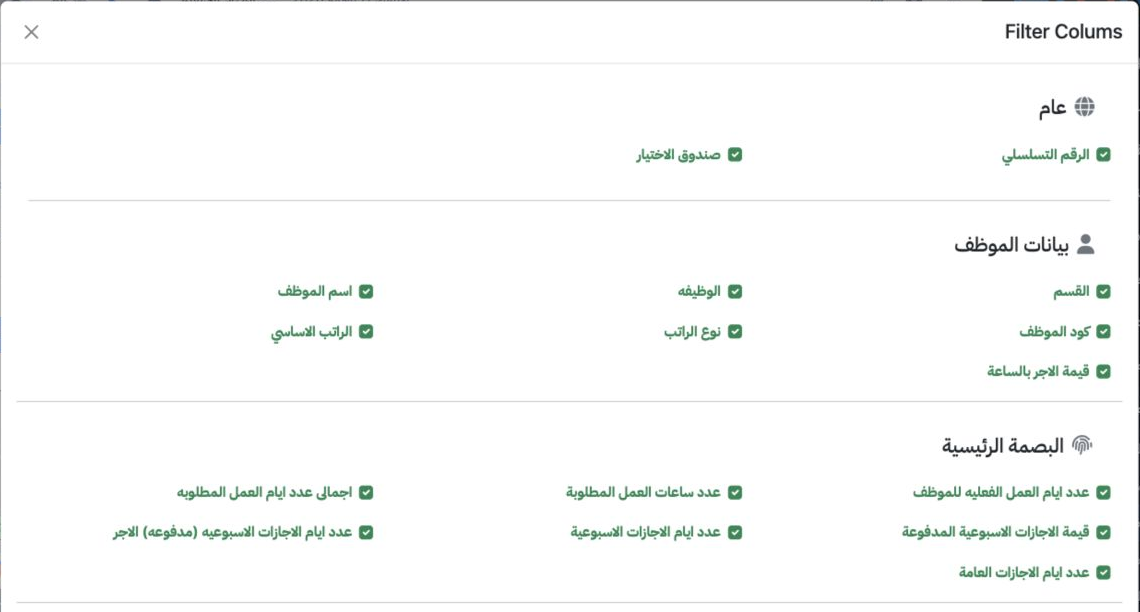
Select Filter Columns, choose the fields to display and Save. To restore a hidden column, reopen the dialog, enable its checkbox and save again. The Job column was hidden and restored in the test. The selector below the table changes the page size.

Sign in to record the lessons you have read. Sign in