Skip to content
Trio Travel guide

Employee Evaluation

On this page
  1. 1 Record the evaluation
  2. 2 Edit and review ratings
  3. 3 Search and review
  4. 4 Deletion confirmation

Record a monthly evaluation, recommendation and development plan.

1 Record the evaluation
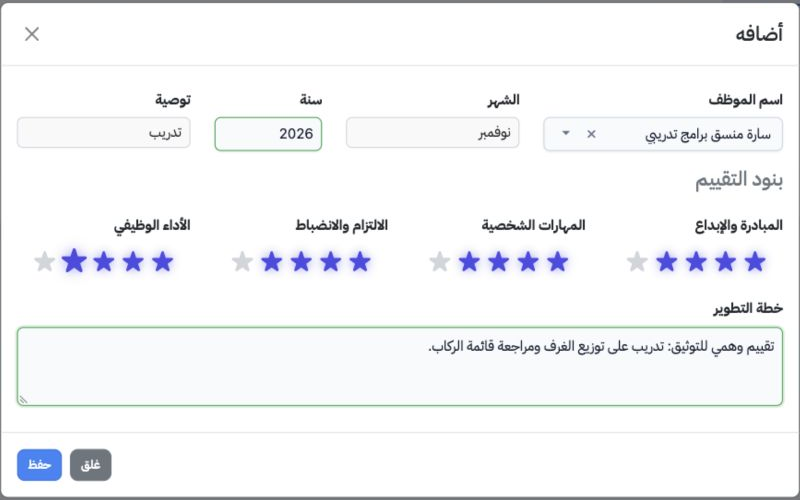
1 Open Human Resources → Operations → Employee Evaluation and select Add. Choose the employee and month, and enter the year. Select Promotion,...
Open Human Resources → Operations → Employee Evaluation and select Add. Choose the employee and month, and enter the year. Select Promotion, Training, Bonus or Needs Improvement. Click the appropriate star for each criterion: Initiative and Creativity, Interpersonal Skills, Commitment and Discipline, and Job Performance. Enter the development plan and save. The synthetic example uses November 2026, four stars for every criterion and a Training recommendation.

2 Edit and review ratings

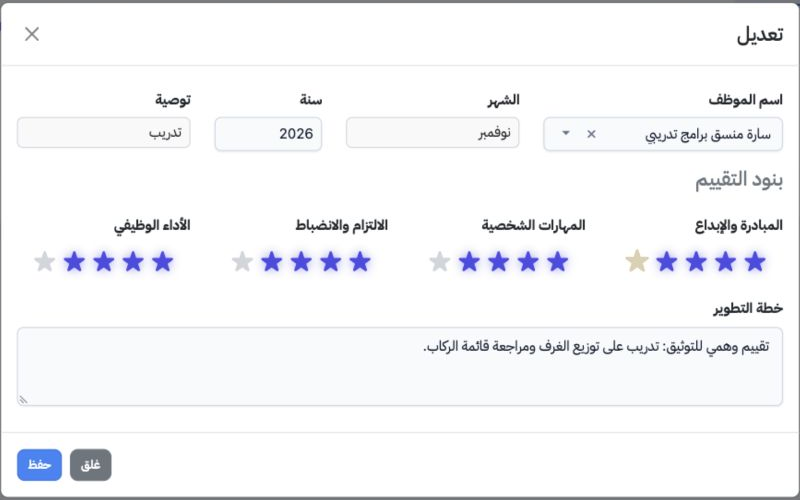
2 Choose Edit from the row menu. Review the saved ratings, period and recommendation. Change the required criterion or plan and save. In this...
Choose Edit from the row menu. Review the saved ratings, period and recommendation. Change the required criterion or plan and save. In this example Initiative and Creativity was changed to five stars, the other criteria stayed at four, and the training plan was updated.

3 Search and review

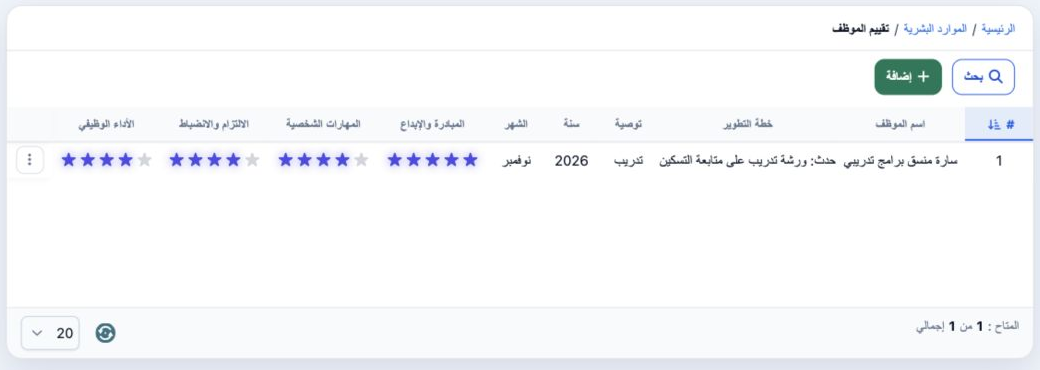
3 Select Search, choose the employee and select Search inside the dialog. Close the dialog using × to inspect the table. The example shows Sar...
Select Search, choose the employee and select Search inside the dialog. Close the dialog using × to inspect the table. The example shows Sarah’s evaluation, month, year, recommendation and updated ratings. Clear resets the search selection.

4 Deletion confirmation

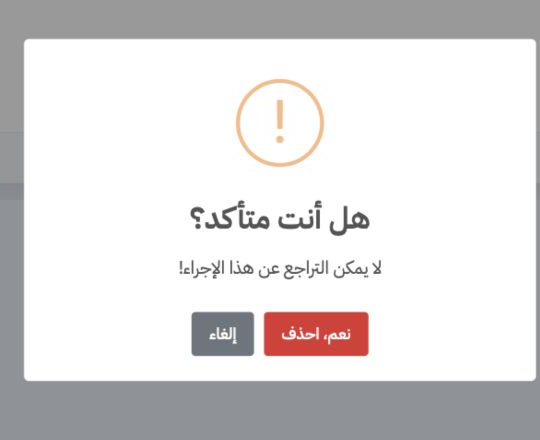
4 Choose Delete from the evaluation menu and check the intended record. Select Cancel to retain it or Yes, Delete to remove it. Deletion was c...
Choose Delete from the evaluation menu and check the intended record. Select Cancel to retain it or Yes, Delete to remove it. Deletion was cancelled in this example.

Sign in to record the lessons you have read. Sign in