Skip to content
Trio Travel guide

Vehicle Type

On this page
  1. Open the list
  2. Add a record
  3. Edit or delete a record
  4. Search by name

Open the list

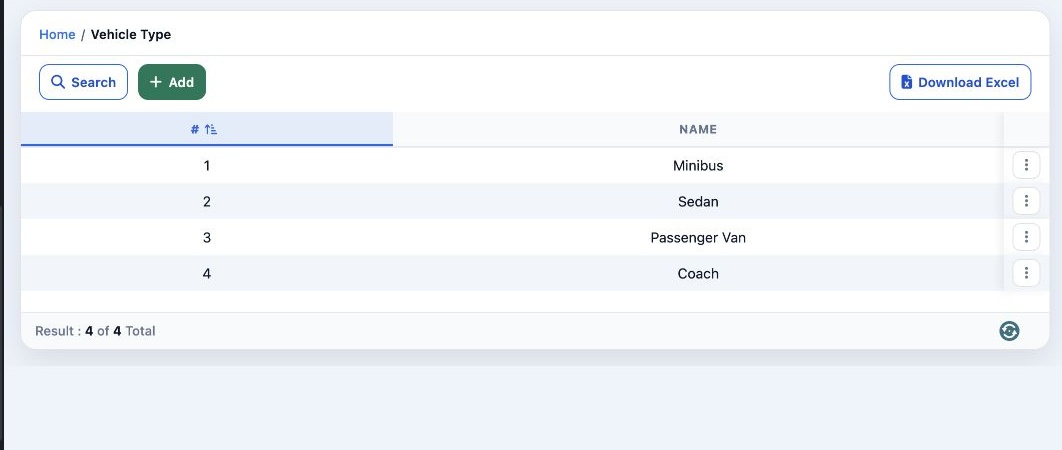
1 Open Settings → Vehicles Type. Review the saved types. The toolbar offers Search and Download Excel.
Open Settings → Vehicles Type. Review the saved types. The toolbar offers Search and Download Excel.

Add a record

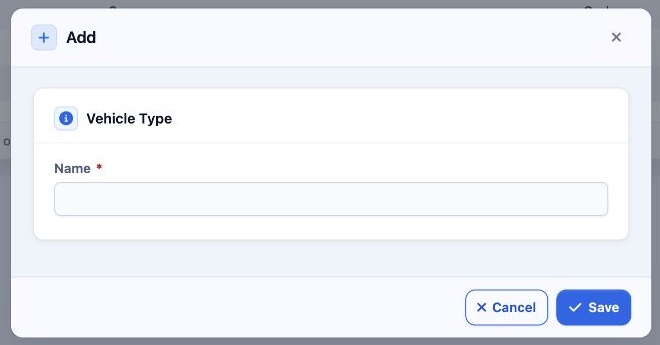
2 Select Add. Enter Name and select Save. The saved type can be selected in Vehicles and Service orders, and appears in Order Pricing.
Select Add. Enter Name and select Save. The saved type can be selected in Vehicles and Service orders, and appears in Order Pricing.

Edit or delete a record

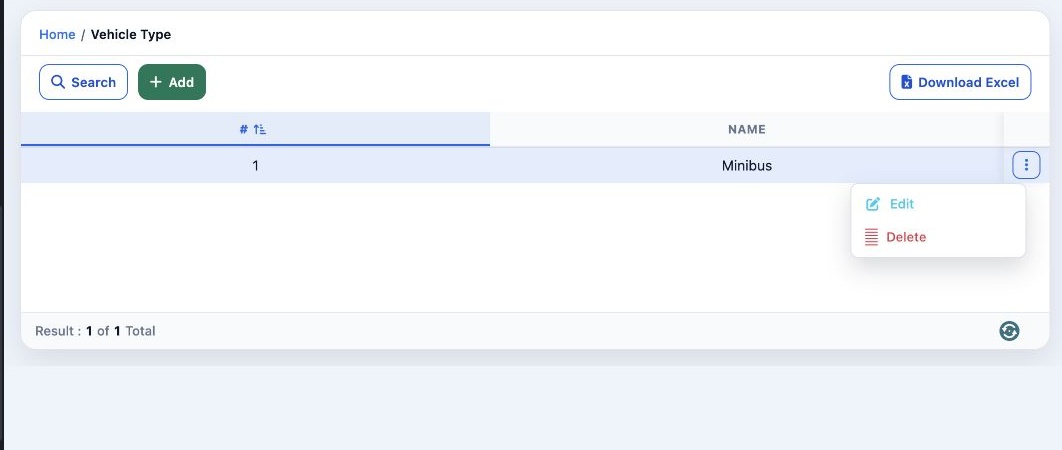
3 Open the three-dot menu for the correct row. Select Edit, change the fields and select Save. The same menu offers Delete for the selected re...
Open the three-dot menu for the correct row. Select Edit, change the fields and select Save. The same menu offers Delete for the selected record.

Search by name

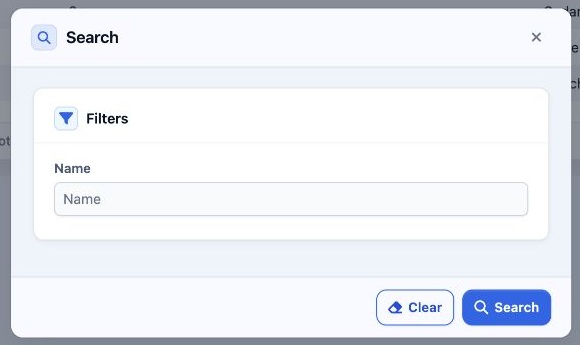
4 Select Search, enter Name, then select Search in the dialog. Use Clear to remove the filter.
Select Search, enter Name, then select Search in the dialog. Use Clear to remove the filter.

Sign in to record the lessons you have read. Sign in