Skip to content
Trio Travel guide

Service Orders Reports

On this page
  1. Read the report
  2. Set the report filters
  3. Open monthly sales

Read the report

1 Open Transportation → Reports → Service Orders Reports. The report lists order numbers, dates, customers, drivers, vehicles, prices, tips, t...
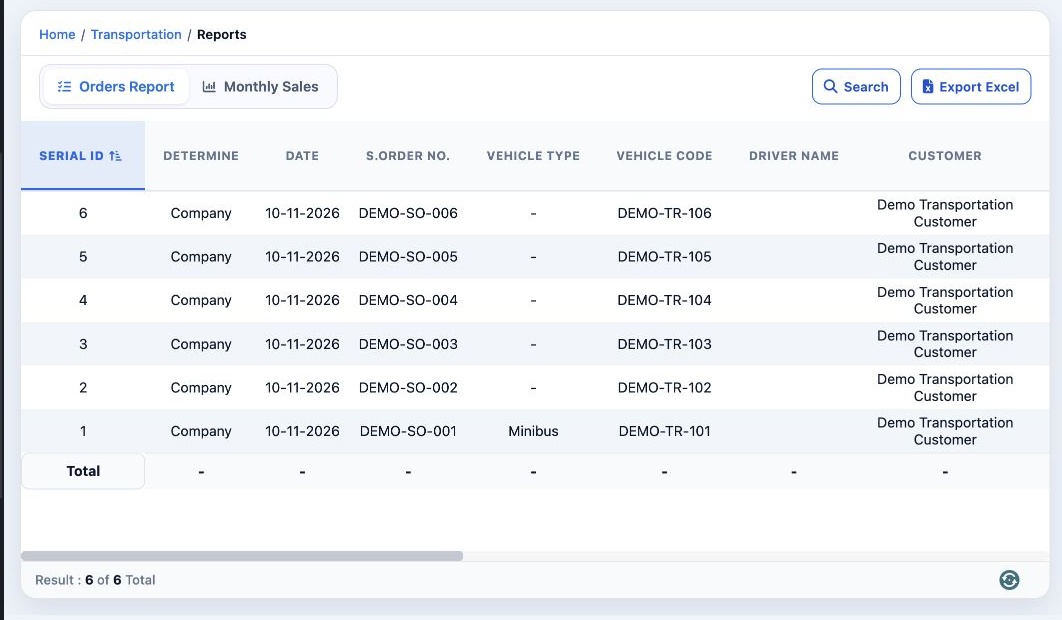
Open Transportation → Reports → Service Orders Reports. The report lists order numbers, dates, customers, drivers, vehicles, prices, tips, tolls and odometer readings. Scroll horizontally for the remaining columns. Select Export Excel to download the report as a spreadsheet.

Set the report filters

2 Select Search. Filter by Customer, Supplier, Tag, Driver, Vehicle Code, Vehicle No. or Batch. Set the date range under Dates. Select Search...
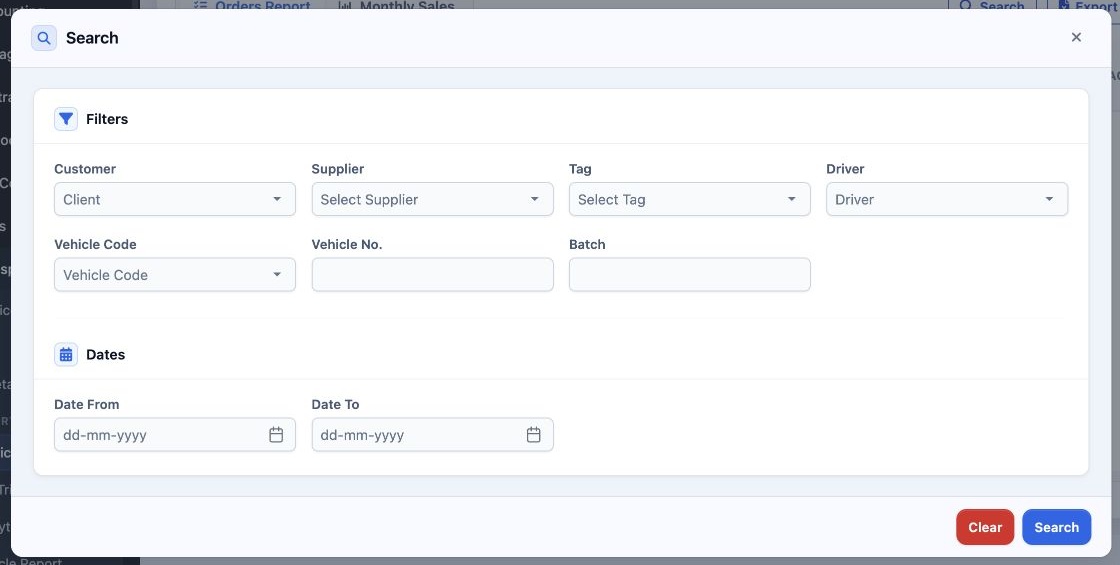
Select Search. Filter by Customer, Supplier, Tag, Driver, Vehicle Code, Vehicle No. or Batch. Set the date range under Dates. Select Search in the dialog to run the report, or Clear to reset the criteria.

Open monthly sales

3 Select Monthly Sales to switch to the customer sales view. Use Search to set the report criteria, and Export Excel to export it. Select Orde...
Select Monthly Sales to switch to the customer sales view. Use Search to set the report criteria, and Export Excel to export it. Select Orders Report to return to the order list.

Sign in to record the lessons you have read. Sign in