Skip to content
Trio Travel guide

Default Supplier Parent Account

On this page
  1. Recognize the supplier account message
  2. Set the default parent account
  3. Choose an account for a specific supplier

  4. Test the default parent account
  5. Check the suppliers list

Recognize the supplier account message

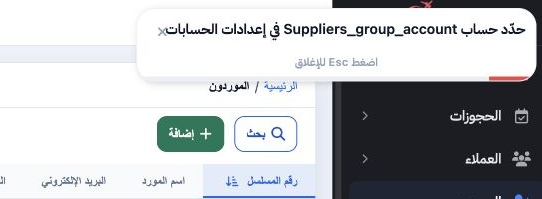
1 If the Suppliers page prompts you to set Suppliers_group_account, check the default supplier parent account in Account Settings.
If the Suppliers page prompts you to set Suppliers_group_account, check the default supplier parent account in Account Settings.

Set the default parent account

2 Open Settings → Account Settings. Select Edit, find General, then open Suppliers_group_account. Search by account name or code, choose the a...
Open Settings → Account Settings. Select Edit, find General, then open Suppliers_group_account. Search by account name or code, choose the approved supplier parent account from the chart of accounts, and select Save. If the account does not appear, verify its name or code with your accounting administrator.

Choose an account for a specific supplier

3 In Add Supplier, open Supplier Code under Accounting Data to select a parent account from the chart. The selected account takes precedence....
In Add Supplier, open Supplier Code under Accounting Data to select a parent account from the chart. The selected account takes precedence. The configured Suppliers_group_account is intended to apply when the field is blank. In the test below, saving required selecting the account manually.

Test the default parent account

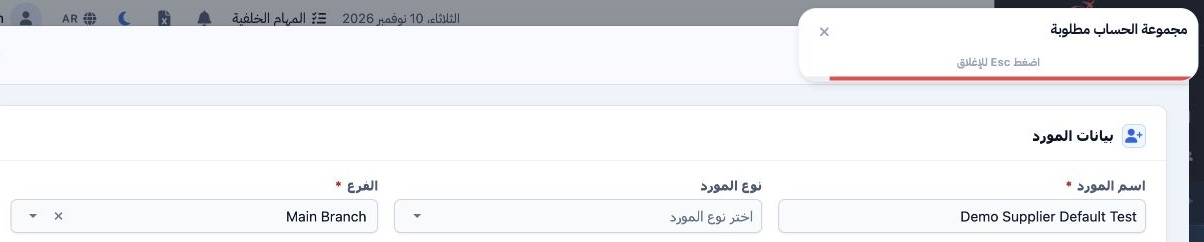
4 With Suppliers 2130000 configured, we entered Demo Supplier Default Test, selected Main Branch, and left Supplier Code blank. After we selec...
With Suppliers 2130000 configured, we entered Demo Supplier Default Test, selected Main Branch, and left Supplier Code blank. After we selected Add Supplier, the system displayed “Ledger group is required” in Arabic.

Check the suppliers list

5 Only the original test supplier remained in the list. The second supplier could not be saved using the default account. To add a supplier in...
Only the original test supplier remained in the list. The second supplier could not be saved using the default account. To add a supplier in this case, select the parent account manually in Supplier Code.

Sign in to record the lessons you have read. Sign in