Skip to content
Trio Travel guide

Car Trips

On this page
  1. Choose a vehicle and month
  2. Add a vehicle trip
  3. Edit a calendar trip

Choose a vehicle and month

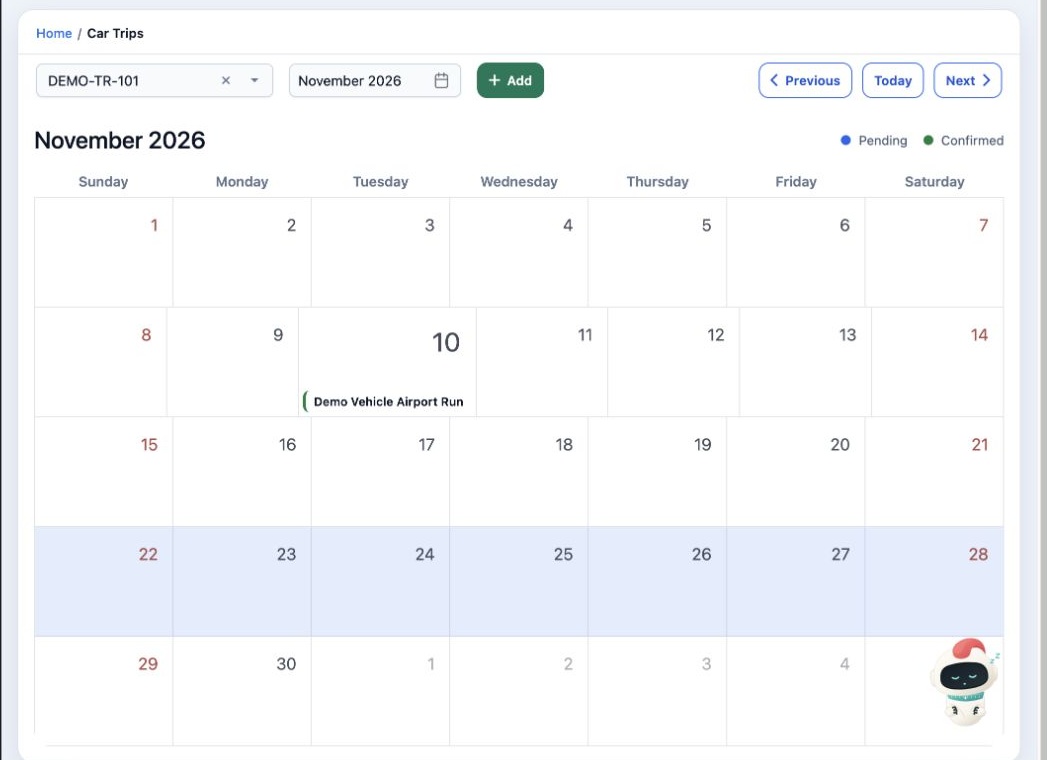
1 Open Transportation → Car Trips. Select a vehicle and month to view its trips. Use Previous, Today and Next to navigate. The calendar distin...
Open Transportation → Car Trips. Select a vehicle and month to view its trips. Use Previous, Today and Next to navigate. The calendar distinguishes Pending and Confirmed trips. The Add button becomes available after selecting a vehicle.

Add a vehicle trip

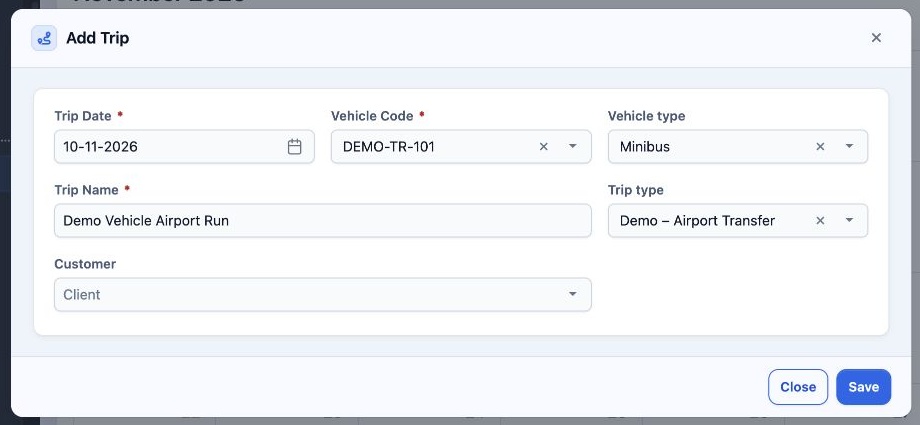
2 Select Add. Check Trip Date and Vehicle Code, enter Trip Name, and choose Vehicle type, Trip type and Customer as applicable. Select Save.
Select Add. Check Trip Date and Vehicle Code, enter Trip Name, and choose Vehicle type, Trip type and Customer as applicable. Select Save.

Edit a calendar trip

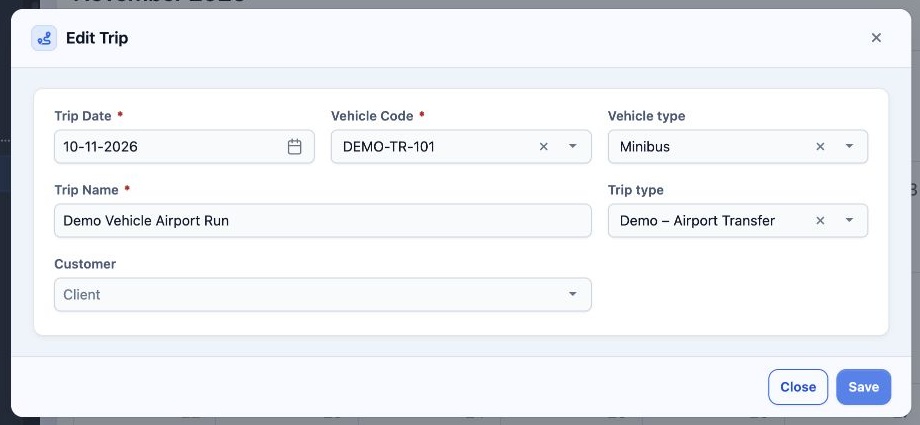
3 Select the trip in the calendar to open Edit Trip. Change the details and select Save. The calendar view provides no Excel export button; th...
Select the trip in the calendar to open Edit Trip. Change the details and select Save. The calendar view provides no Excel export button; the Edit Trip dialog contains Save and Close.

Sign in to record the lessons you have read. Sign in