Skip to content
Trio Travel guide

Order Pricing

On this page
  1. Find a pricing list
  2. Create a list and price a trip type
  3. Edit prices or delete a list

Find a pricing list

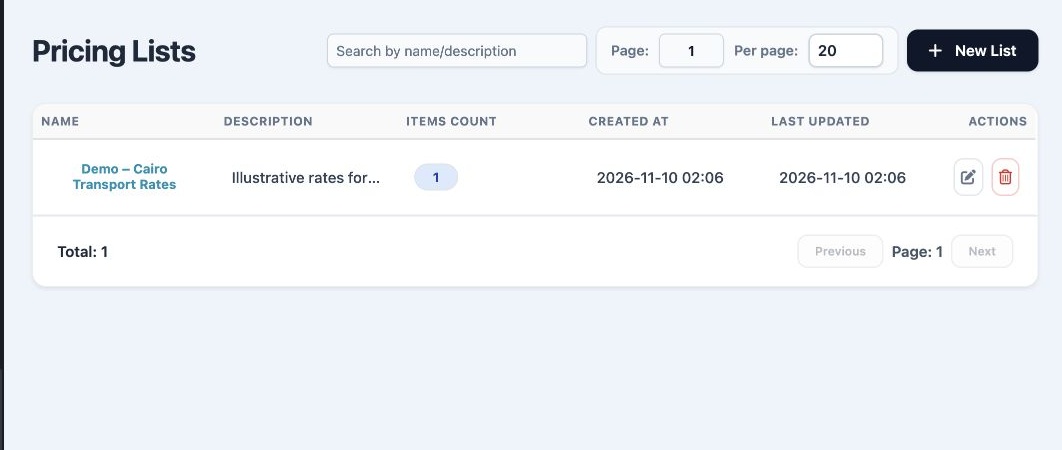
1 Open Transportation → Transport Settings → Order Pricing. Search by list name using the search box. Review the name, description, item count...
Open Transportation → Transport Settings → Order Pricing. Search by list name using the search box. Review the name, description, item count, creation date and last update. Click the list name to open it.

Create a list and price a trip type

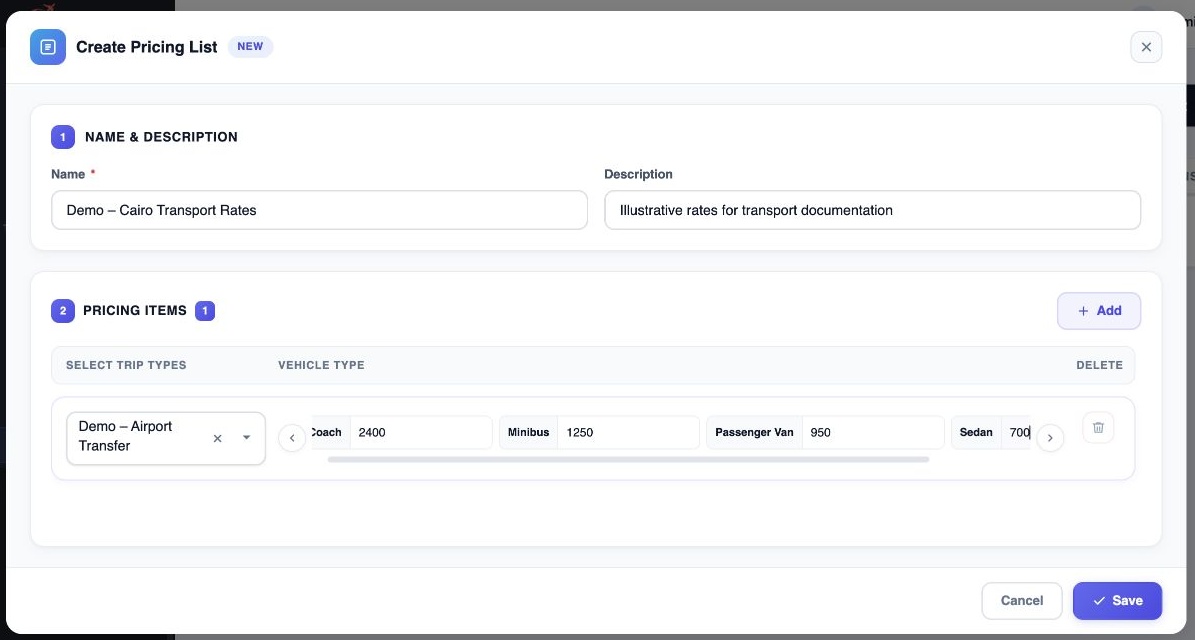
2 Select New List. Enter Name and an optional Description. Under Pricing Items select Add, choose the trip type, and enter a price in each app...
Select New List. Enter Name and an optional Description. Under Pricing Items select Add, choose the trip type, and enter a price in each applicable vehicle type column. Use the arrows to reach more columns and the row Delete icon to remove an unwanted item. Select Save.

Edit prices or delete a list

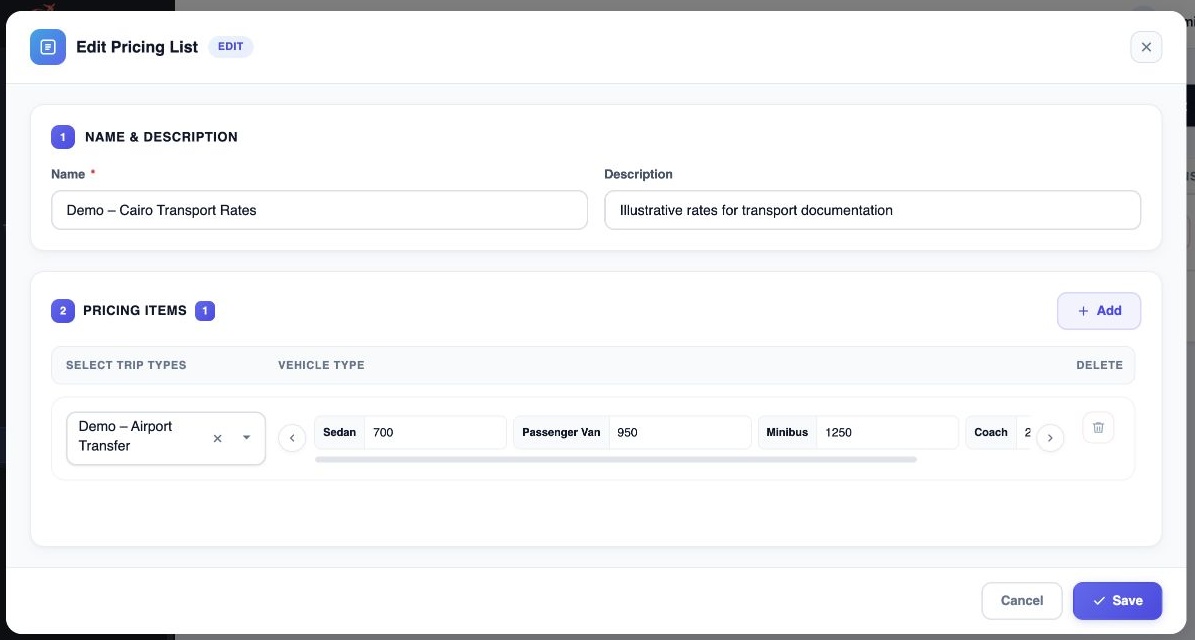
3 Use Edit in the list row to reopen the pricing form. Change the name, description, trip types or rates, then select Save. The list row also...
Use Edit in the list row to reopen the pricing form. Change the name, description, trip types or rates, then select Save. The list row also offers Delete. Verify the list name before using it.

Sign in to record the lessons you have read. Sign in