Skip to content
Trio Travel guide

Client Report

On this page
  1. Read the report
  2. Set the report filters

Read the report

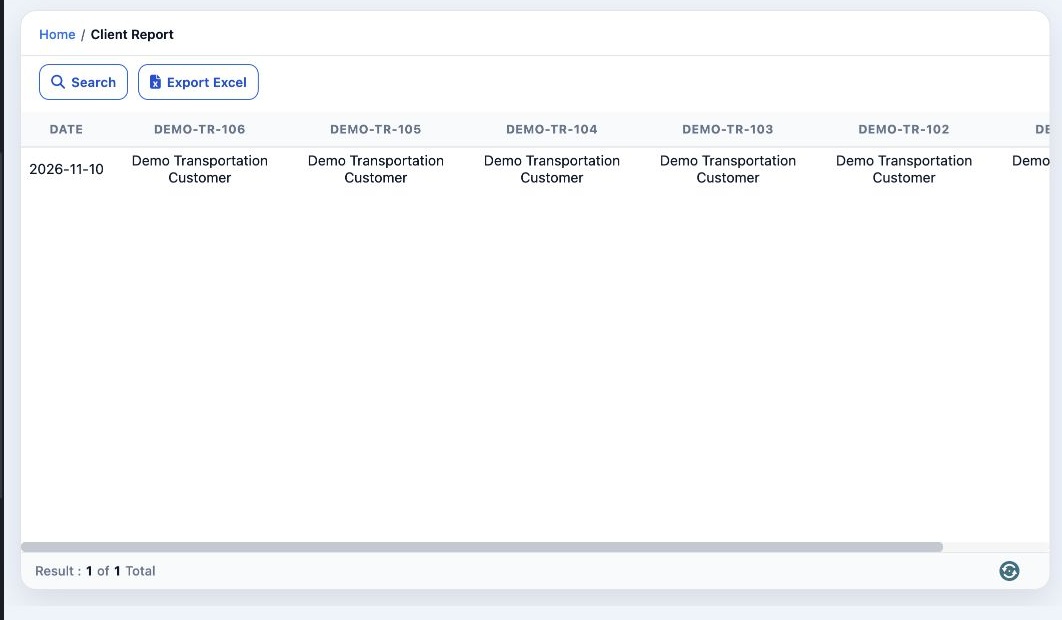
1 Open Transportation → Reports → Client Report. Read the date on each row and the vehicle numbers across the table. The entries show the clie...
Open Transportation → Reports → Client Report. Read the date on each row and the vehicle numbers across the table. The entries show the clients associated with the vehicles on that date. Select Export Excel to download the report as a spreadsheet.

Set the report filters

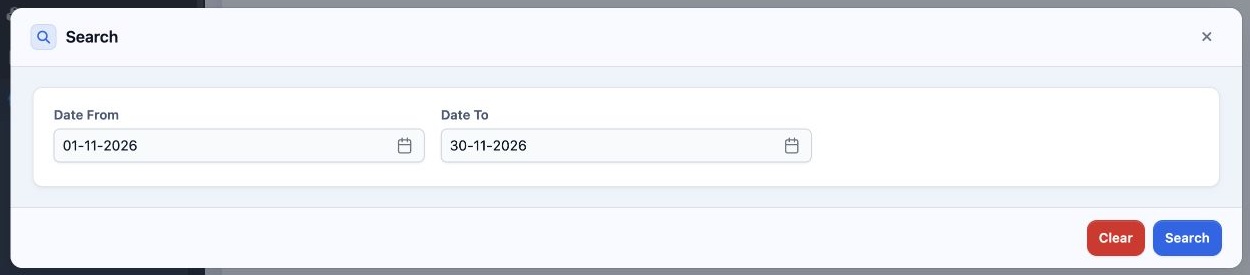
2 Select Search. Set Date From and Date To for the period you want. Select Search in the dialog to run the report, or Clear to reset the crite...
Select Search. Set Date From and Date To for the period you want. Select Search in the dialog to run the report, or Clear to reset the criteria.

Sign in to record the lessons you have read. Sign in