Skip to content
Trio Travel guide

Malfunctions Car | User Guide

On this page
  1. Review saved faults
  2. Add a fault and attach an image
  3. Open row actions
  4. Edit the description
  5. Review or cancel deletion

Review saved faults

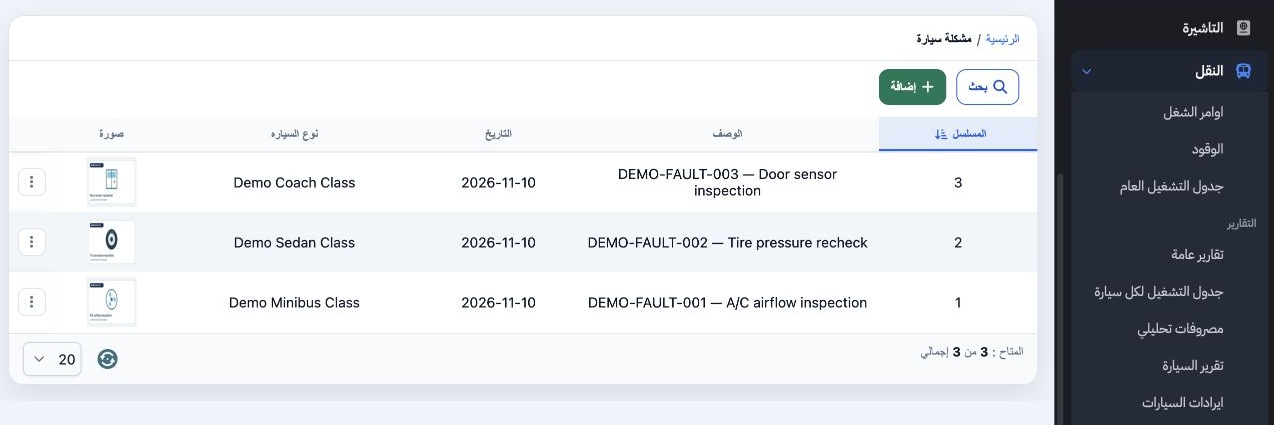
1 Open Transportation → Transportation Settings → Malfunctions Car. The list shows the serial number, description, date and vehicle type. The...
Open Transportation → Transportation Settings → Malfunctions Car. The list shows the serial number, description, date and vehicle type. The three training records are identified by DEMO-FAULT in their descriptions.

Add a fault and attach an image

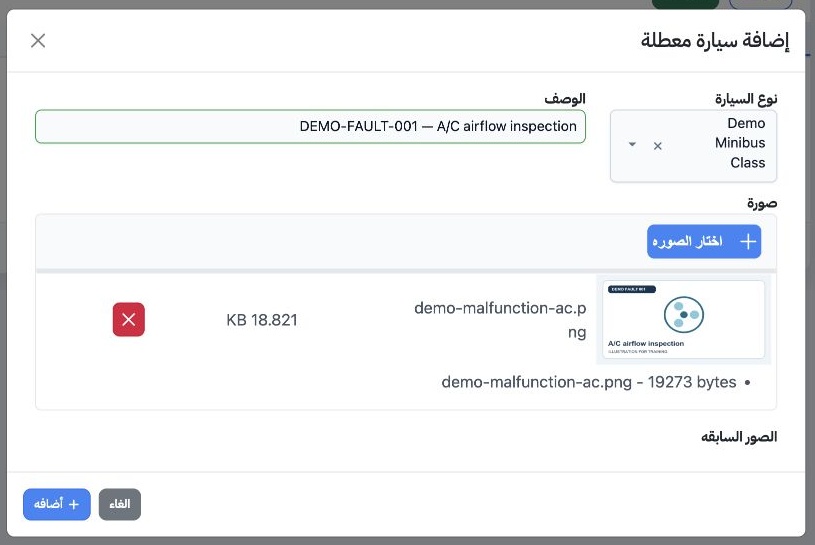
2 Select Add (إضافة). Open Vehicle Type, type part of the name, select Search inside the dropdown, then select a result. Describe the fault. S...
Select Add (إضافة). Open Vehicle Type, type part of the name, select Search inside the dropdown, then select a result. Describe the fault. Select Choose Image (اختار الصوره), attach an image, then select Add in the dialog. Check that the new record appears in the list.

Open row actions

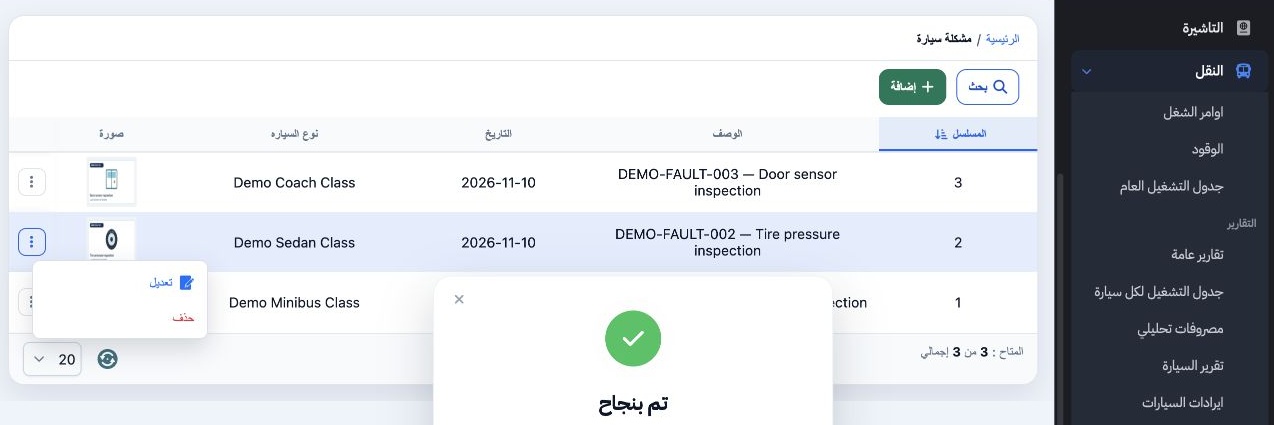
3 Find the intended record and open its three-dot menu. Choose Edit (تعديل) to update it, or Delete (حذف) to open the confirmation.
Find the intended record and open its three-dot menu. Choose Edit (تعديل) to update it, or Delete (حذف) to open the confirmation.

Edit the description

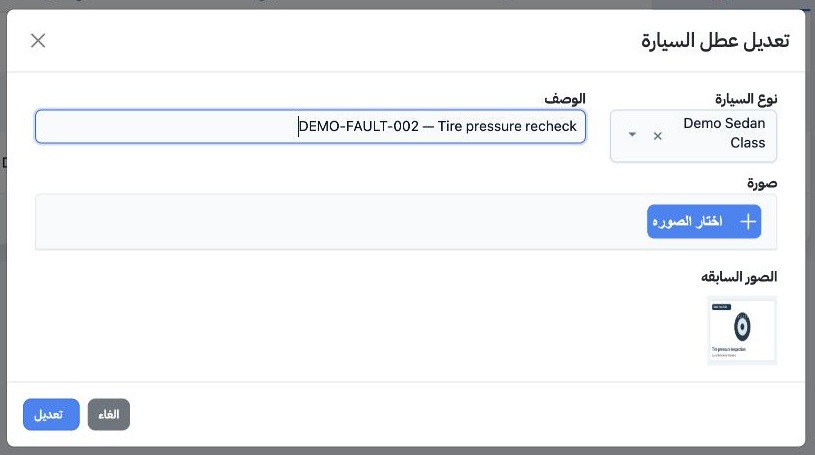
4 Change the description and select Edit in the dialog. The example changes the description of DEMO-FAULT-002 to Tire pressure recheck. A desc...
Change the description and select Edit in the dialog. The example changes the description of DEMO-FAULT-002 to Tire pressure recheck. A description-only edit can be saved with no new upload. Check the updated row.

Review or cancel deletion

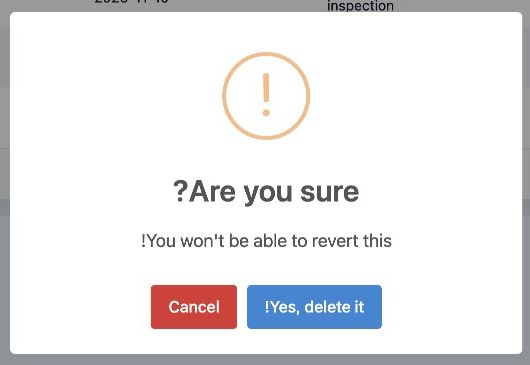
5 The confirmation warns that deletion cannot be undone. Select Cancel to keep the record. In this example, all three records stayed in the li...
The confirmation warns that deletion cannot be undone. Select Cancel to keep the record. In this example, all three records stayed in the list after Cancel.

Sign in to record the lessons you have read. Sign in