Skip to content
Trio Travel guide

Drivers

On this page
  1. Open the list
  2. Add a record
  3. Search the records
  4. Edit or delete a record

Open the list

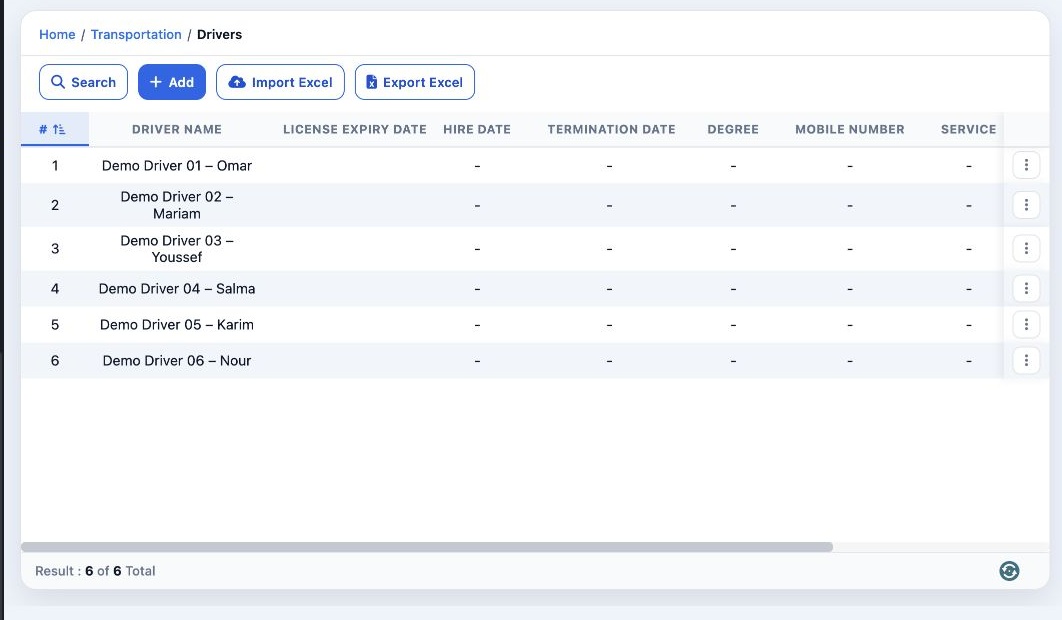
1 Open Transportation → Transport Settings → Drivers. Review drivers, license expiration, hire and termination dates, mobile number and status...
Open Transportation → Transport Settings → Drivers. Review drivers, license expiration, hire and termination dates, mobile number and status. Use Import Excel or Export Excel. The row menu also offers Close for an open driver.

Add a record

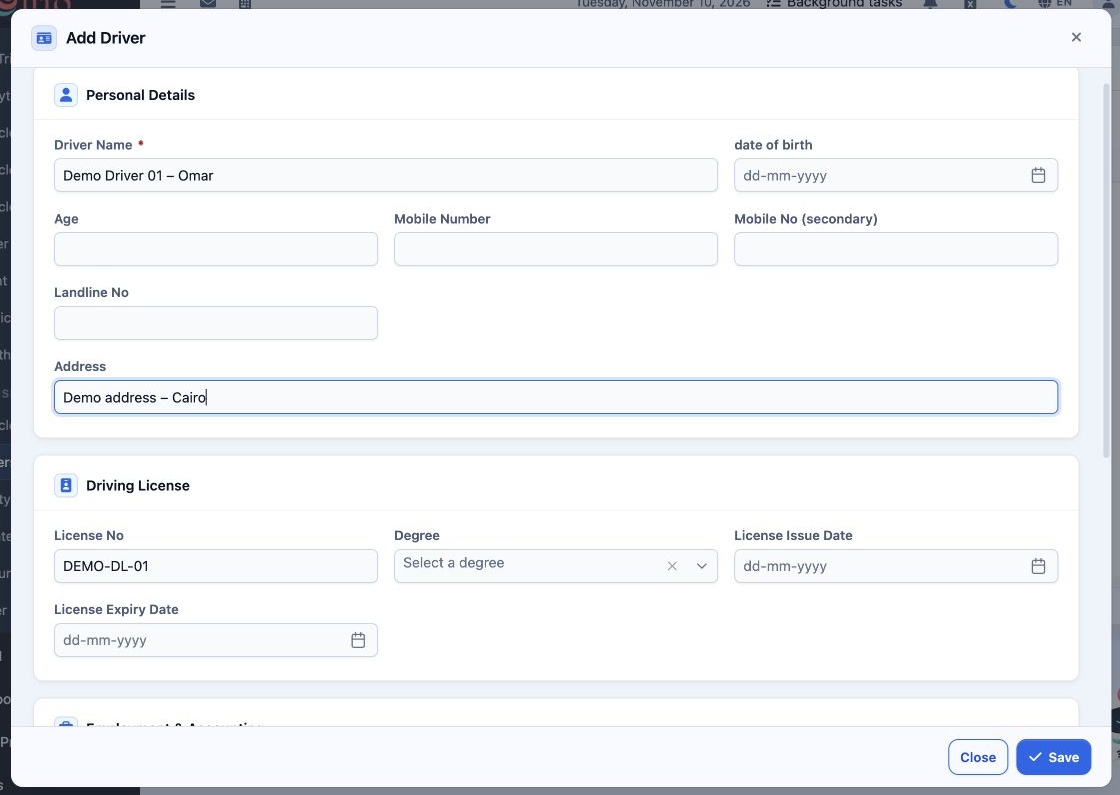
2 Select Add and enter Driver Name. Complete personal and contact details, license number, degree and dates, employment details and sub-accoun...
Select Add and enter Driver Name. Complete personal and contact details, license number, degree and dates, employment details and sub-accounting code as applicable. Driver Images and Files are available in the form. Select Save.

Search the records

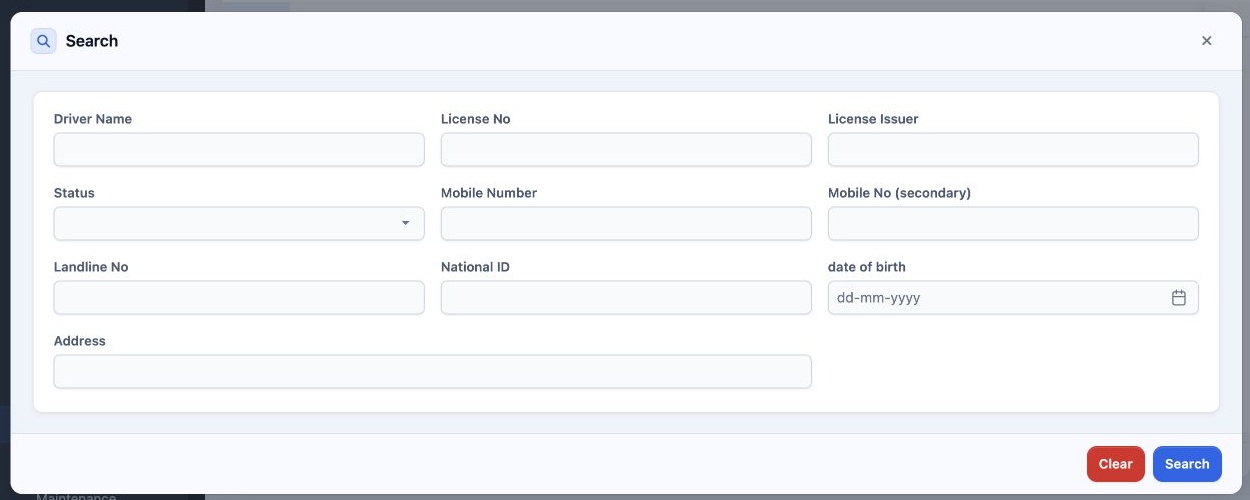
3 Select Search. Filter by name, license number or issuer, status, phone, national ID, birth date or address. Use Clear to reset.
Select Search. Filter by name, license number or issuer, status, phone, national ID, birth date or address. Use Clear to reset.

Edit or delete a record

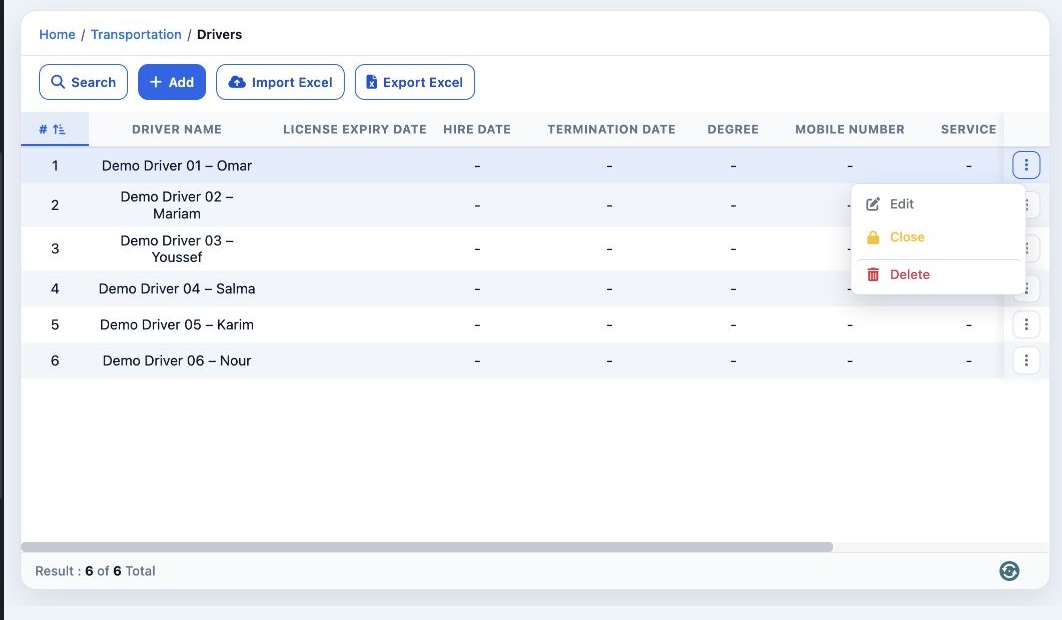
4 Open the three-dot menu for the correct row. Select Edit, change the fields and select Save. The same menu offers Delete for the selected re...
Open the three-dot menu for the correct row. Select Edit, change the fields and select Save. The same menu offers Delete for the selected record.

Sign in to record the lessons you have read. Sign in