Skip to content
Trio Travel guide

Hajj and Umrah Transport Requests

On this page
  1. 1 Add a trip transport request
  2. 2 Flights movements and editing
  3. 3 List search and status
  4. 4 Deletion confirmation
  5. 5 Print the transport cycle

1 Add a trip transport request

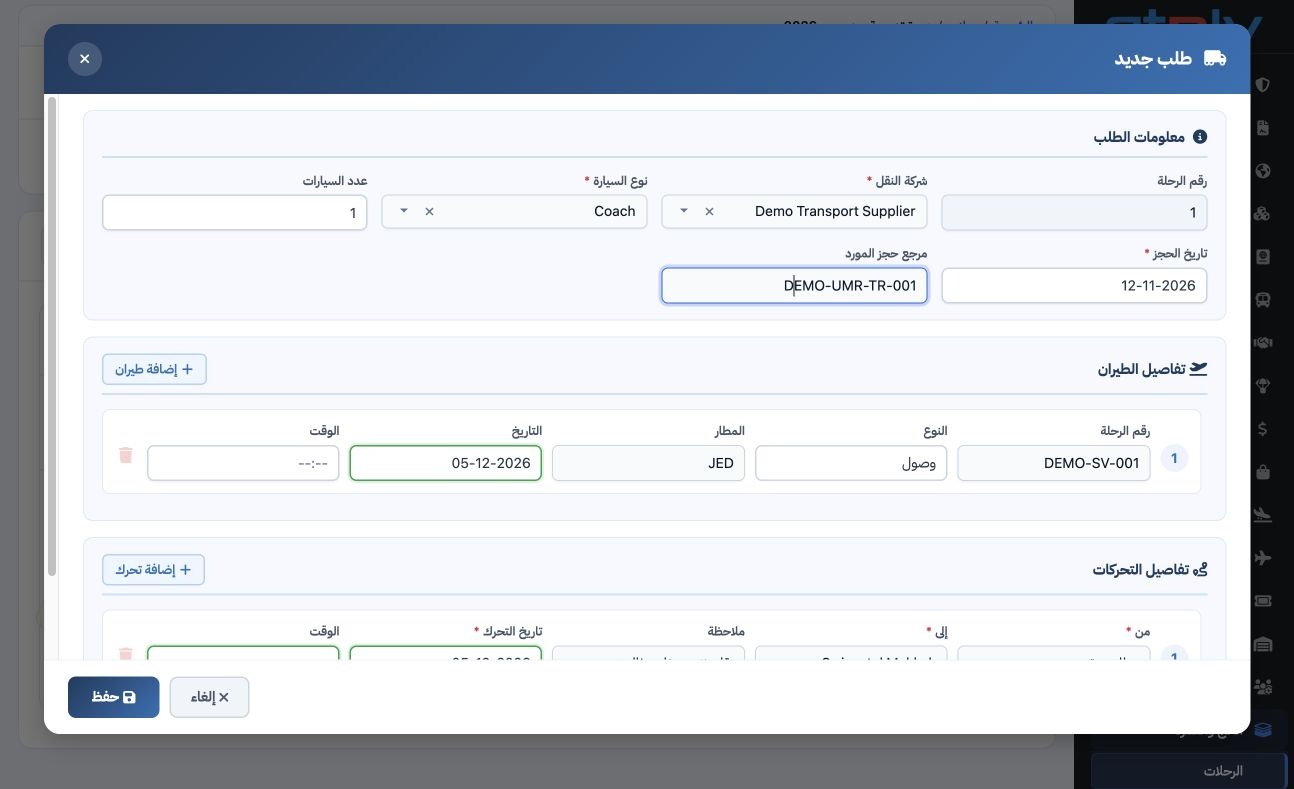
1 Open the trip → Transport → New Request. Select transport company, vehicle type and quantity, then booking date and supplier reference. The...
Open the trip → Transport → New Request. Select transport company, vehicle type and quantity, then booking date and supplier reference. The example uses Demo Transport Supplier, one Coach and reference DEMO-UMR-TR-001 for the December trip.

2 Flights movements and editing

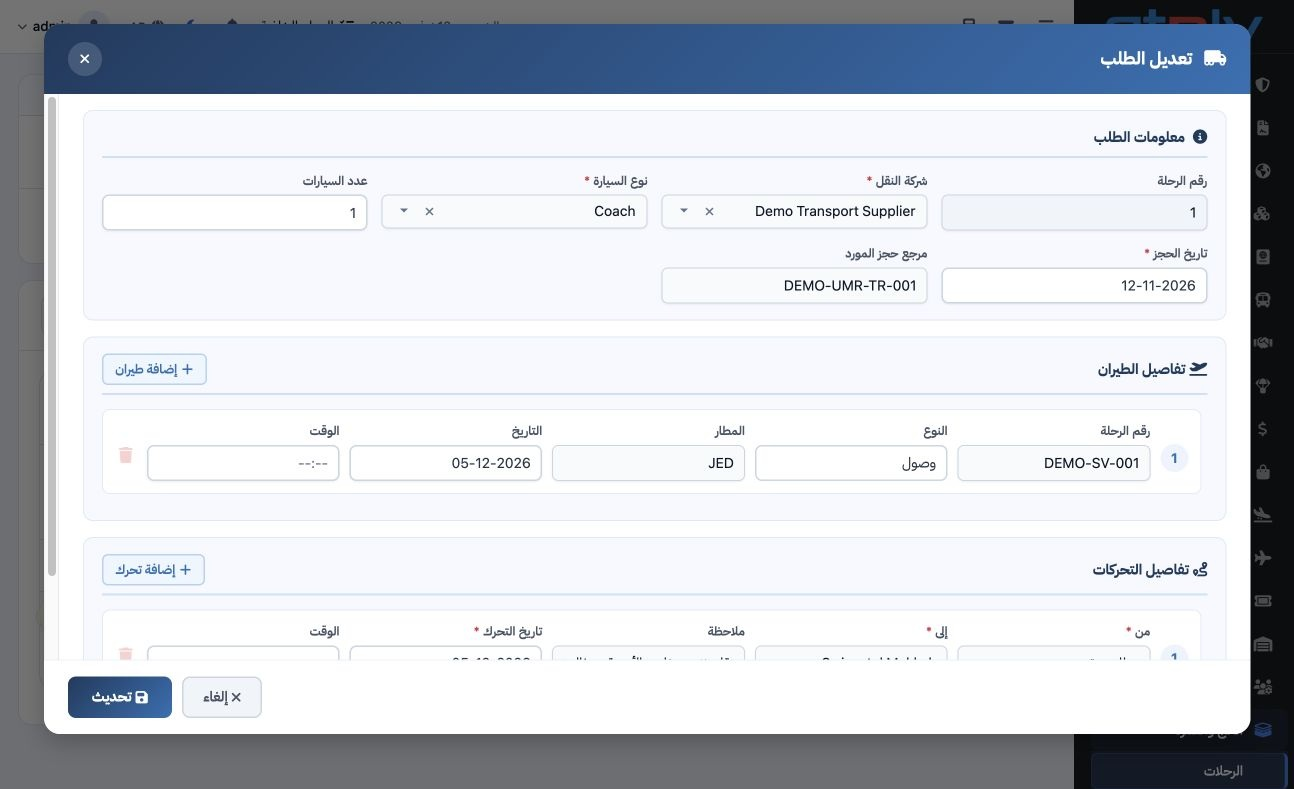
2 Enter flight number, arrival/departure type, airport, date and time. Add each movement with origin, destination, date and note. Add Flight a...
Enter flight number, arrival/departure type, airport, date and time. Add each movement with origin, destination, date and note. Add Flight and Add Movement create further rows. Save, then use Edit and Update to revise the request. The example’s updated note specifies transporting 20 pilgrims with luggage.

3 List search and status

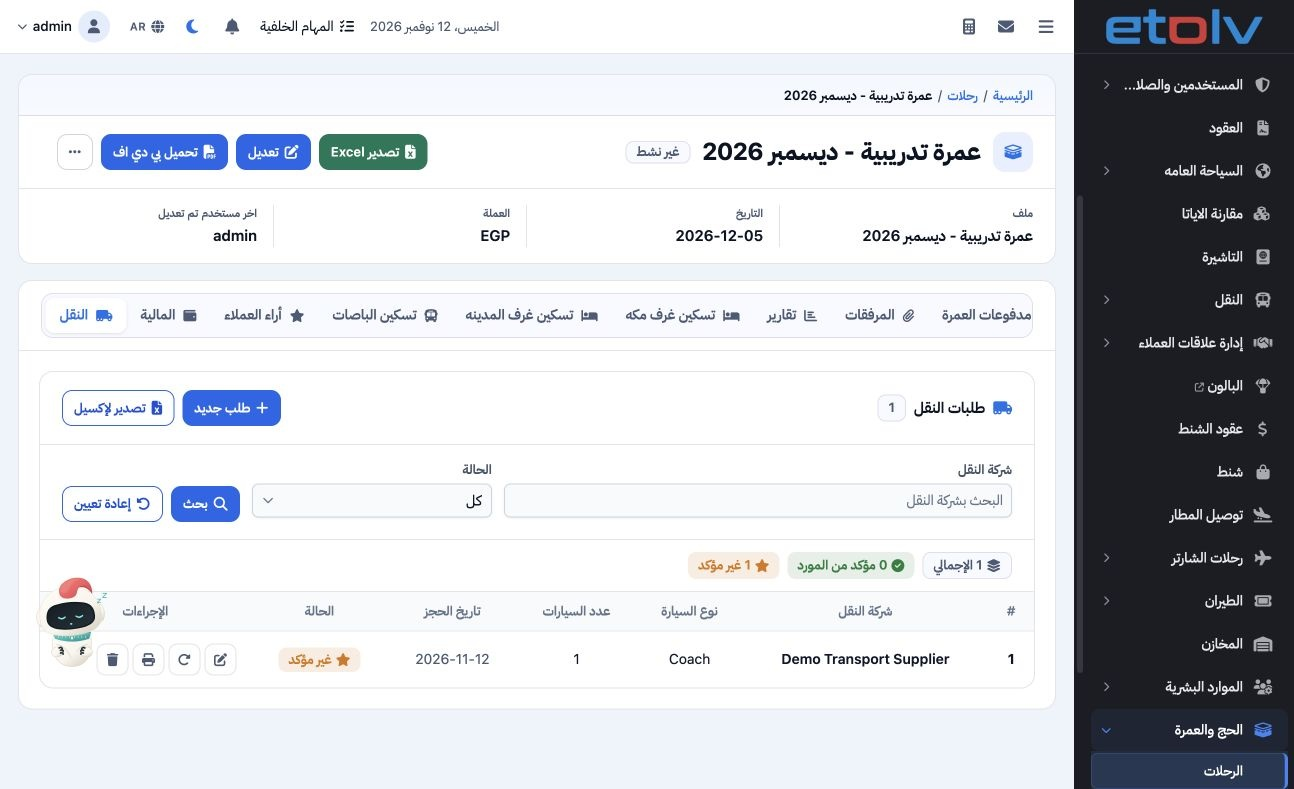
3 The list shows company, vehicle type/count, booking date and status. Filter by company/status and select Search. Counters show total, suppli...
The list shows company, vehicle type/count, booking date and status. Filter by company/status and select Search. Counters show total, supplier-confirmed and unconfirmed requests. Training request 1 is Unconfirmed; the example does not record the agent’s acceptance.

4 Deletion confirmation

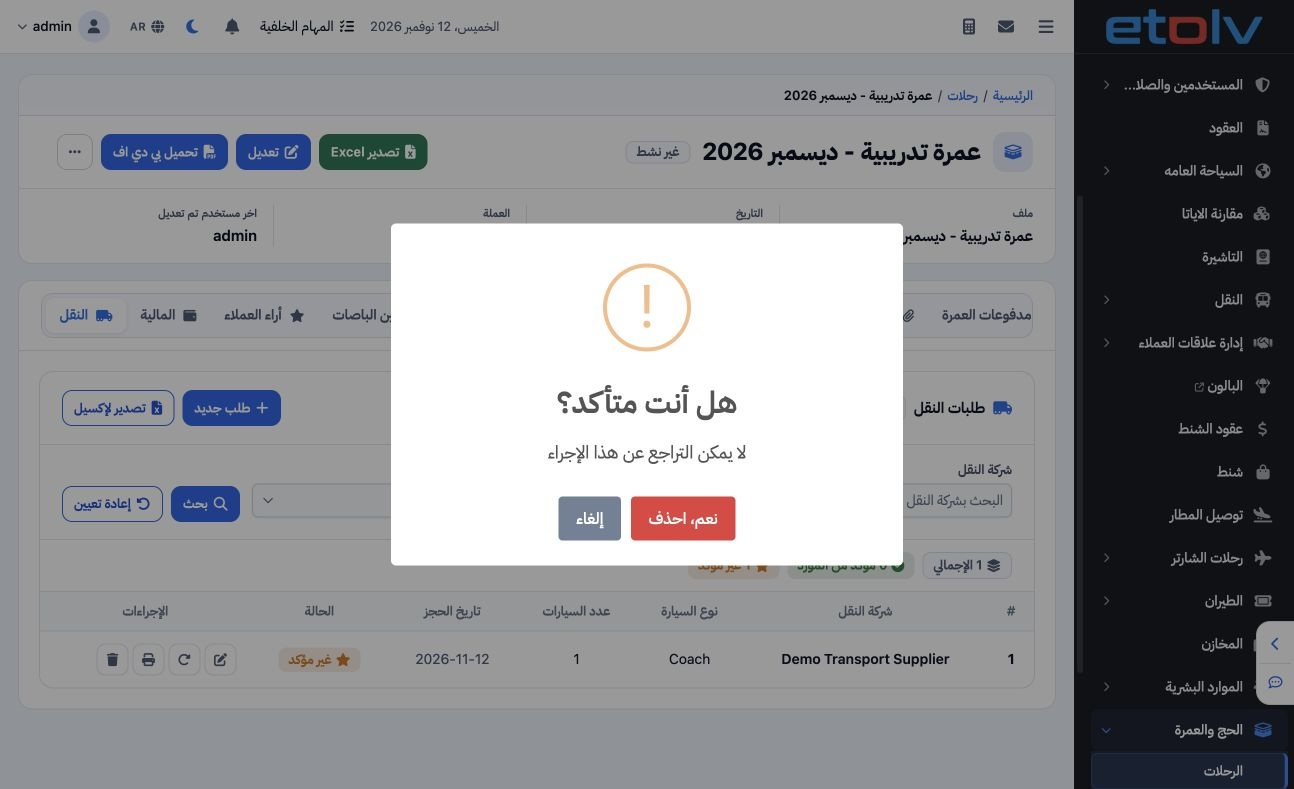
4 Select the intended request’s Delete icon. The confirmation warns that the action cannot be reversed. Choose Cancel to retain the request. T...
Select the intended request’s Delete icon. The confirmation warns that the action cannot be reversed. Choose Cancel to retain the request. This example cancels deletion and keeps the saved request.

5 Print the transport cycle

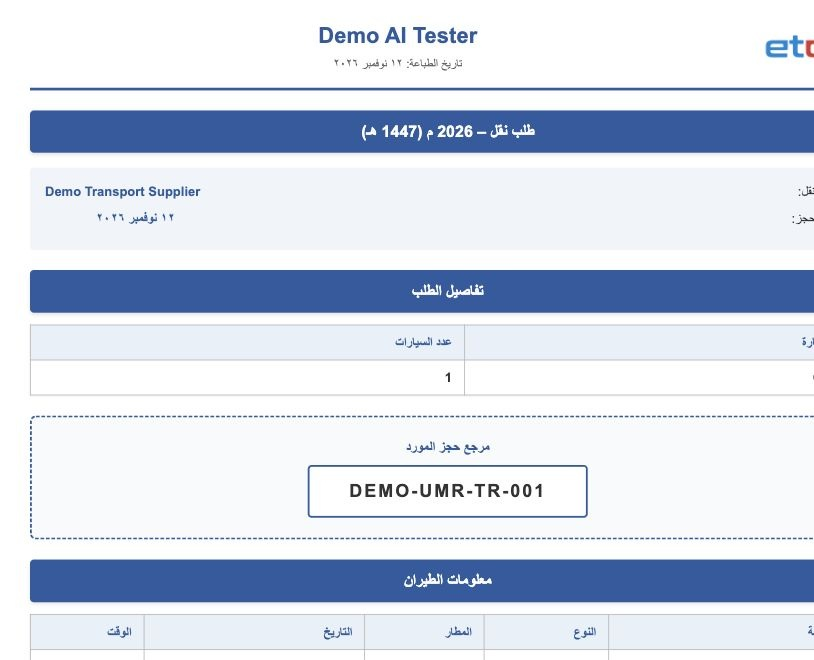
5 Use the request’s Print icon. Review company, coach, reference, flights and movements. The example shows the 5 December transfer from Jeddah...
Use the request’s Print icon. Review company, coach, reference, flights and movements. The example shows the 5 December transfer from Jeddah Airport to Swissotel Makkah. Save the output as PDF through the print options, then manually send it to the Saudi agent under your company’s procedure. The training example previews the document.

Sign in to record the lessons you have read. Sign in