Skip to content
Trio Travel guide

Hajj Program Reservation and Journal

On this page
  1. 1 Copy a program and select Hajj
  2. 2 Hajj fields and saved program
  3. 3 Add a Hajj traveler
  4. 4 Confirm the reservation
  5. 5 Review the Hajj journal

1 Copy a program and select Hajj

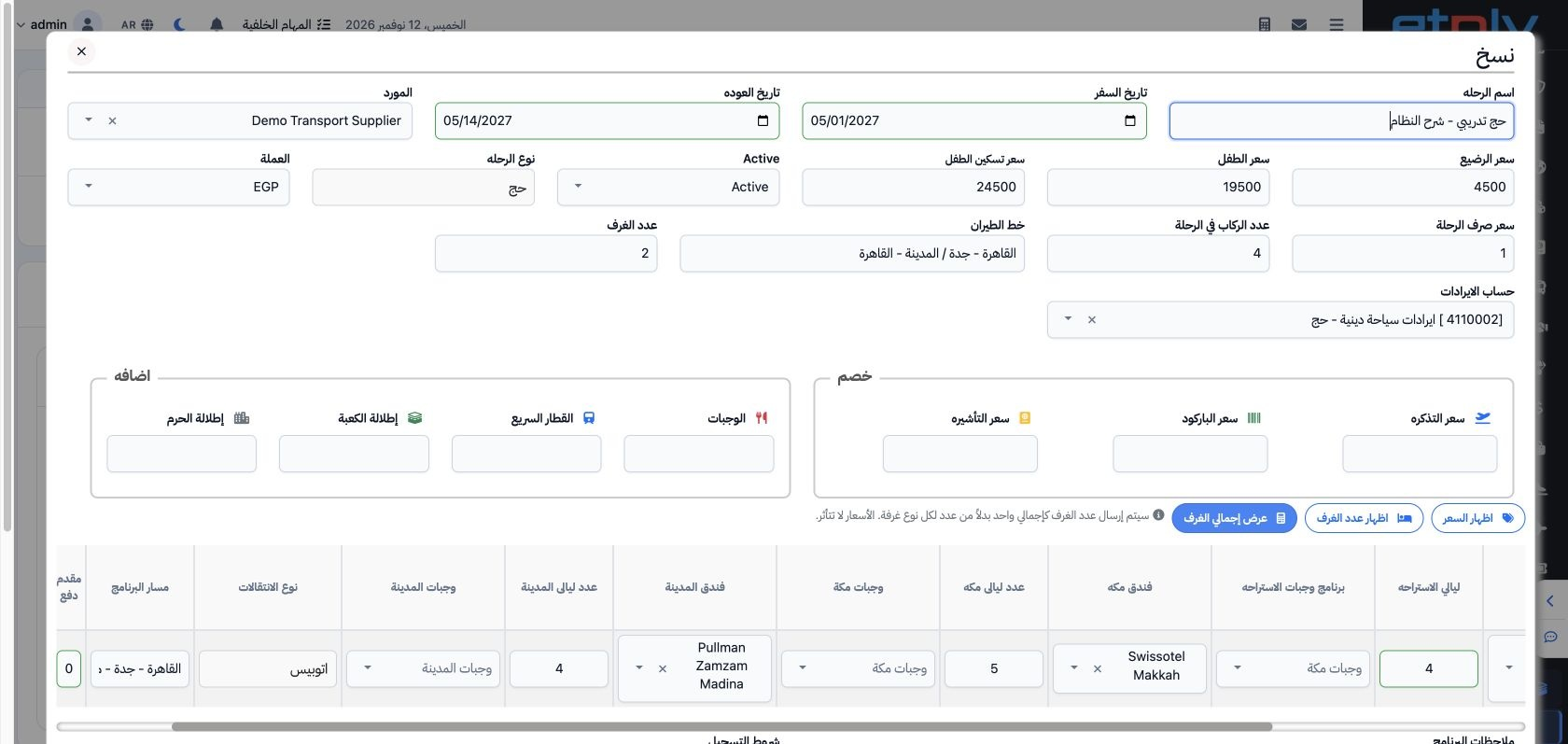
1 Open Actions → Copy on a program. Change the name, code and dates, and select Hajj. Review supplier, currency, capacity and revenue account....
Open Actions → Copy on a program. Change the name, code and dates, and select Hajj. Review supplier, currency, capacity and revenue account. This example uses four passengers, two rooms and revenue account 4110002. All dates are fictional training dates for demonstrating the system.

2 Hajj fields and saved program

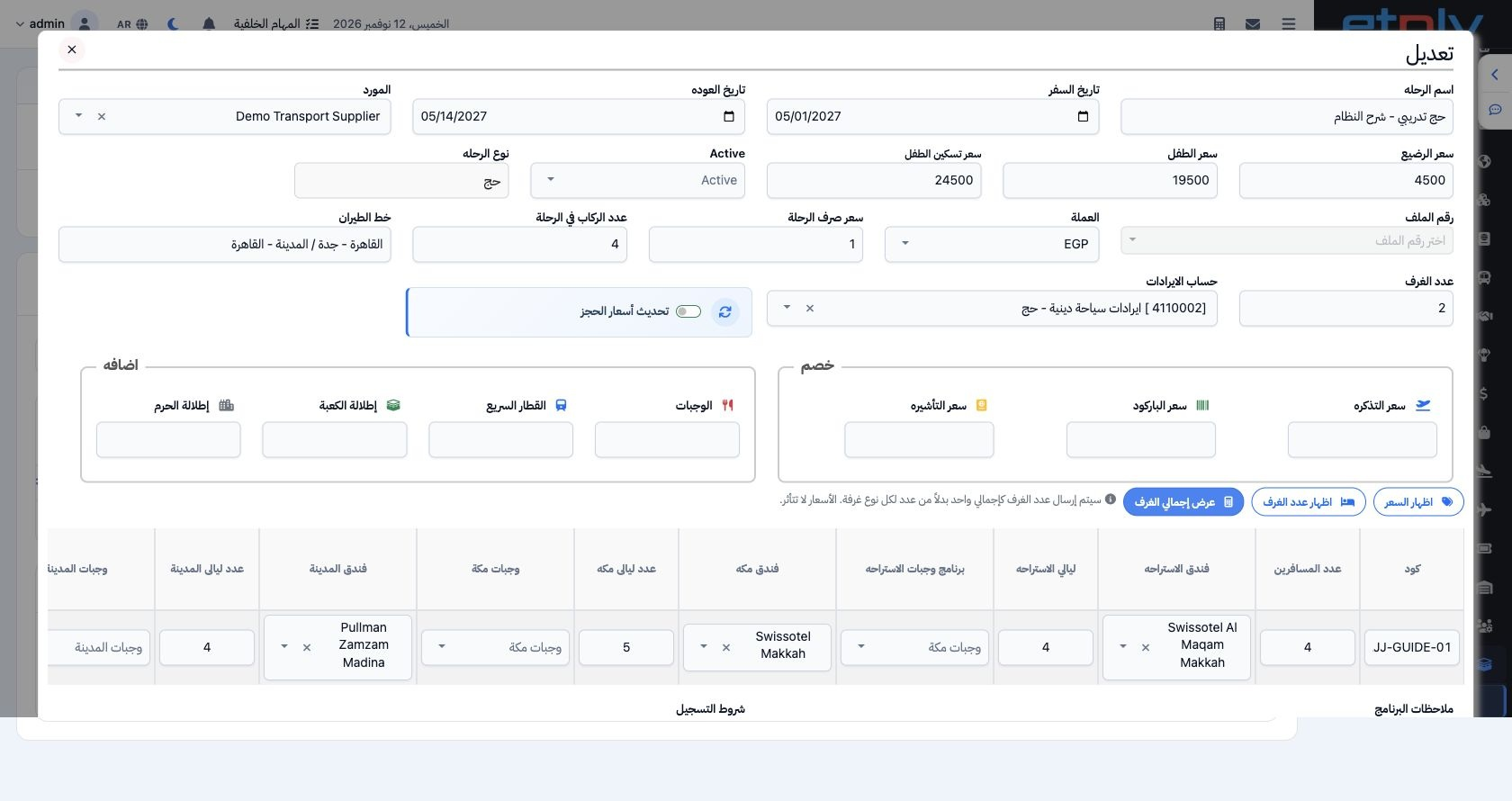
2 Set the rest hotel, its nights and meal plan, in addition to Makkah/Madinah hotels, transport and prices. Enter the deposit, save the copy a...
Set the rest hotel, its nights and meal plan, in addition to Makkah/Madinah hotels, transport and prices. Enter the deposit, save the copy and reopen it to review. DEMO-HAJJ-GUIDE-01 is saved as trip 47208322 with a deposit of 10000 and four rest nights. Select the actual hotels and dates approved for your program.

3 Add a Hajj traveler

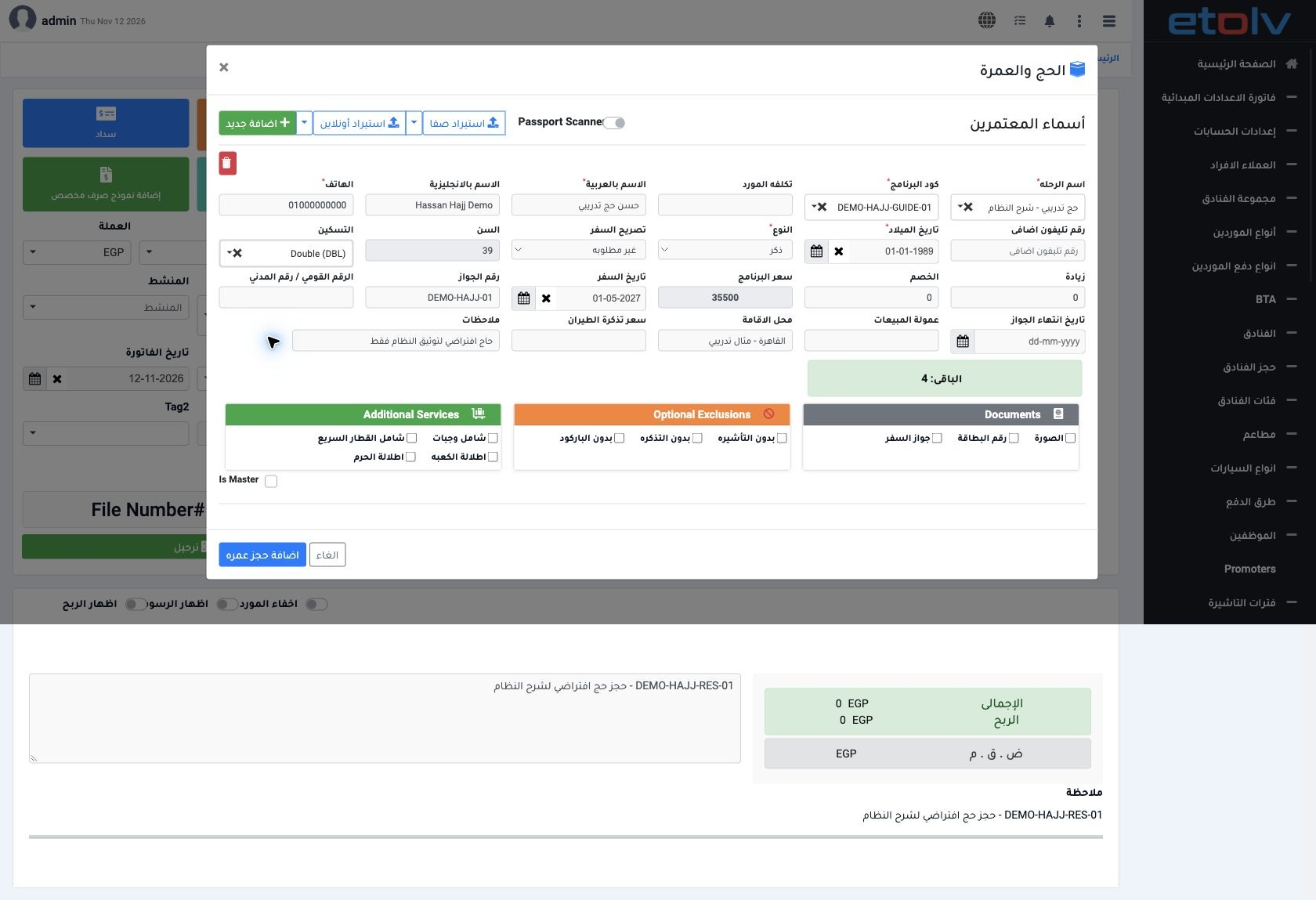
3 Create an Individual or Corporate reservation according to the customer, then open Hajj and Umrah. Choose the Hajj trip and program and ente...
Create an Individual or Corporate reservation according to the customer, then open Hajj and Umrah. Choose the Hajj trip and program and enter traveler, passport and room details. Reservation 47208400 belongs to Demo Transportation Customer and contains Hassan Hajj Demo at the Double price of 35500. Save and review the added row.

4 Confirm the reservation

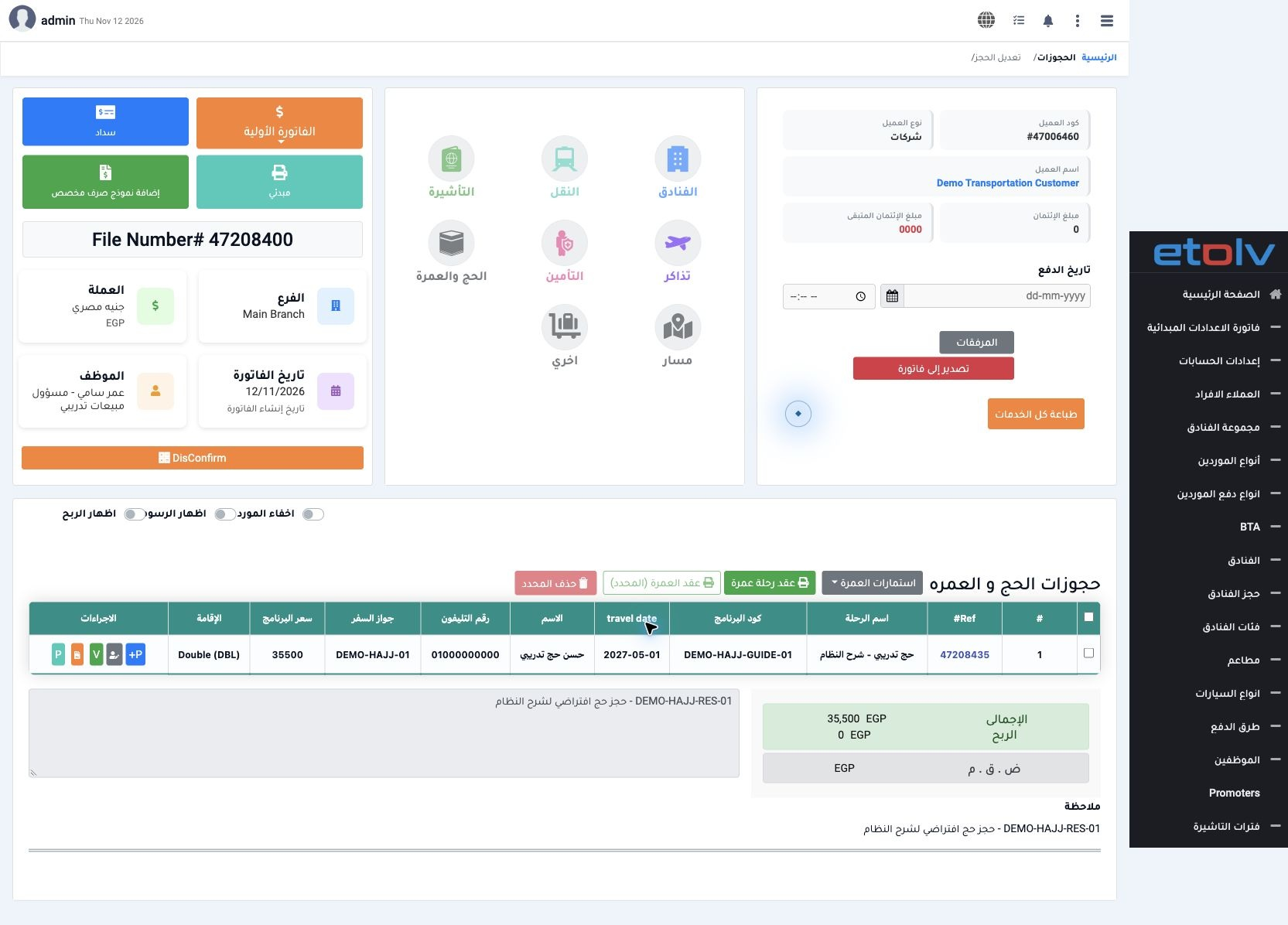
4 Review the trip, program, traveler and price, then select Post once. Wait for processing and review confirmation status. This example totals...
Review the trip, program, traveler and price, then select Post once. Wait for processing and review confirmation status. This example totals EGP 35500 for one traveler. Collection is a separate P+ step when linking a payment to the traveler.

5 Review the Hajj journal

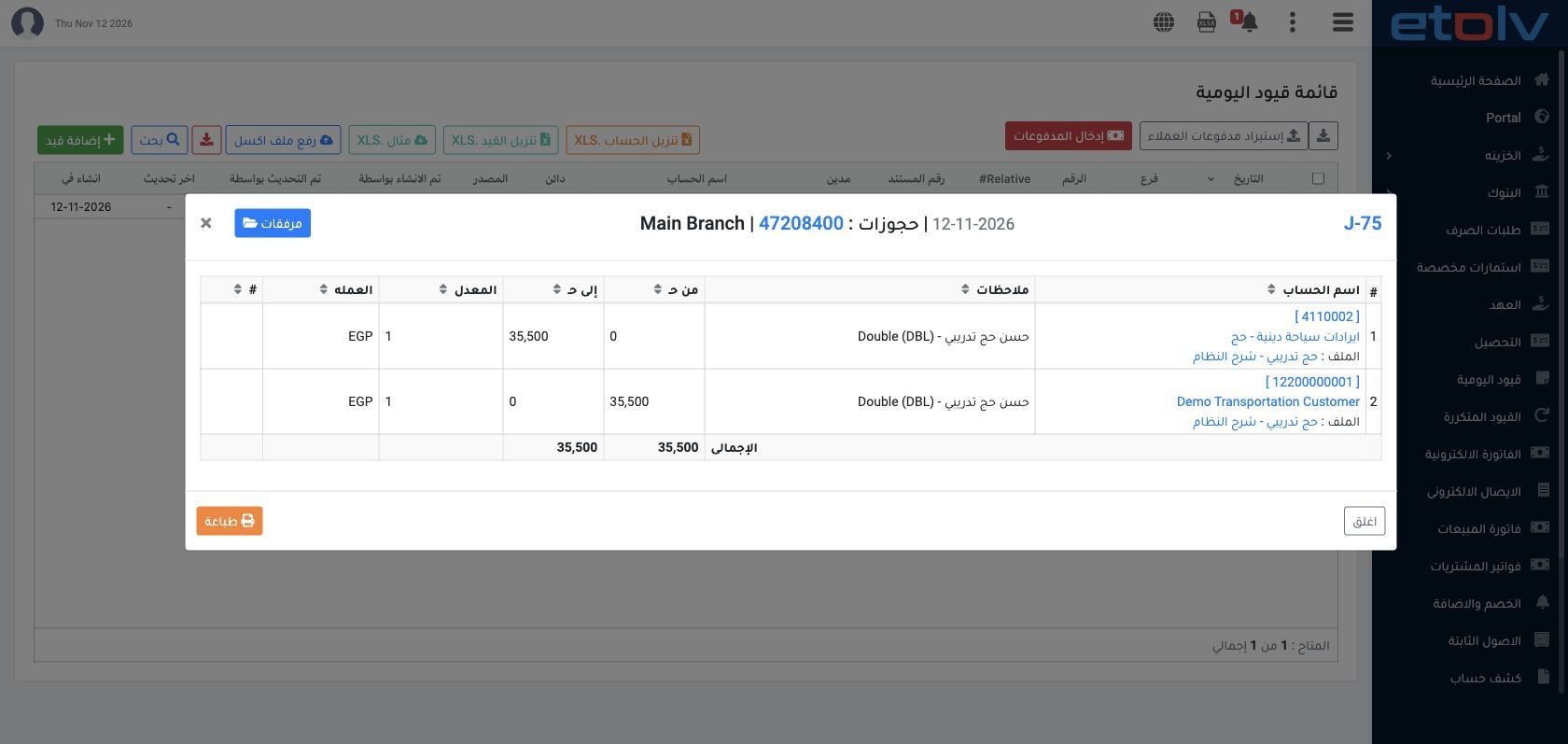
5 Search Journal Entries by reservation reference 47208400 and view J-75. It debits customer account 12200000001 for 35500 and credits Hajj re...
Search Journal Entries by reservation reference 47208400 and view J-75. It debits customer account 12200000001 for 35500 and credits Hajj revenue 4110002 for 35500, in EGP at rate 1. Match the journal to the reservation, trip and traveler.

Sign in to record the lessons you have read. Sign in