Skip to content
Trio Travel guide

Madina Hotel Room Allocation

On this page
  1. 1 Open the screen and link a group
  2. 2 Allocate a linked group and fill the remaining rooms
  3. 3 Check the result and manage allocation

Allocate the 20 pilgrims of program DEMO-UMR-DEC26 to ten double rooms at Pullman Zamzam Madina. This guide covers linked groups, manual allocation, automatic allocation and checking the result.

1 Open the screen and link a group
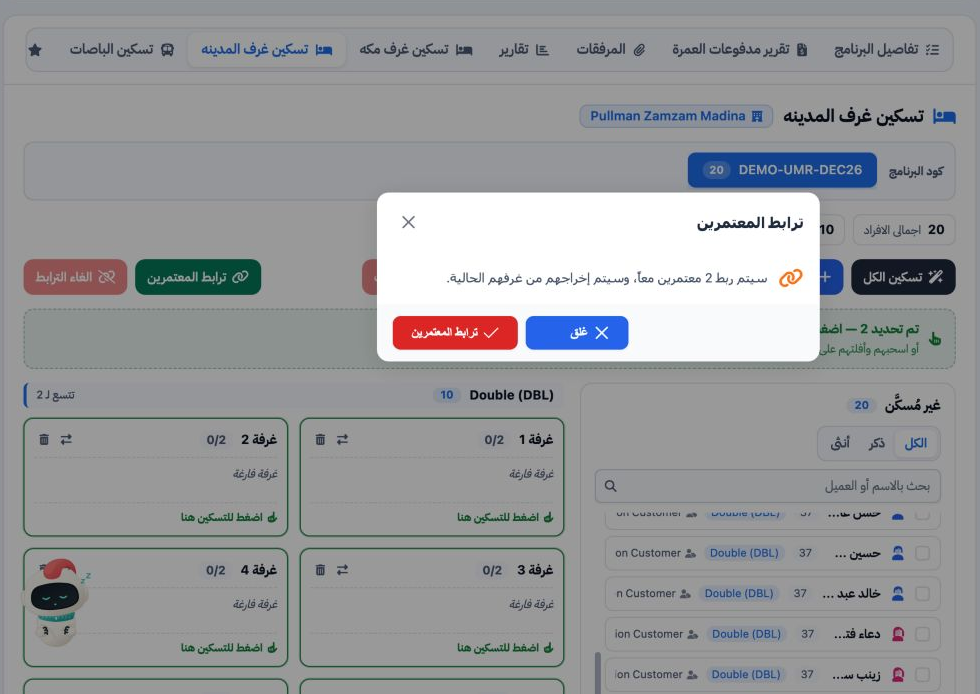
1 Open Hajj and Umrah, Trips, the training trip and the تسكين غرف المدينه tab. Check the hotel and program. Select the group members, choose L...
Open Hajj and Umrah, Trips, the training trip and the تسكين غرف المدينه tab. Check the hotel and program. Select the group members, choose Link Pilgrims (ترابط المعتمرين) and confirm. The dialog warns that linking removes members from their current rooms.

The Madina groups were Ahmed with Mahmoud, and Fatma with Sara. Linked members must occupy the same room.

2 Allocate a linked group and fill the remaining rooms
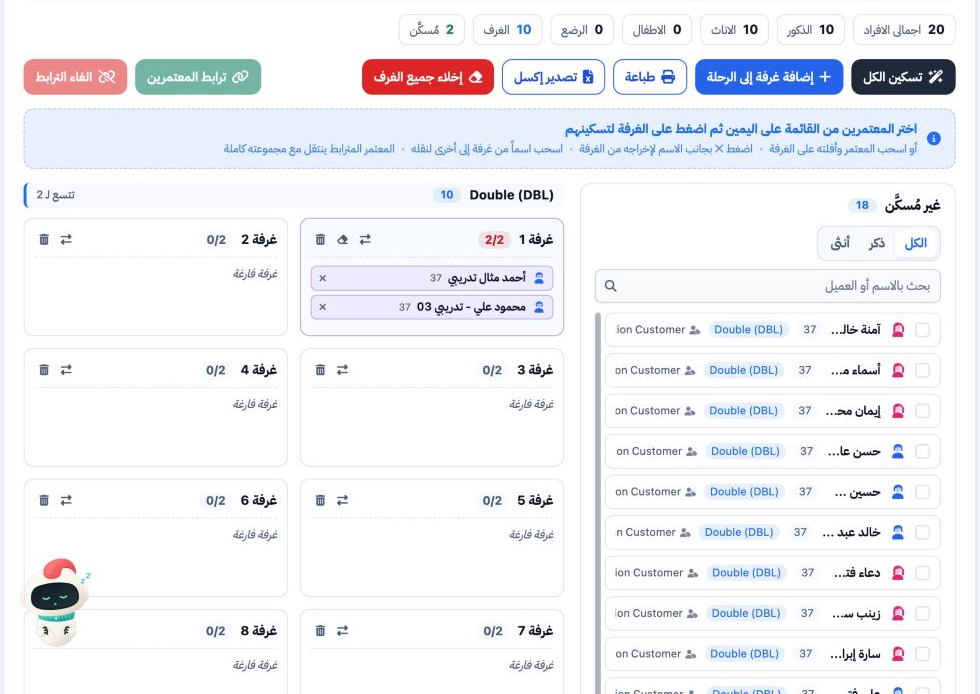
2 Select Ahmed in the unallocated list and choose an available room with space for the whole group. The system moved Ahmed and Mahmoud togethe...
Select Ahmed in the unallocated list and choose an available room with space for the whole group. The system moved Ahmed and Mahmoud together into room 1, with occupancy 2 of 2.
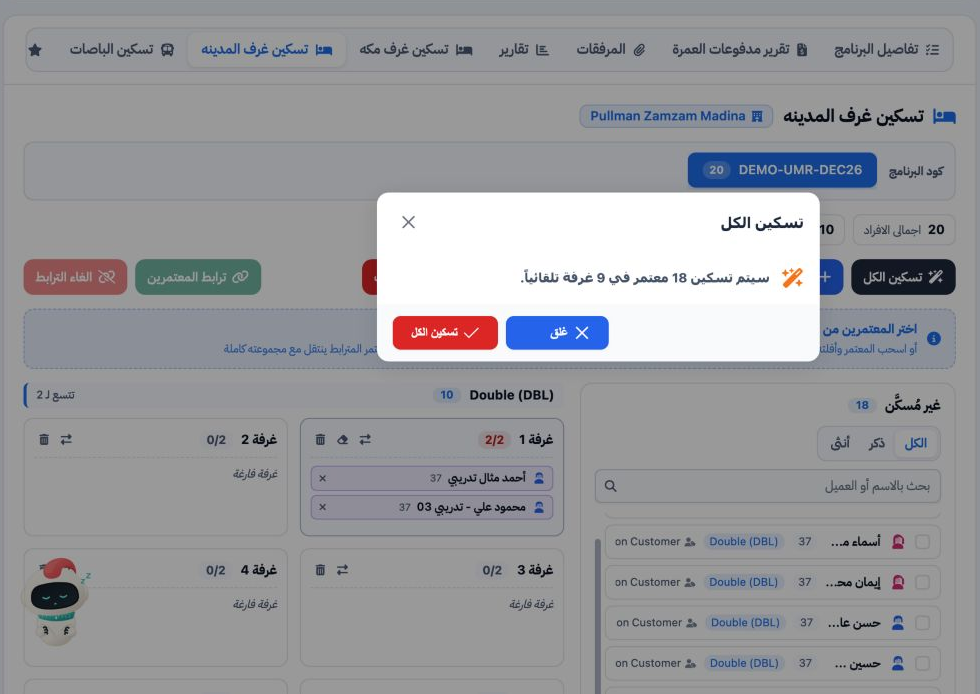
3 Choose Allocate All (تسكين الكل). The dialog offered to allocate the remaining 18 pilgrims to nine rooms. Review the numbers and confirm. Th...
Choose Allocate All (تسكين الكل). The dialog offered to allocate the remaining 18 pilgrims to nine rooms. Review the numbers and confirm. The automatic allocation kept the linked female pair together in one room.

3 Check the result and manage allocation
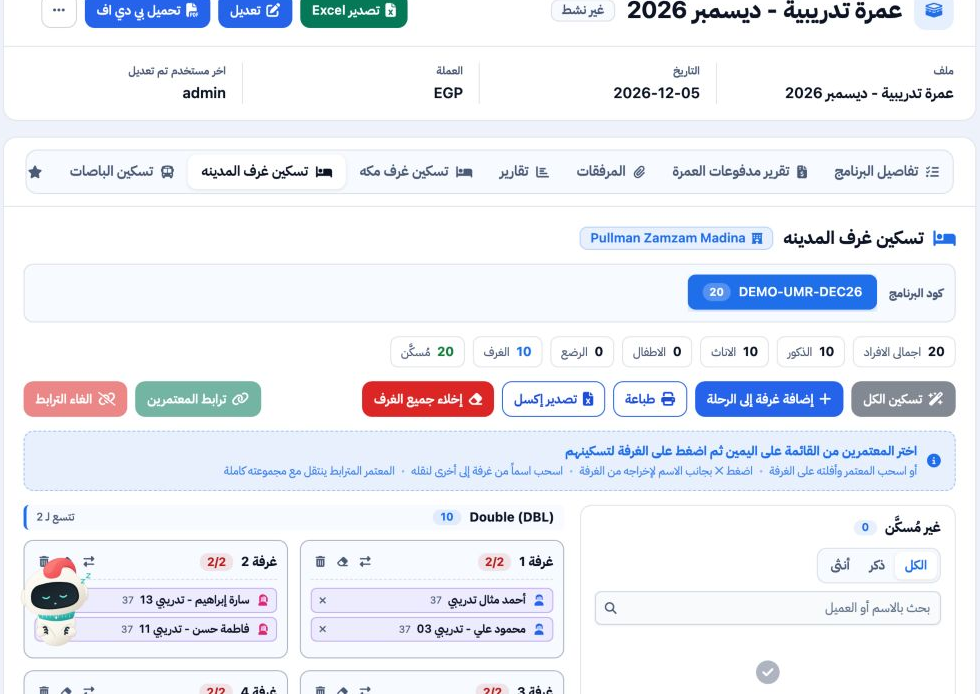
4 Check the program counters and room cards. The final result shows 20 allocated pilgrims, zero unallocated and ten full double rooms. Verify...
Check the program counters and room cards. The final result shows 20 allocated pilgrims, zero unallocated and ten full double rooms. Verify that each linked group appears together in one room.

The screen supports dragging a name to another room and removing a member with ×. Linked members move with their group. To unlink a group, select a member, choose Unlink (الغاء الترابط) and confirm. Search by name or customer and use the gender tabs to filter the list. Print and Export Excel are available for the rooming list.

Sign in to record the lessons you have read. Sign in