Umrah Trip Bus Seating
On this page
Add a bus, allocate pilgrims to seats and check occupancy. The example uses program DEMO-UMR-DEC26 with 20 pilgrims.
1 Add a bus and set its capacity
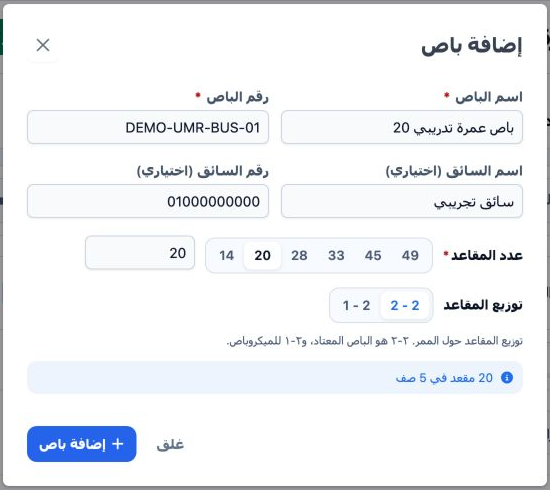
The saved bus is باص عمرة تدريبي 20, number DEMO-UMR-BUS-01. Check the selected program before allocating passengers.
2 Allocate passengers manually and automatically
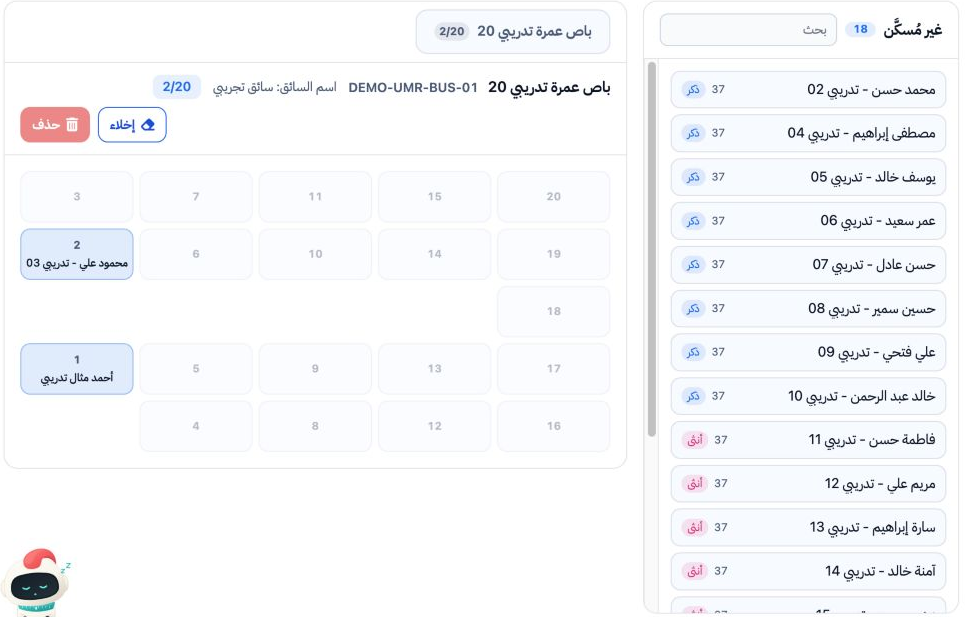
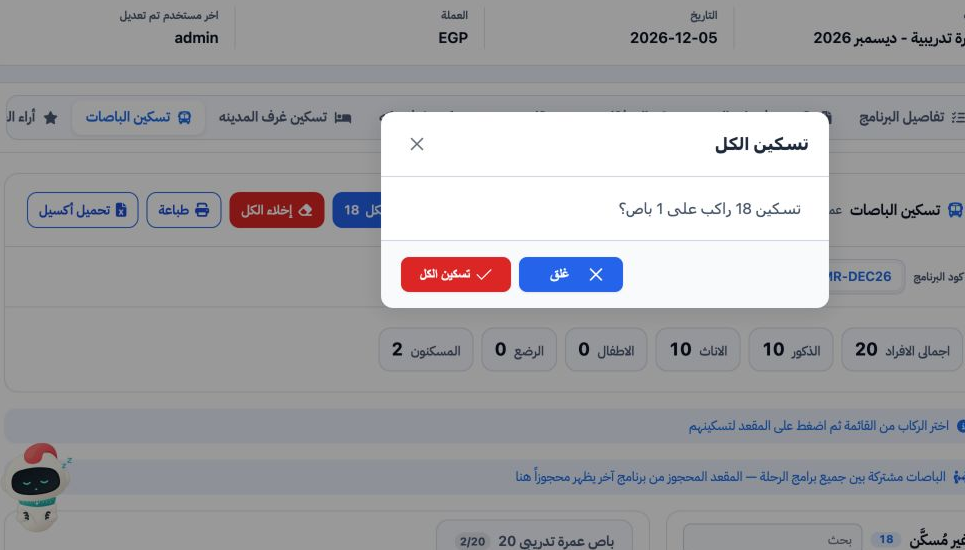
3 Verify the seats and export the list
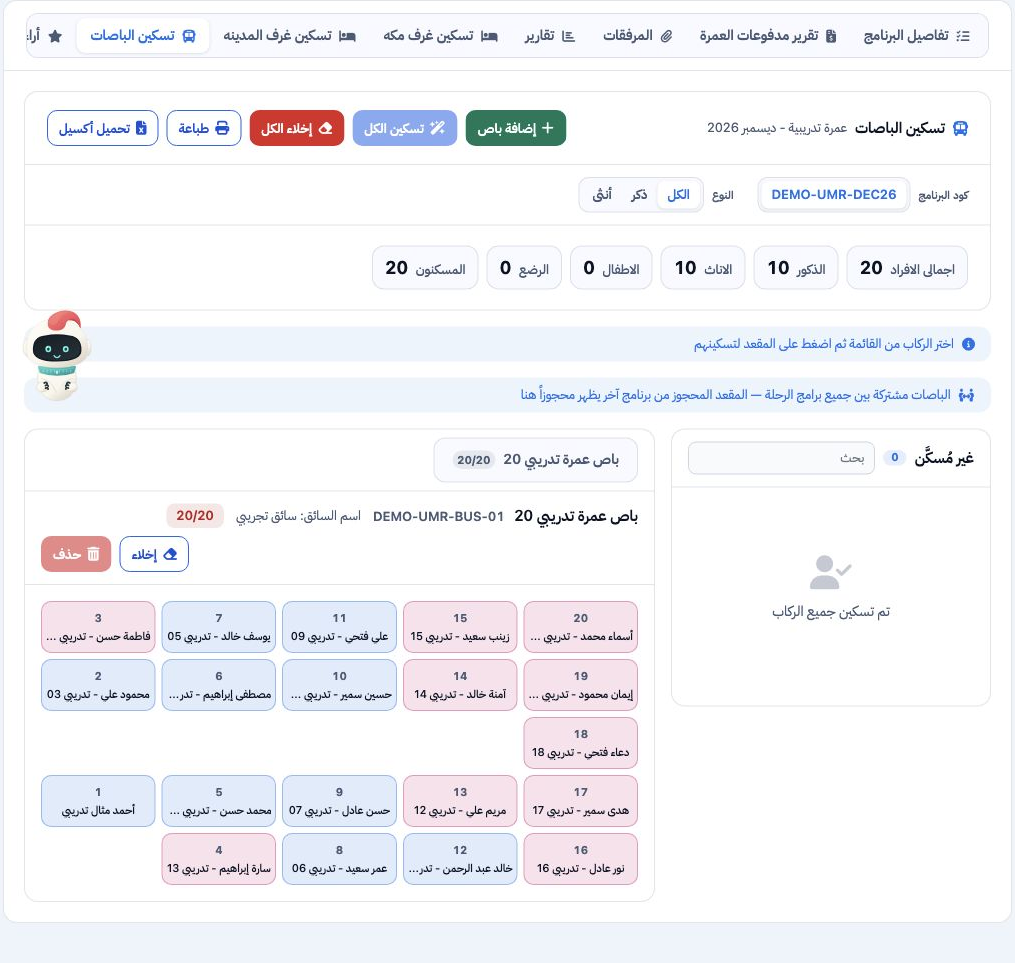
Use Search (بحث) to narrow the unallocated list and the All, Male and Female tabs to filter passengers. Buses are shared across the trip programs. A seat reserved in another program appears occupied here. Print (طباعة) and Download Excel (تحميل أكسيل) provide the seating list.
The screen exposes a passenger removal control, Clear Bus (إخلاء) and Clear All (إخلاء الكل). Delete is disabled while the bus is occupied. Review the scope and confirmation of any clearing operation before proceeding.
Sign in to record the lessons you have read. Sign in