Skip to content
Trio Travel guide

Trip Survey and Customer Reviews

On this page
  1. 1 Open the survey link
  2. 2 Submit the rating
  3. 3 Review customer feedback

1 Open the survey link

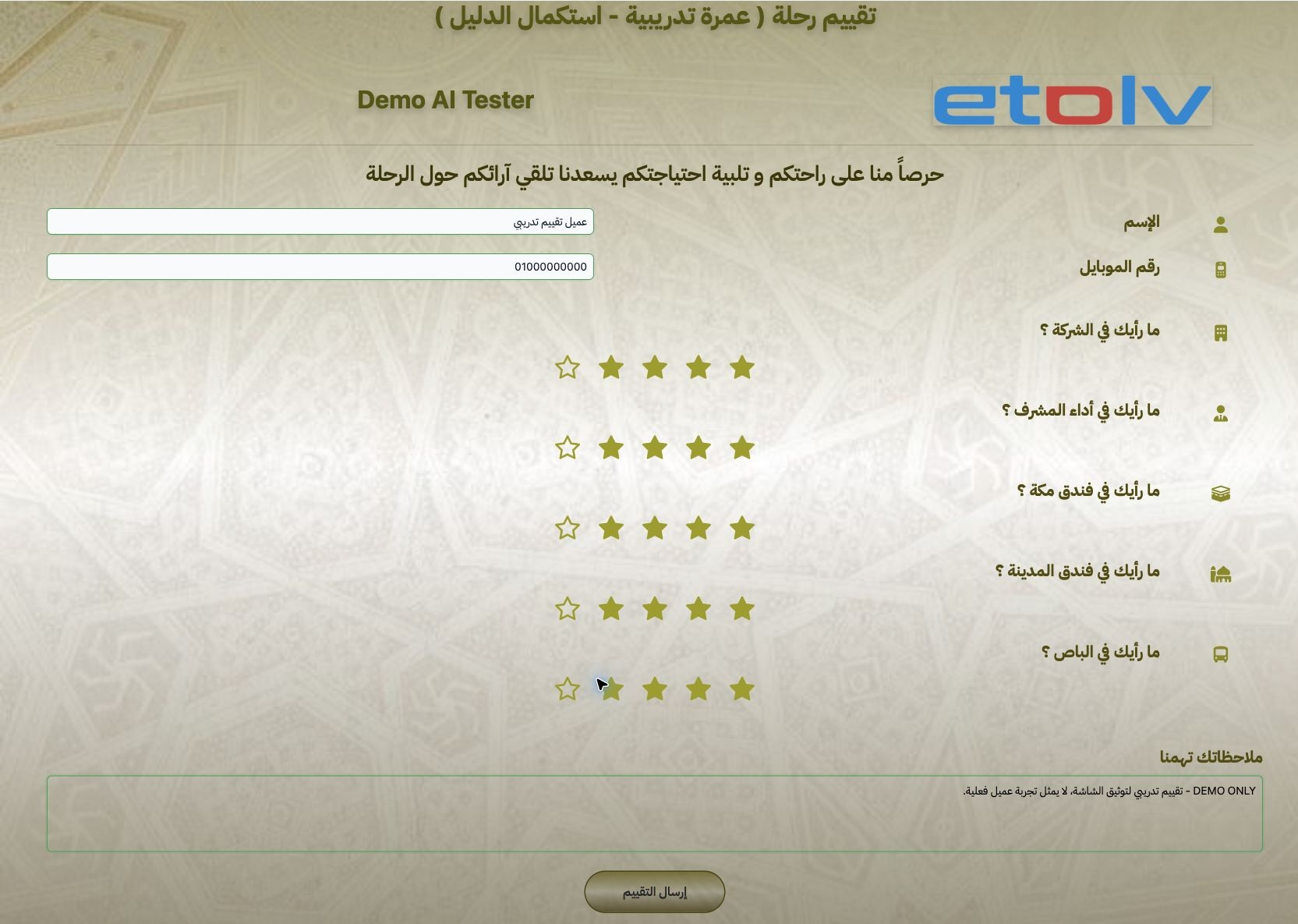
1 Open the trip → Actions → Survey Link. The link opens a survey associated with that trip. Enter name and phone, choose stars for the five ra...
Open the trip → Actions → Survey Link. The link opens a survey associated with that trip. Enter name and phone, choose stars for the five rating items and add a comment. This example uses a training customer and four stars for every item.

2 Submit the rating

2 Review the ratings and comment, then submit once. A thank-you message appears after successful submission. The example comment explicitly id...
Review the ratings and comment, then submit once. A thank-you message appears after successful submission. The example comment explicitly identifies it as a training review for documenting the screen.

3 Review customer feedback

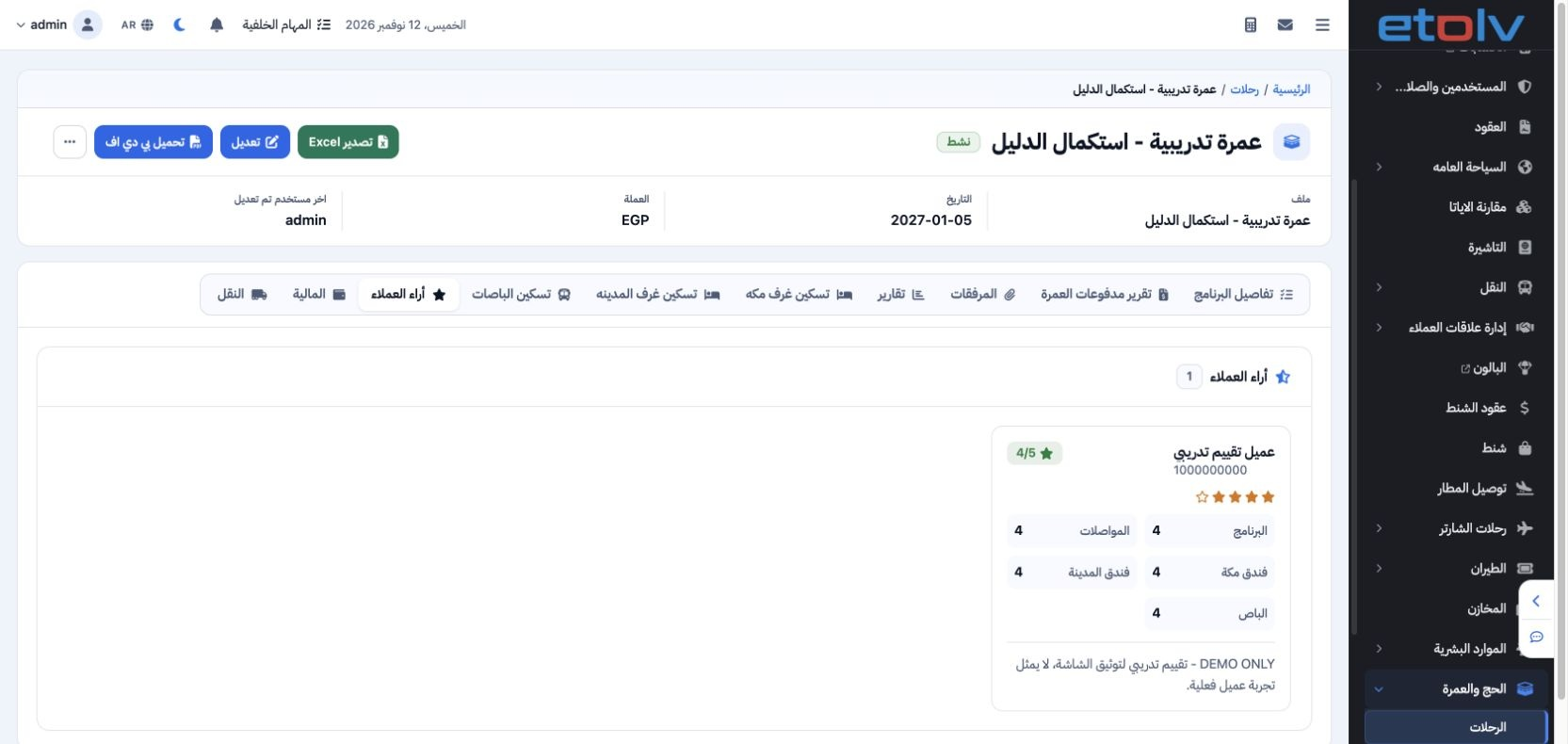
3 Return to the trip and open Customer Reviews. Review the name, comment and individual scores. The training review appears under the intended...
Return to the trip and open Customer Reviews. Review the name, comment and individual scores. The training review appears under the intended trip with a score of four out of five. Use the feedback to follow up on service quality.

Sign in to record the lessons you have read. Sign in