Skip to content
Trio Travel guide

Group Entry and Automatic Housing

On this page
  1. 1 Enable automatic housing
  2. 2 Locate the group entry control
  3. 3 Add two people in the same form
  4. 4 Verify Makkah allocation
  5. 5 Verify Madinah allocation

1 Enable automatic housing

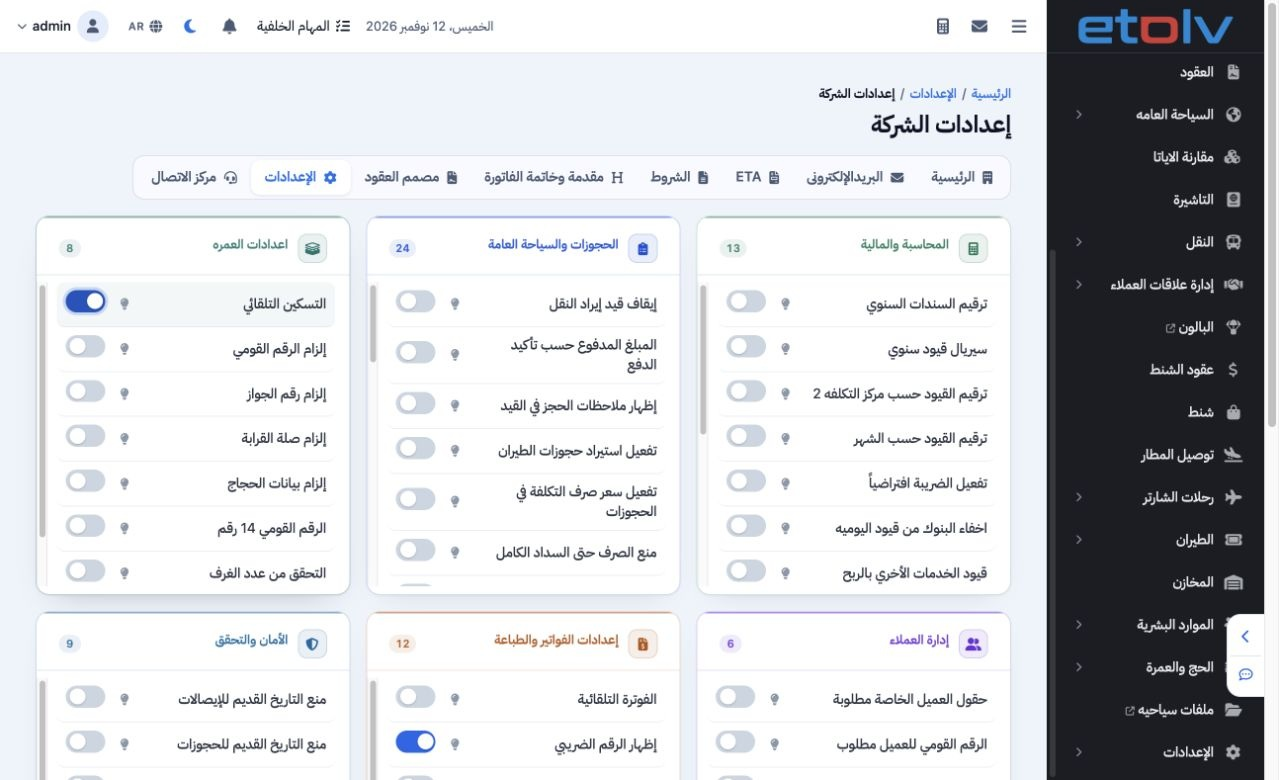
1 Open Settings from the user menu, then the Settings tab in Company Settings. Under Umrah Settings, enable Automatic Housing and Save. It app...
Open Settings from the user menu, then the Settings tab in Company Settings. Under Umrah Settings, enable Automatic Housing and Save. It applies when adding an Umrah reservation. Review trip capacity and the program’s room quantities before adding the group.

2 Locate the group entry control

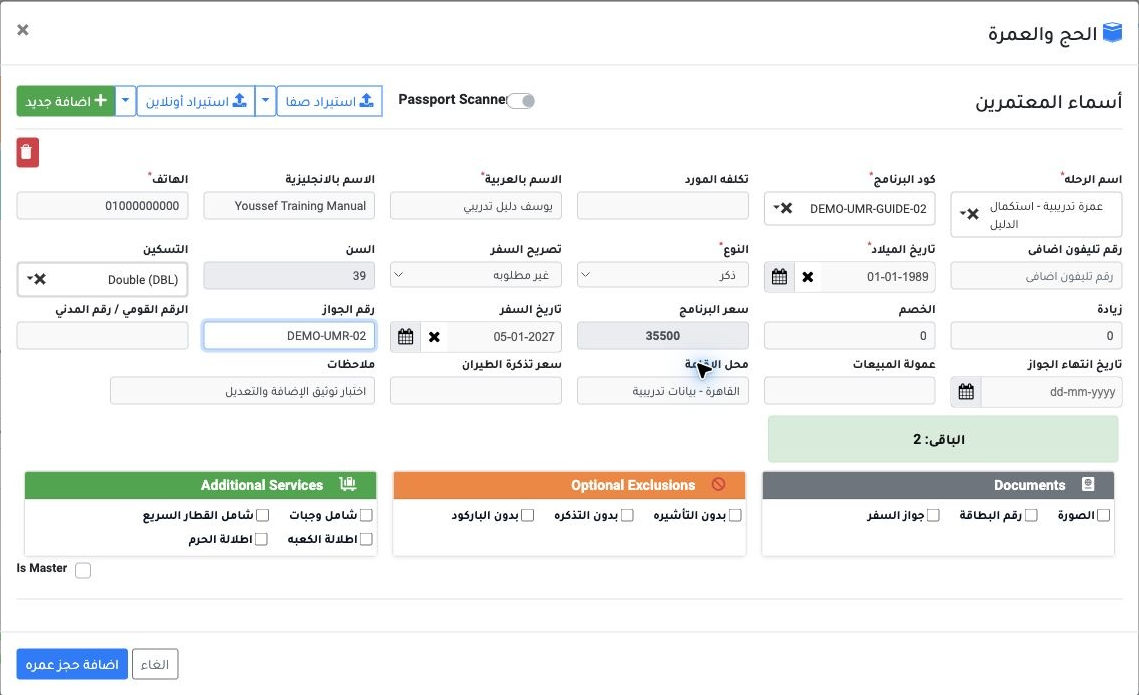
2 Add New + appears at the top of the pilgrim names form. Complete the first card, then press it again to add another person within the same f...
Add New + appears at the top of the pilgrim names form. Complete the first card, then press it again to add another person within the same form. The image locates the control and fields; the following page shows the second card in the group example.

3 Add two people in the same form

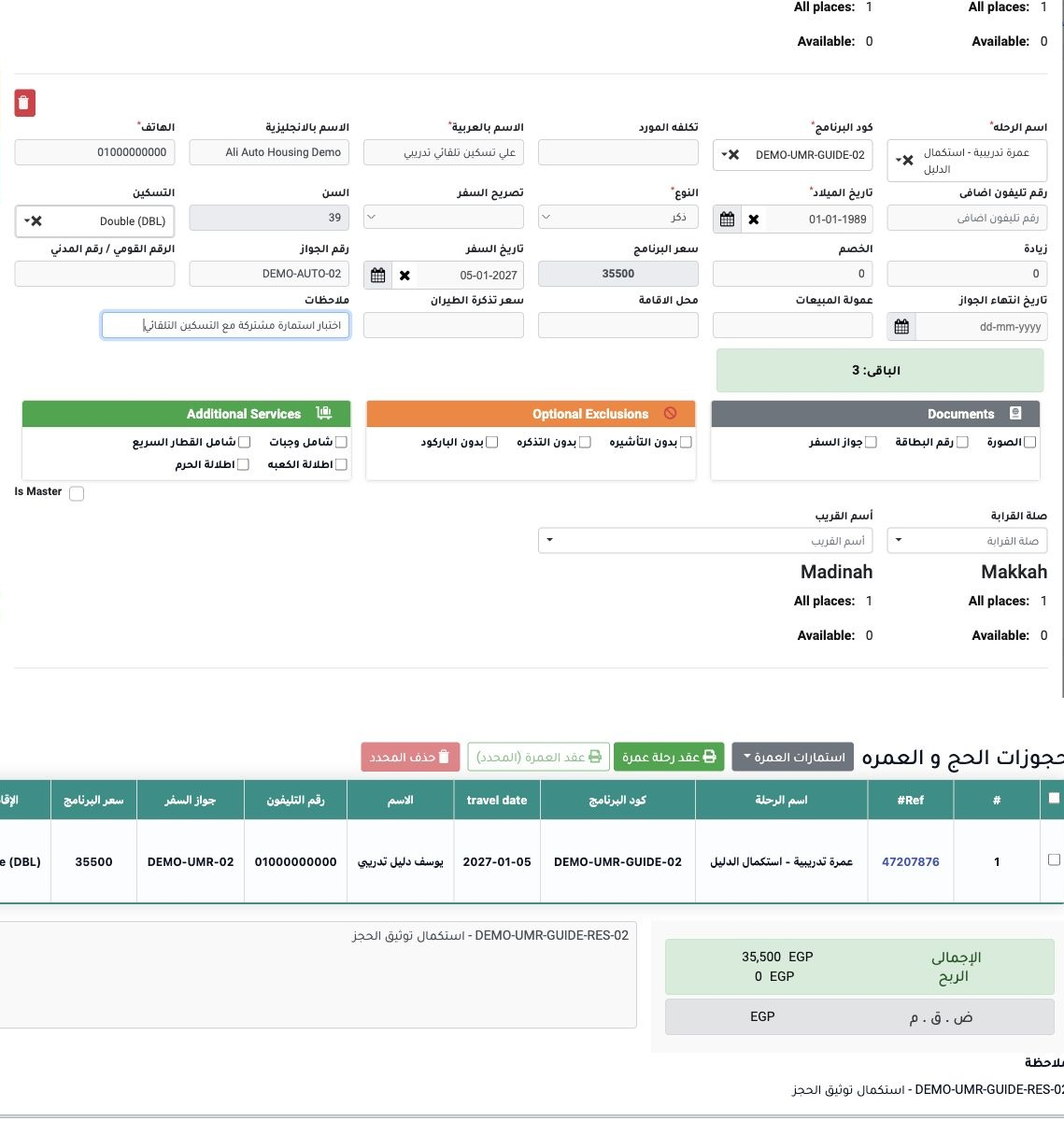
3 Open the Hajj and Umrah service and select Add New +. Complete the first person, then press + again to create the second card without closin...
Open the Hajj and Umrah service and select Add New +. Complete the first person, then press + again to create the second card without closing the form. Check the trip, program, room type and details on each card, then Add Umrah Reservation to save both together. Omar and Ali use Double at 35500 each.

4 Verify Makkah allocation

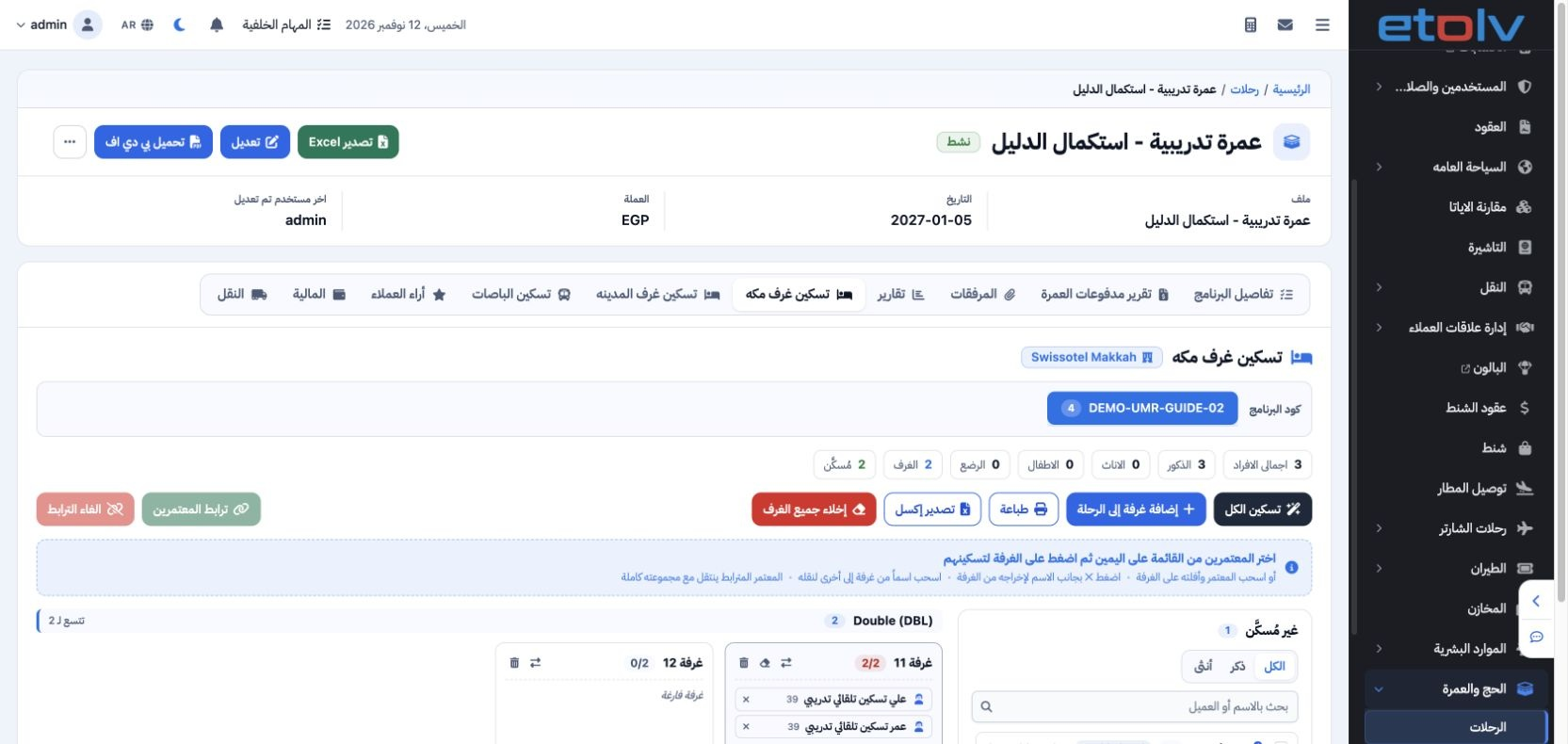
4 Open the trip → Makkah Housing and select the program. Review the room occupants. Omar and Ali automatically occupy room 11 together, 2 of 2...
Open the trip → Makkah Housing and select the program. Review the room occupants. Omar and Ali automatically occupy room 11 together, 2 of 2 places. Youssef, added before enabling the option, remains in the unassigned list.

5 Verify Madinah allocation

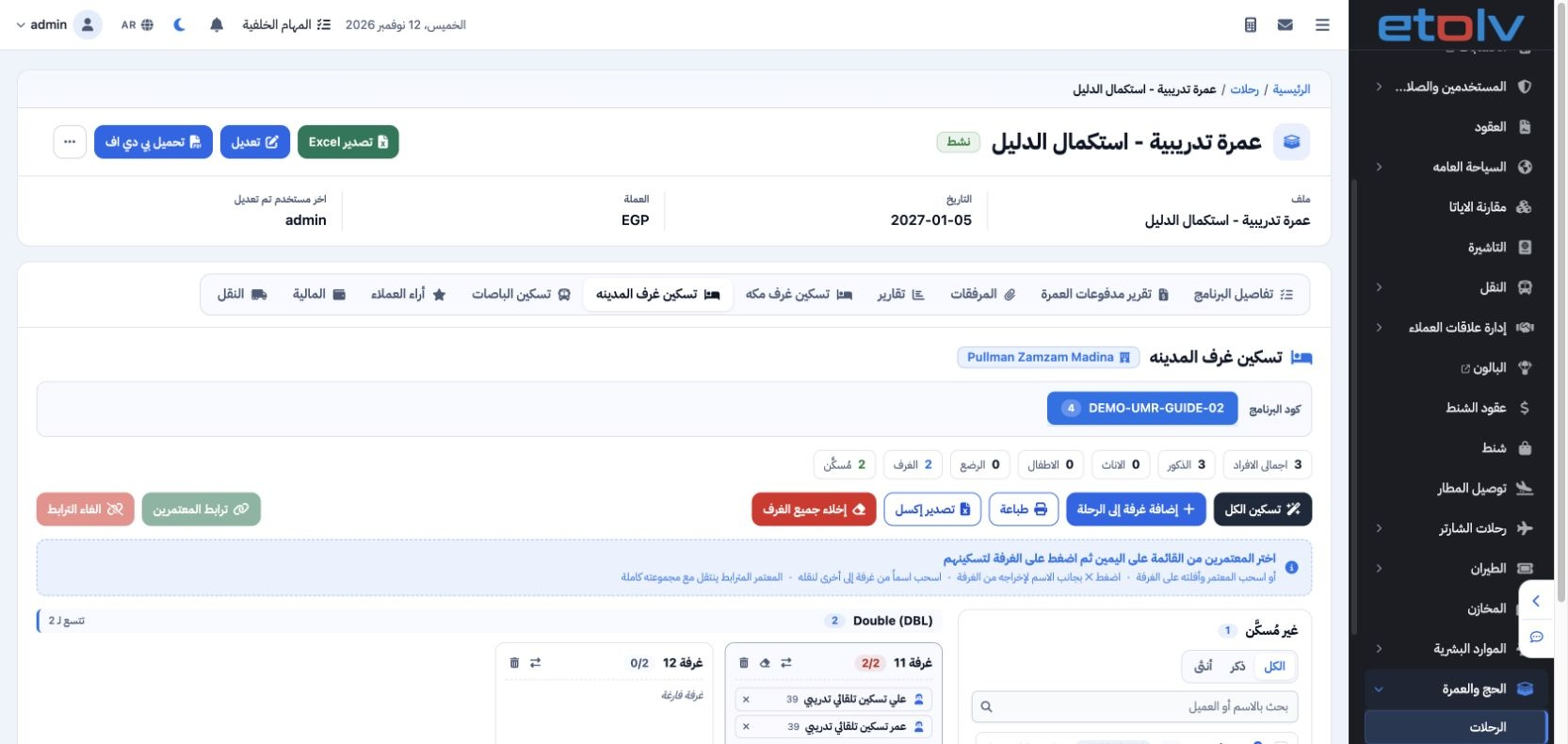
5 Open Madinah Housing and verify its allocation separately. Omar and Ali occupy room 11 together, 2 of 2 places. Check both cities after savi...
Open Madinah Housing and verify its allocation separately. Omar and Ali occupy room 11 together, 2 of 2 places. Check both cities after saving and review remaining capacity. The test trip has four-person capacity, two rooms and three saved pilgrims.

Sign in to record the lessons you have read. Sign in