Skip to content
Trio Travel guide

Hajj and Umrah Pilgrim Report and Search

On this page
  1. 1 Open the Hajj and Umrah report
  2. 2 Set search filters
  3. 3 Review results and output

1 Open the Hajj and Umrah report

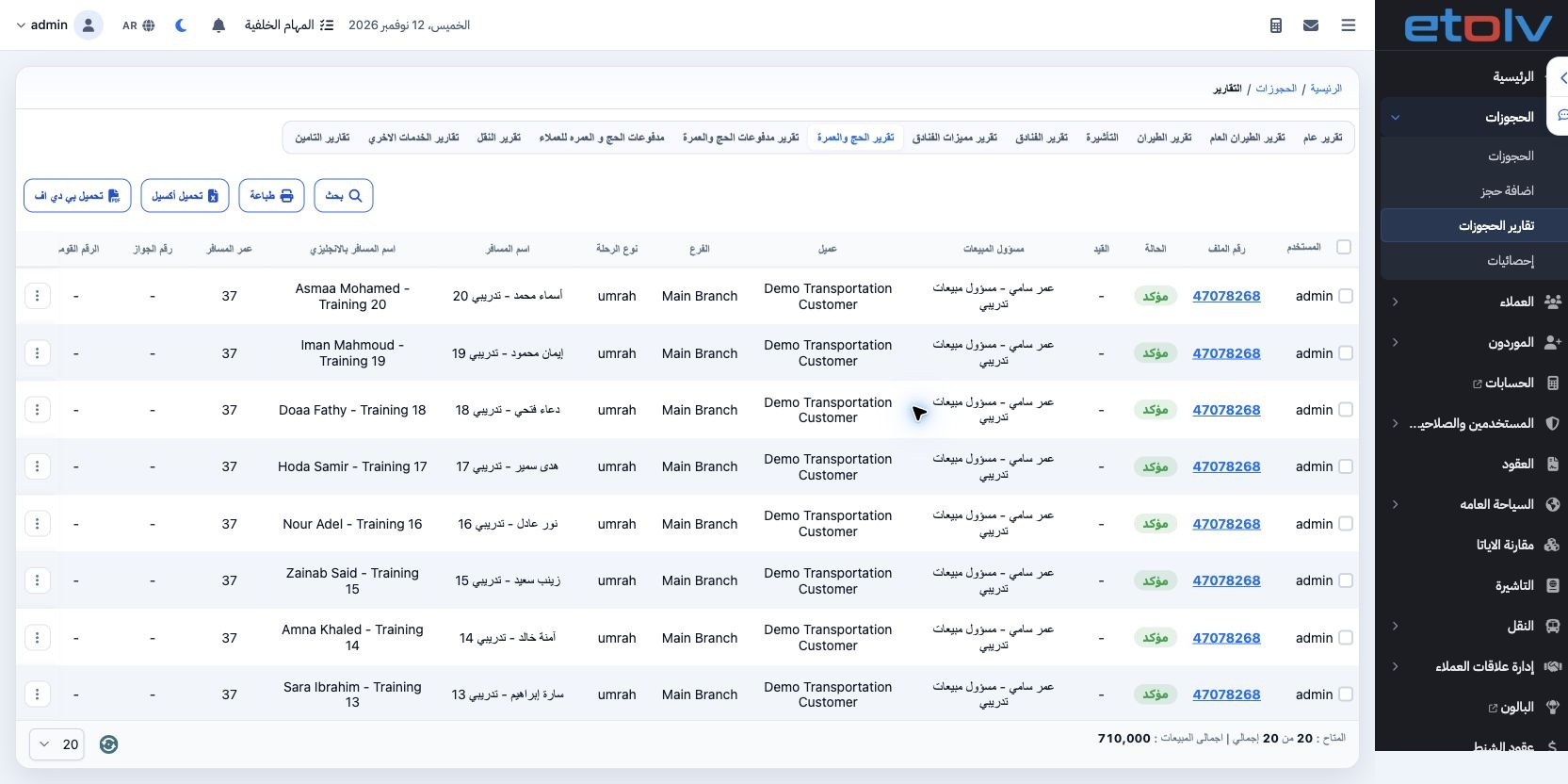
1 Inside the trip, open Reports → Hajj and Umrah Report. It lists travelers, reservation/customer, status, branch, sales officer, program, pri...
Inside the trip, open Reports → Hajj and Umrah Report. It lists travelers, reservation/customer, status, branch, sales officer, program, price, passport and service details. The December trip contains 20 pilgrims with total sales of EGP 710000.

2 Set search filters

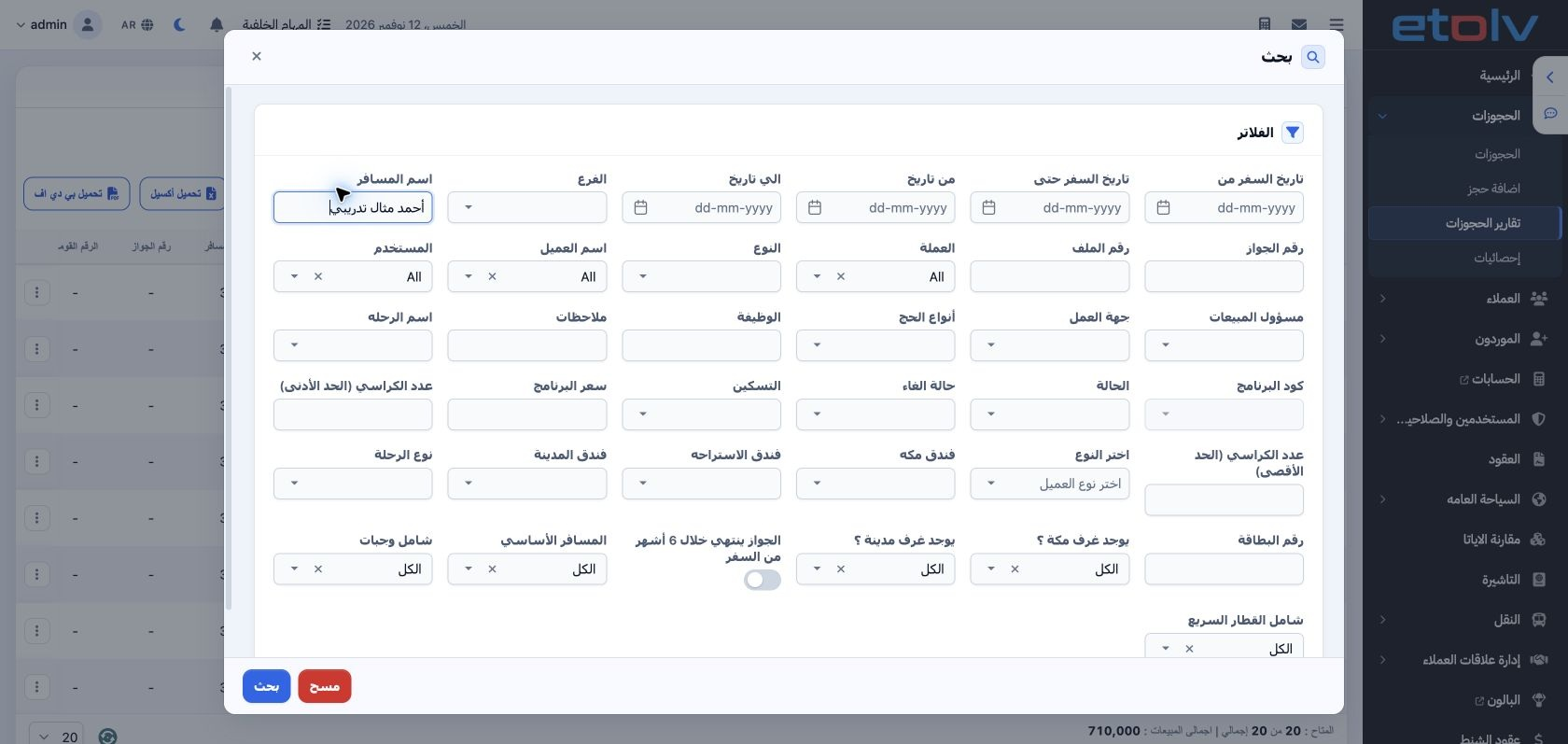
2 Select Search. Filters cover travel/booking dates, branch, traveler name, passport, reservation, customer, currency, status, trip, program a...
Select Search. Filters cover travel/booking dates, branch, traveler name, passport, reservation, customer, currency, status, trip, program and hotels. Further filters cover included services, passport expiry and the main traveler. Enter the intended traveler and run Search inside the dialog.

3 Review results and output

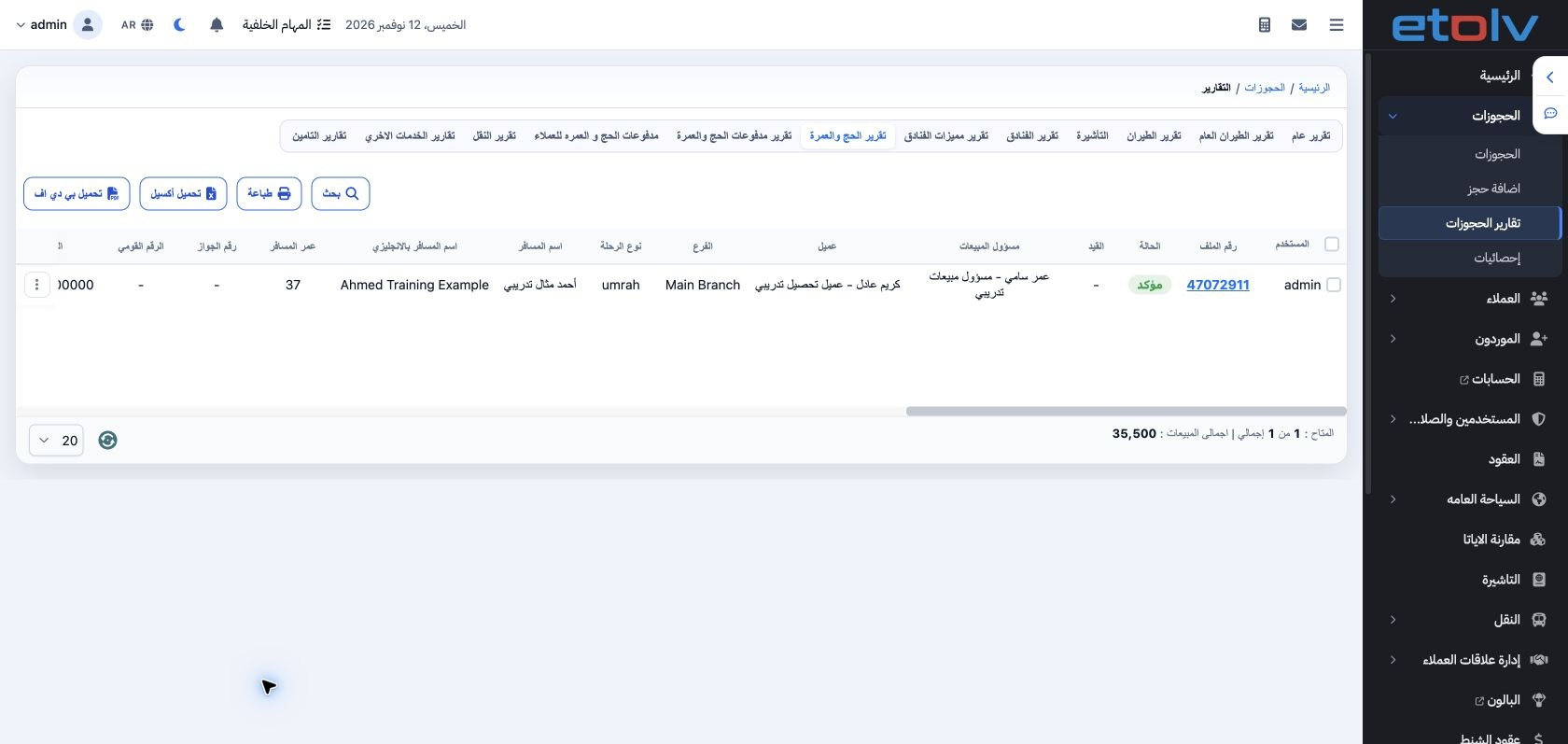
3 Searching for “أحمد مثال تدريبي” returns one row with a price of EGP 35500. Review count, sales total and currency after each search. Print,...
Searching for “أحمد مثال تدريبي” returns one row with a price of EGP 35500. Review count, sales total and currency after each search. Print, Excel and PDF actions are above the report. For collections, use the Hajj/Umrah Payments report; booking price and amount paid are distinct values.

Sign in to record the lessons you have read. Sign in