Skip to content
Trio Travel guide

Airline Ticket Sales Report

On this page
  1. 1 Set the report scope
  2. 2 Read the results
  3. 3 Export the report

1 Set the report scope

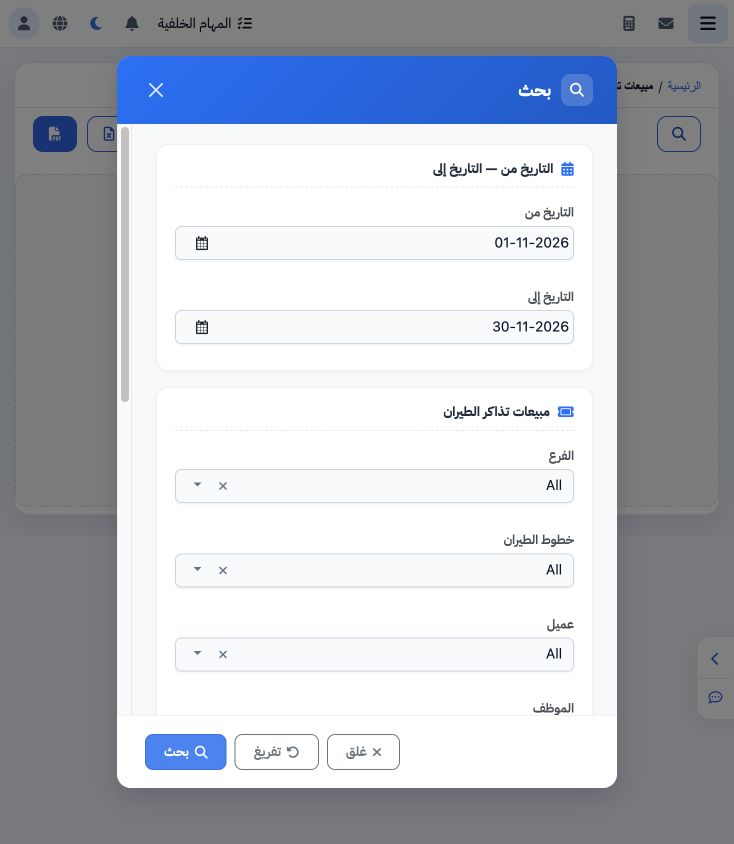
1 Open Airlines → Airline Ticket Sales, then Search. Set both dates and ticket sources. This example selects all six sources for 1–30 November...
Open Airlines → Airline Ticket Sales, then Search. Set both dates and ticket sources. This example selects all six sources for 1–30 November 2026. Additional filters include branch, airline, customer, employee, destinations and airports. Choose Search.

2 Read the results

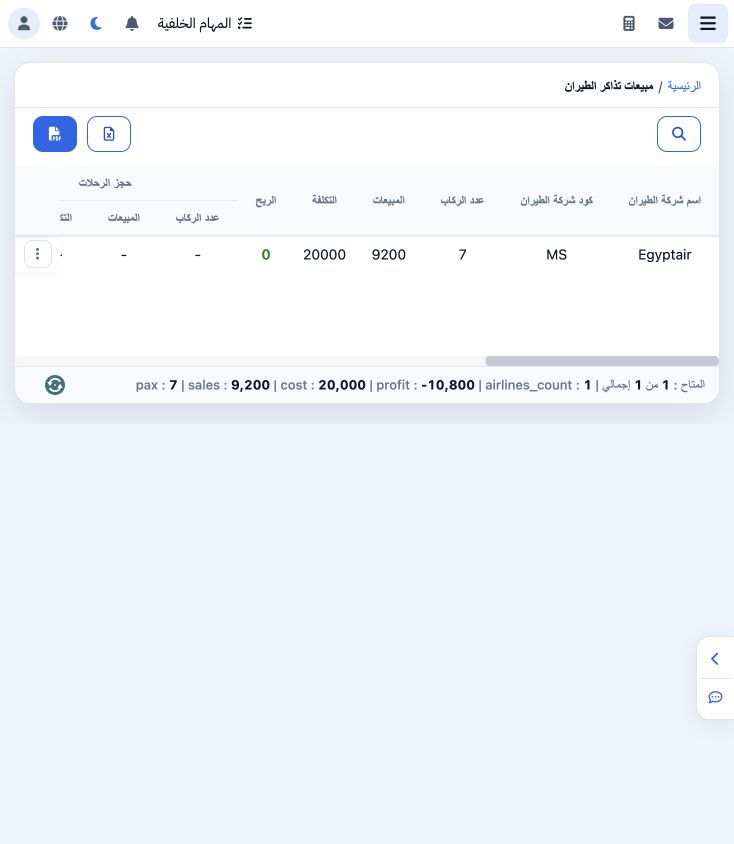
2 Results are grouped by airline with a breakdown for each source. The example contains Egyptair, code MS, seven passengers, sales 9200 and co...
Results are grouped by airline with a breakdown for each source. The example contains Egyptair, code MS, seven passengers, sales 9200 and cost 20000. The Booking source breakdown and footer show a loss of 10800. These are training data results.

3 Export the report

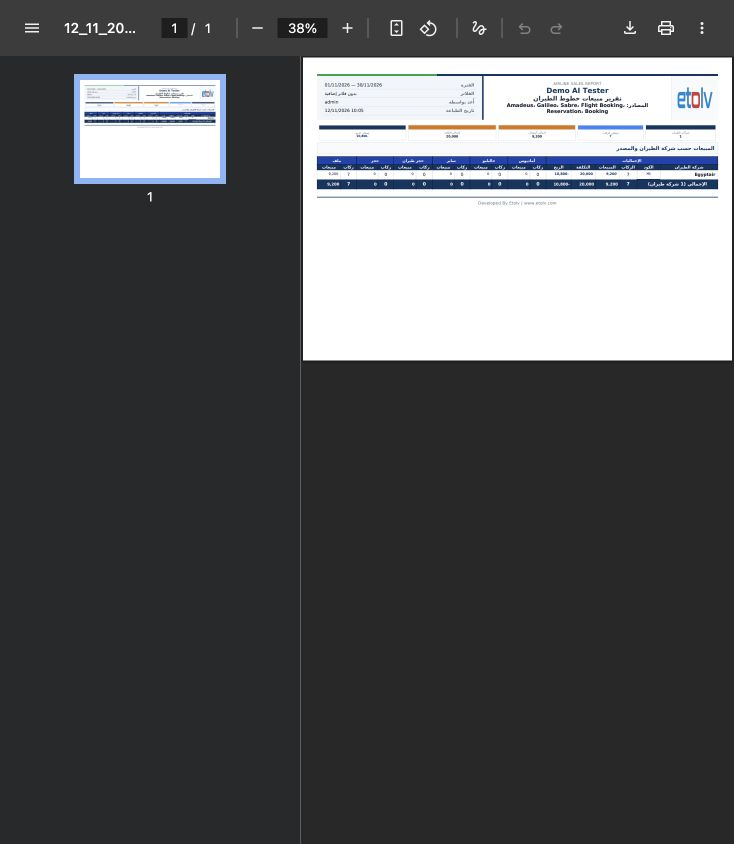
3 Use Excel to download the data or PDF to open the exported report. The workbook contains the date range, sources, filters, airline row and t...
Use Excel to download the data or PDF to open the exported report. The workbook contains the date range, sources, filters, airline row and total. The downloaded file matches sales 9200, cost 20000 and loss 10800. The image shows the actual one-page PDF.

Sign in to record the lessons you have read. Sign in