Skip to content
Trio Travel guide

Sabre Tickets

On this page
  1. 1 The Sabre ticket list
  2. 2 Find a ticket
  3. 3 View passenger and ticket information
  4. 4 Review financial links and selling price

  5. 5 Review destinations and close View
  6. 6 Review a reissue

1 The Sabre ticket list

1 Open Aviation → Sabre. The page heading is سايبر للطيران. Review serial, journal, invoice, reservation number, passenger, status and ticket...
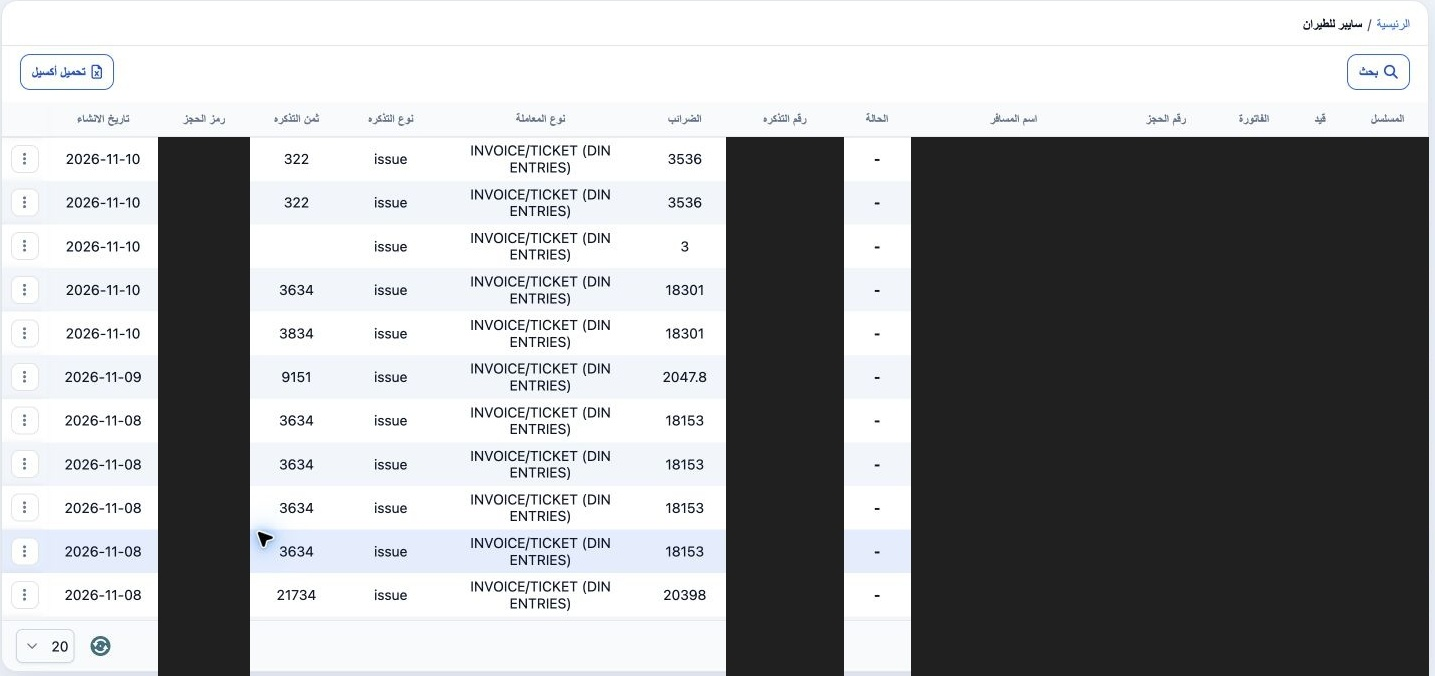
Open Aviation → Sabre. The page heading is سايبر للطيران. Review serial, journal, invoice, reservation number, passenger, status and ticket number, followed by taxes, transaction type, ticket type, fare, booking code and creation date. Use Search to narrow the results and a row’s three-dot menu to open View. Download Excel appears above the list. Private identities and references are covered in the images.

2 Find a ticket

2 Choose Search. Enter a ticket number, number range or booking code, and select customer, currency or branch where needed. Ticket types are I...
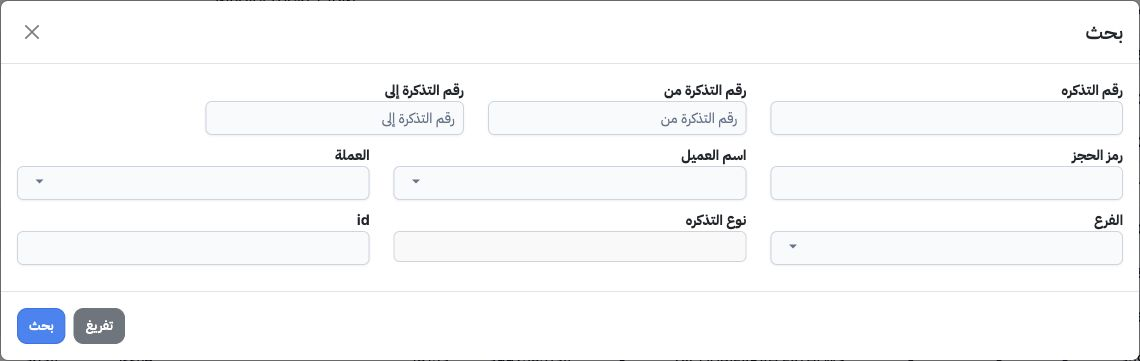
Choose Search. Enter a ticket number, number range or booking code, and select customer, currency or branch where needed. Ticket types are Issued, Voided, Reissued and Refunded. Choose Search to display results, Clear to clear form entries, or Close to leave the search window. Choosing a type here filters the list; it does not change a ticket’s type.

3 View passenger and ticket information

3 Choose View from the row menu. Review reservation number, Tags and Tag2 at the top, followed by the Passengers grid. Its fields include name...
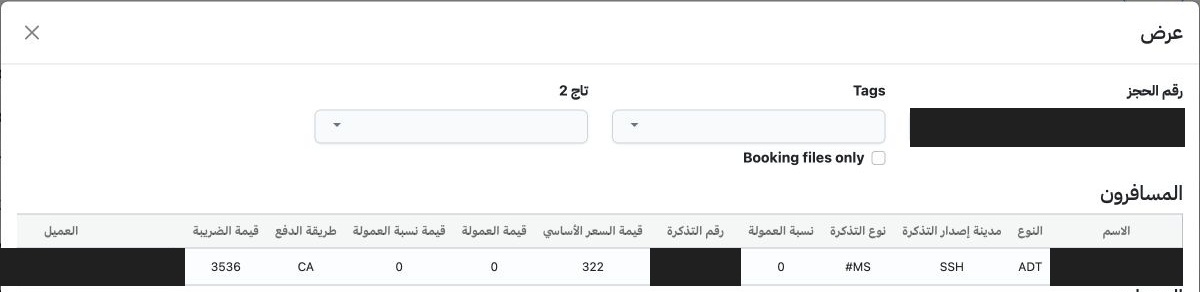
Choose View from the row menu. Review reservation number, Tags and Tag2 at the top, followed by the Passengers grid. Its fields include name, type, ticket issuing city, ticket type, commission percentage, ticket number, base price, commission values, payment method and tax. Match the row to the intended ticket record.

4 Review financial links and selling price

4 Scroll the passenger grid horizontally to see customer, currency, branch, Tags, Tag2, selling price and total. Review base price, tax and to...
Scroll the passenger grid horizontally to see customer, currency, branch, Tags, Tag2, selling price and total. Review base price, tax and total separately from selling price. The displayed example has base 322, tax 3536 and total 3858, while selling price is 4000. These are saved values; their presence alone does not establish that a payment was collected.

5 Review destinations and close View

5 The Destinations grid follows the passengers. Review departure city name and code, arrival city name and code, then departure date for each...
The Destinations grid follows the passengers. Review departure city name and code, arrival city name and code, then departure date for each populated row. Empty rows may also appear; use the populated rows for review. Choose Close when you have finished viewing.

6 Review a reissue

6 In Search, choose Reissued and run Search. Matching rows are labelled reissue. Open View to review passengers, prices and destinations for t...
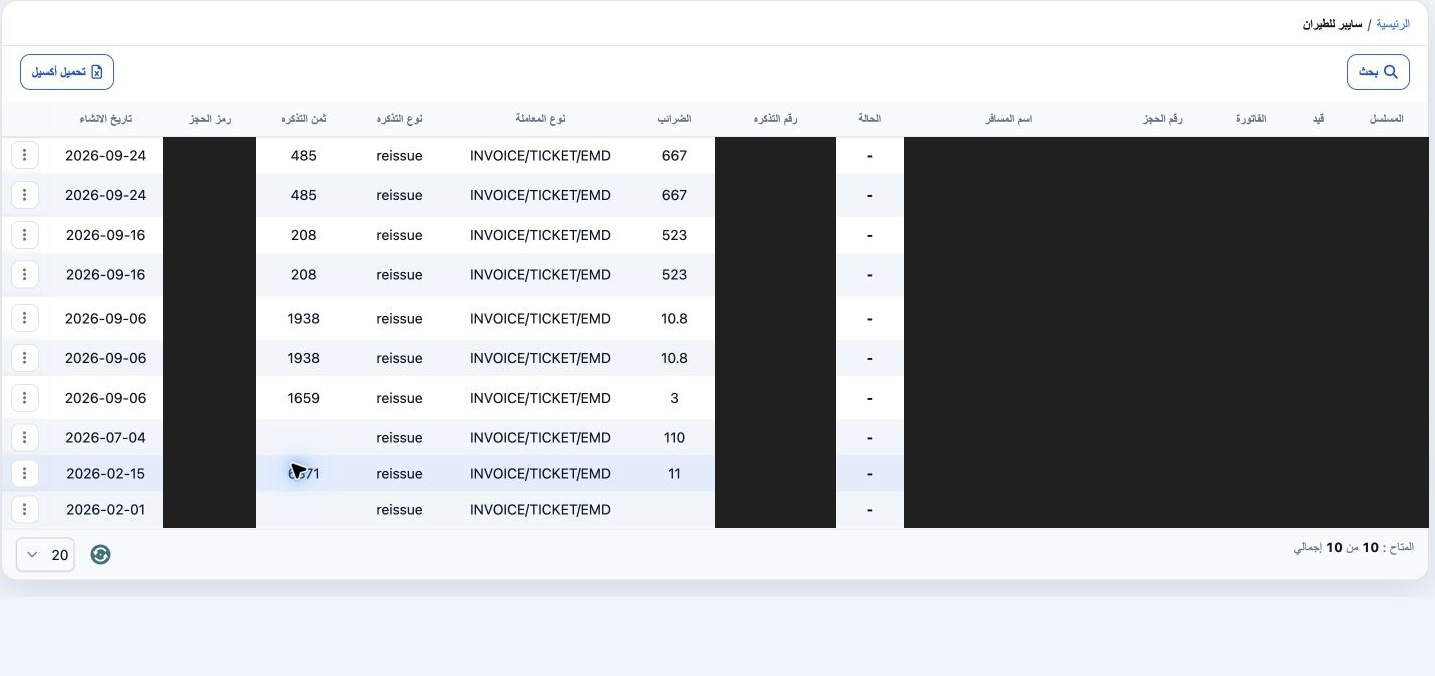
In Search, choose Reissued and run Search. Matching rows are labelled reissue. Open View to review passengers, prices and destinations for the intended record. Match ticket number and booking code to your documents before interpreting financial differences. To return to normal issue records, choose Issued and run Search again.

Sign in to record the lessons you have read. Sign in