Skip to content
Trio Travel guide

Flight Booking Settings

On this page
  1. 1 Define a flight booking source
  2. 2 Edit the name and review accounts
  3. 3 Review deletion confirmation

1 Define a flight booking source

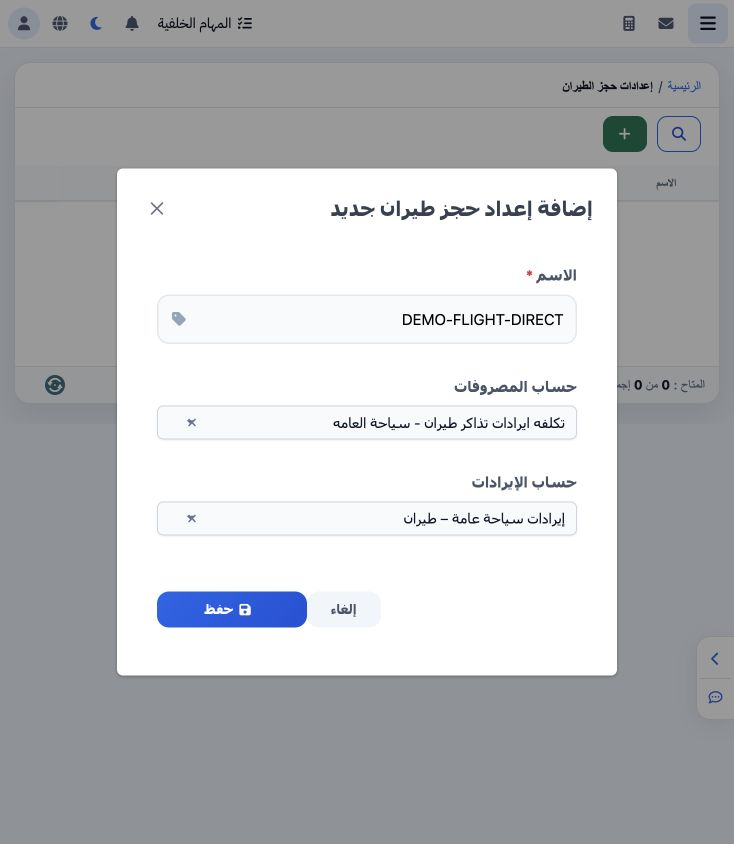
1 Open Settings → Flight Booking Settings and choose +. Enter a name and select the expense and revenue accounts, then Save. DEMO-FLIGHT-DIREC...
Open Settings → Flight Booking Settings and choose +. Enter a name and select the expense and revenue accounts, then Save. DEMO-FLIGHT-DIRECT is linked to flight cost account 5110007 and flight revenue account 4120002.

2 Edit the name and review accounts

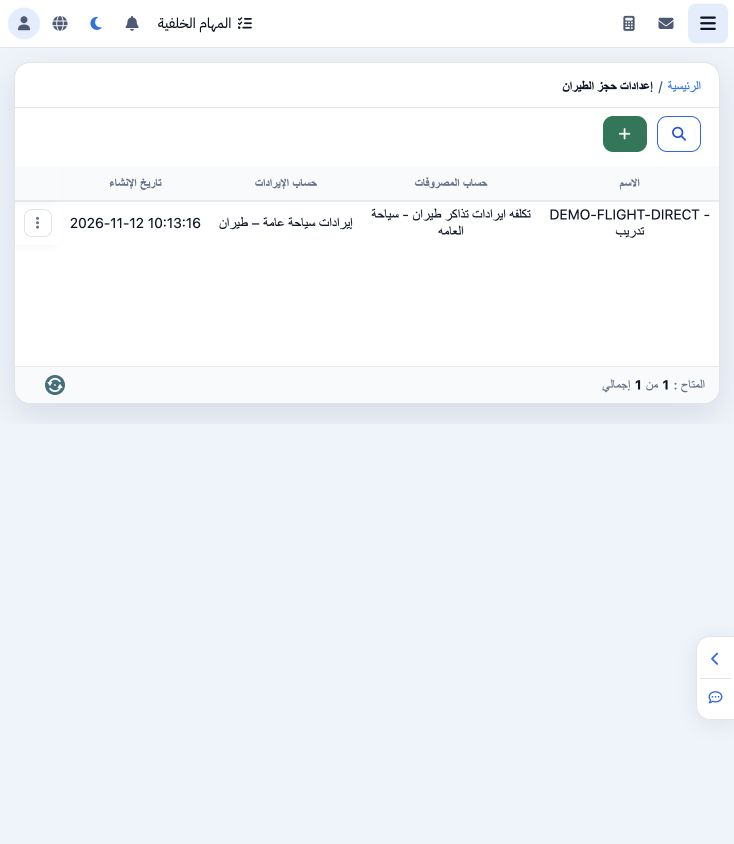
2 Choose Edit from the record menu. Review the name and both accounts, make the intended change and save. The example adds Training to the nam...
Choose Edit from the record menu. Review the name and both accounts, make the intended change and save. The example adds Training to the name and verifies it in the list. The saved definition becomes available in the Source picker in the flight booking form.

3 Review deletion confirmation

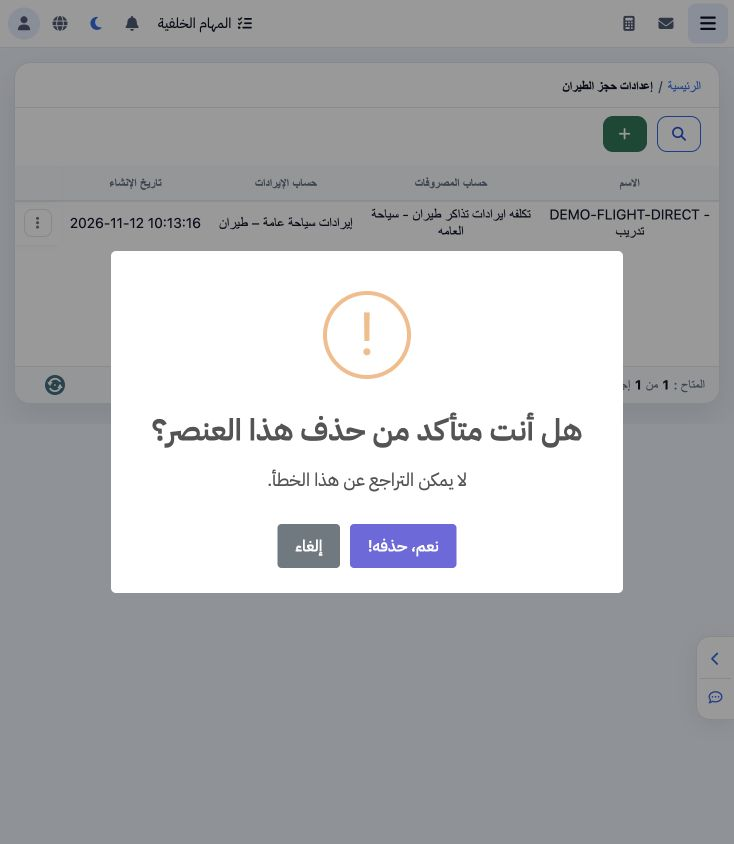
3 Select Delete from the source menu to display confirmation. The dialog warns that the action cannot be undone. Choose Cancel to retain the d...
Select Delete from the source menu to display confirmation. The dialog warns that the action cannot be undone. Choose Cancel to retain the definition, as in this example.

Sign in to record the lessons you have read. Sign in