Skip to content
Trio Travel guide

Airline ADM Note

On this page
  1. 1 ADM reference and amount
  2. 2 Allocation and reason
  3. 3 Resulting journal entry

1 ADM reference and amount

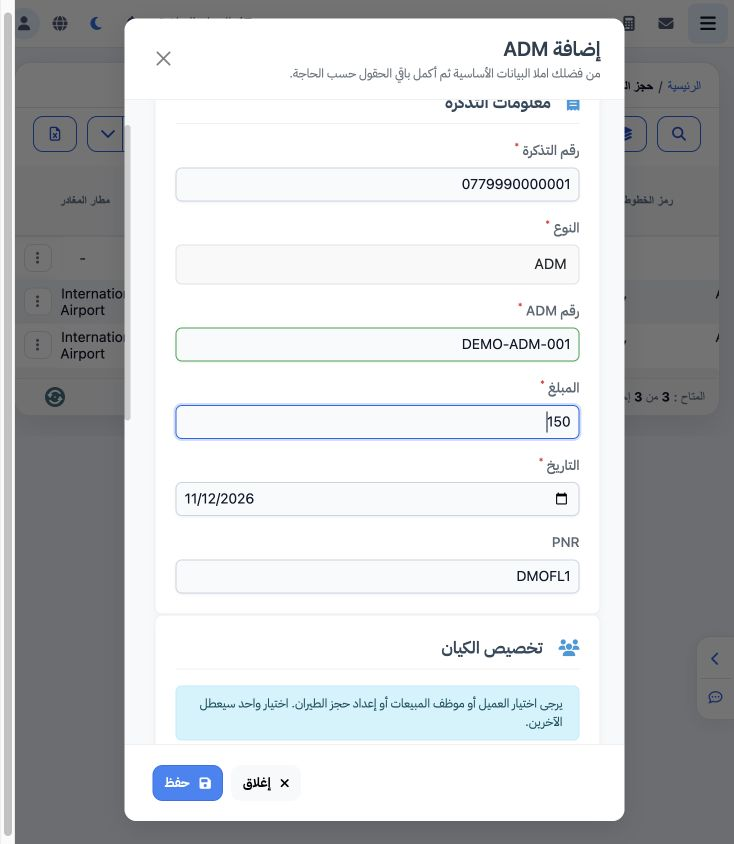
1 Choose ADM from the ticket menu. Review ticket number and type, then enter the note reference, amount, date and PNR. DEMO-ADM-001 is a train...
Choose ADM from the ticket menu. Review ticket number and type, then enter the note reference, amount, date and PNR. DEMO-ADM-001 is a training example for EGP 150, linked to fictional ticket 0779990000001 and DMOFL1 on 12 November 2026.

2 Allocation and reason

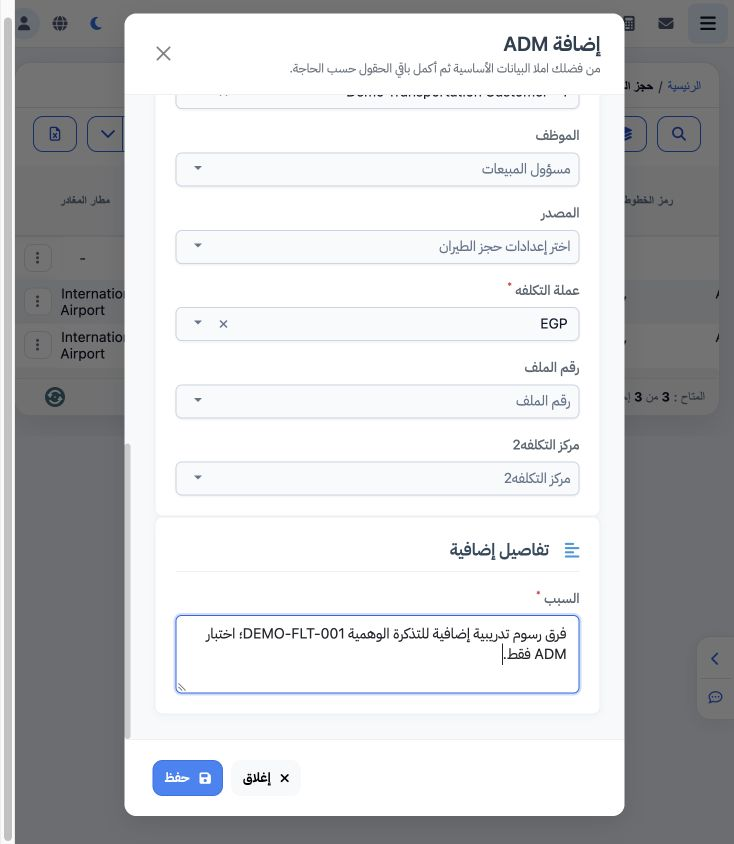
2 Select exactly one allocation target: customer, employee or flight booking setting. Selecting one disables the other two. The example select...
Select exactly one allocation target: customer, employee or flight booking setting. Selecting one disables the other two. The example selects Demo Transportation Customer, EGP and a training reason. File and cost centre 2 are available when applicable. Review before Save: saving this example automatically created a journal entry.

3 Resulting journal entry

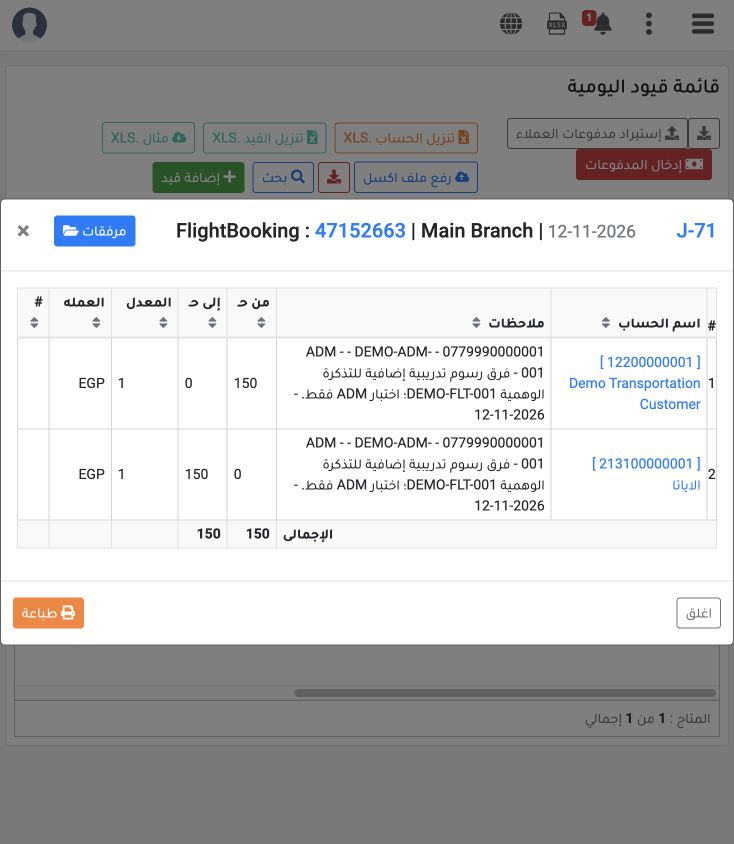
3 After saving, the record showed Complete and journal J-71. Open it to review accounts, amount and currency. The example debits customer acco...
After saving, the record showed Complete and journal J-71. Open it to review accounts, amount and currency. The example debits customer account 12200000001 and credits IATA account 213100000001. Both sides are EGP 150 at rate 1. The journal note includes ticket reference, note type and reason.

Sign in to record the lessons you have read. Sign in