Skip to content
Trio Travel guide

Warehouse Stock Receipts

On this page
  1. 1 Warehouse receipts
  2. 2 Enter receipt data
  3. 3 Review the saved receipt
  4. 4 Review quantities after saving
  5. 5 Edit a line price
  6. 6 Review deletion confirmation
  7. 7 Post the receipt
  8. 8 Review journal J-68

1 Warehouse receipts

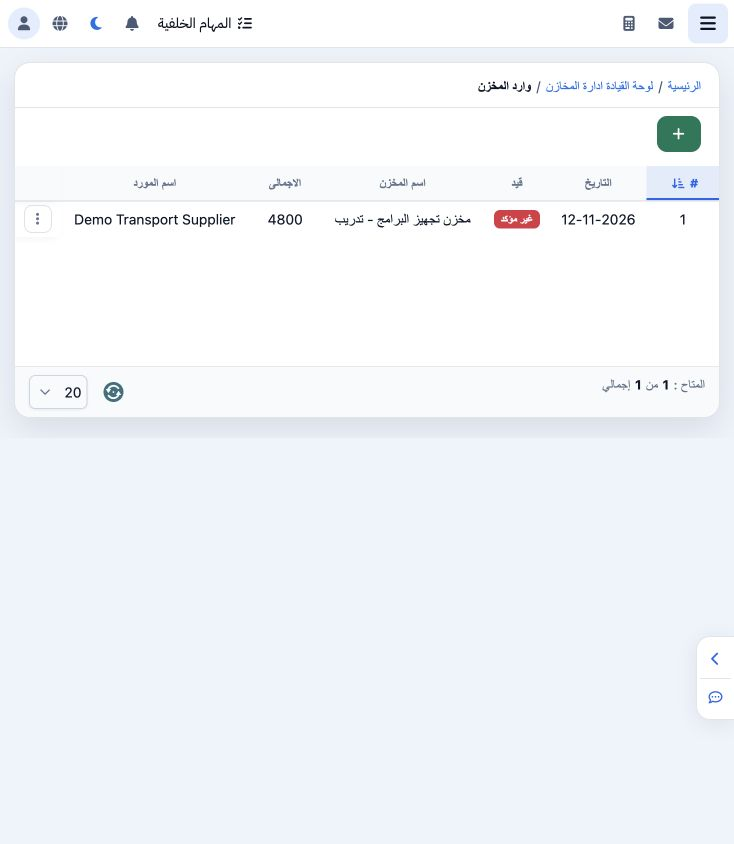
1 Open Warehouse Receipt from the Inventory dashboard. The list shows receipt number, date, warehouse, total, supplier and journal status. The...
Open Warehouse Receipt from the Inventory dashboard. The list shows receipt number, date, warehouse, total, supplier and journal status. The example is receipt 1 for Demo Transport Supplier.

2 Enter receipt data

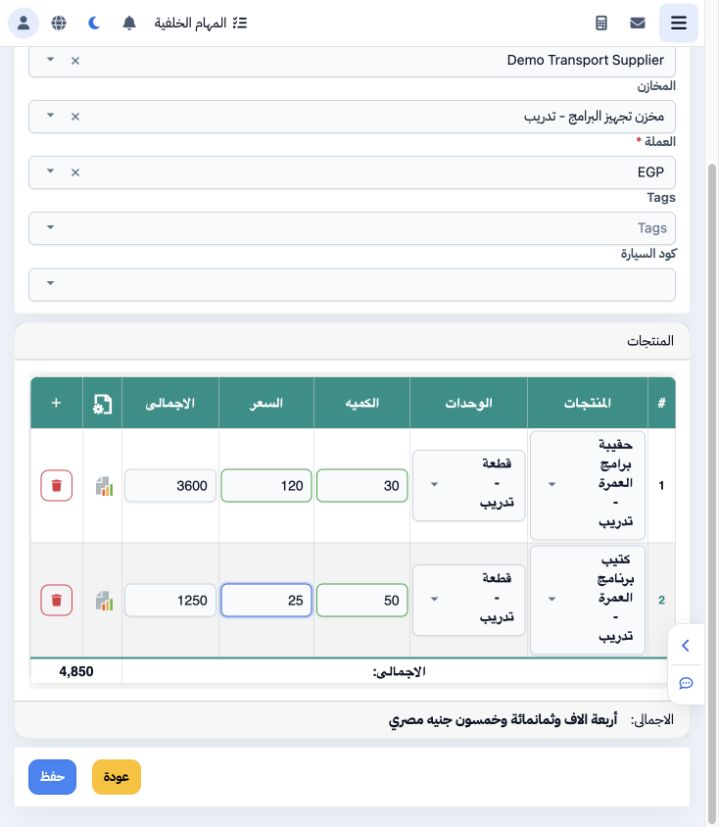
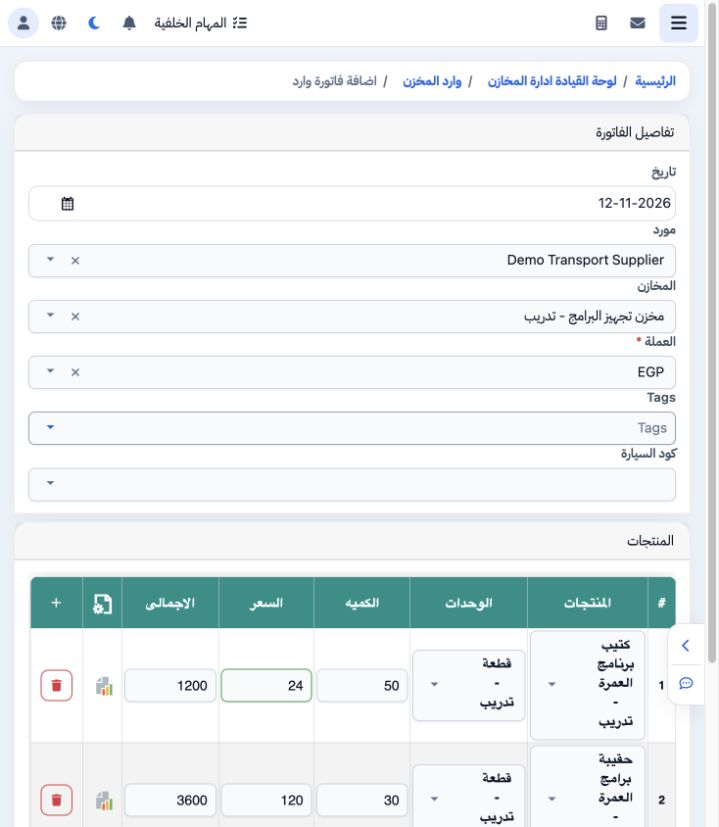
2 Choose + and select date, supplier, warehouse and currency. Select each product and unit, then enter quantity and price. The example initial...
Choose + and select date, supplier, warehouse and currency. Select each product and unit, then enter quantity and price. The example initially contains 30 bags at 120 and 50 booklets at 25, totaling EGP 4,850. The + control adds a line and its bin removes a draft line. Choose Save.

3 Review the saved receipt

3 The saved receipt appears as Unconfirmed with total 4,850. Review its supplier, warehouse and date before posting. Its row menu provides Edi...
The saved receipt appears as Unconfirmed with total 4,850. Review its supplier, warehouse and date before posting. Its row menu provides Edit, Delete confirmation and Post.

4 Review quantities after saving

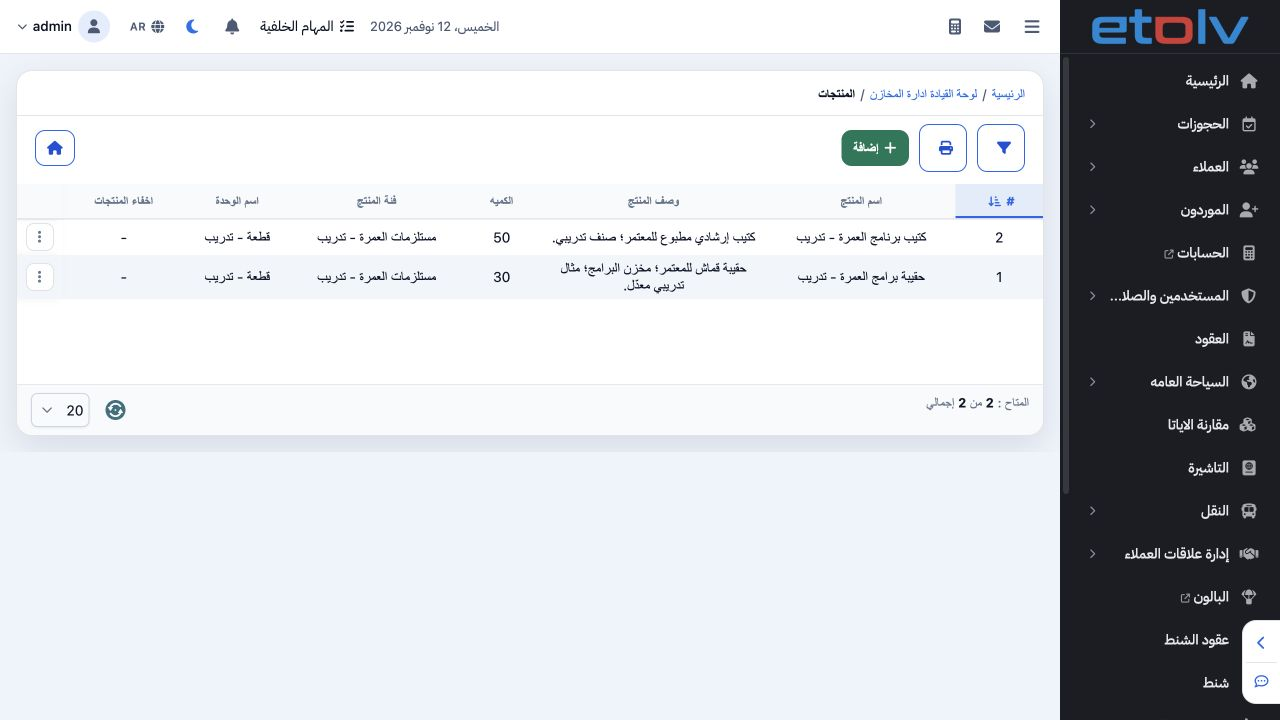
4 The product list shows 30 bags and 50 booklets after saving the receipt, before accounting posting. Review receipt status and its journal se...
The product list shows 30 bags and 50 booklets after saving the receipt, before accounting posting. Review receipt status and its journal separately from the quantity display.

5 Edit a line price

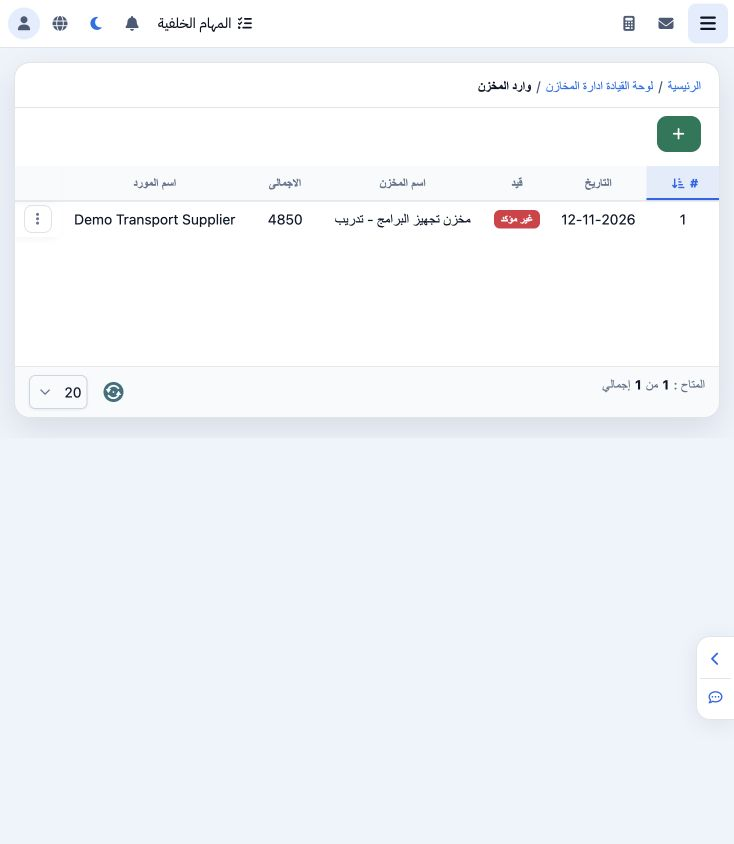
5 Choose Edit and review the lines and currency. The booklet price changes from 25 to 24, making its line total 1,200 and the receipt total EG...
Choose Edit and review the lines and currency. The booklet price changes from 25 to 24, making its line total 1,200 and the receipt total EGP 4,800. Save and verify the list total.

6 Review deletion confirmation

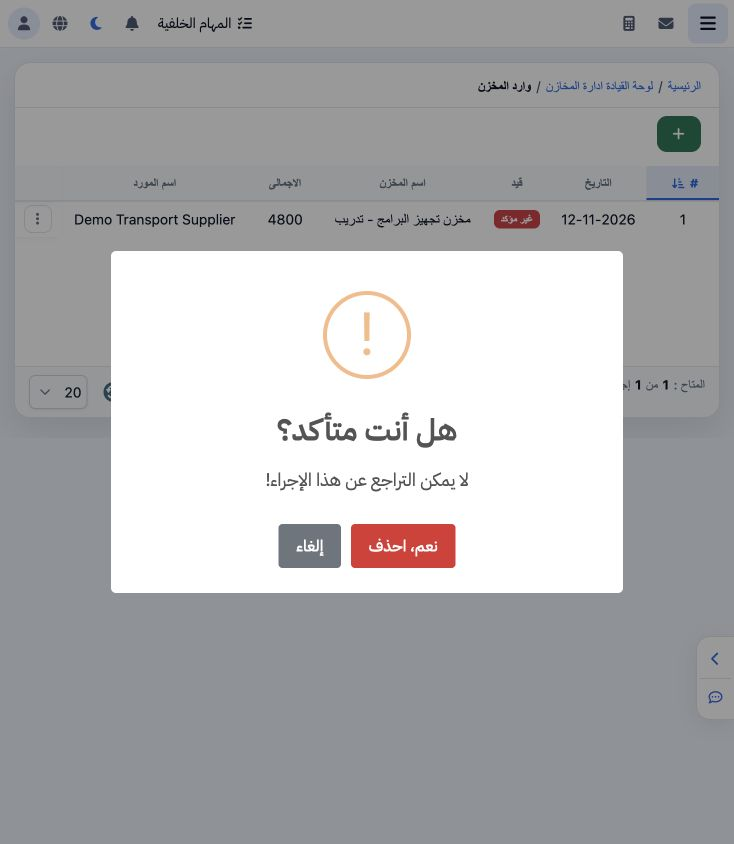
6 Choose Delete to display confirmation. The message warns that the action cannot be undone. This example chooses Cancel to retain the receipt...
Choose Delete to display confirmation. The message warns that the action cannot be undone. This example chooses Cancel to retain the receipt for posting.

7 Post the receipt

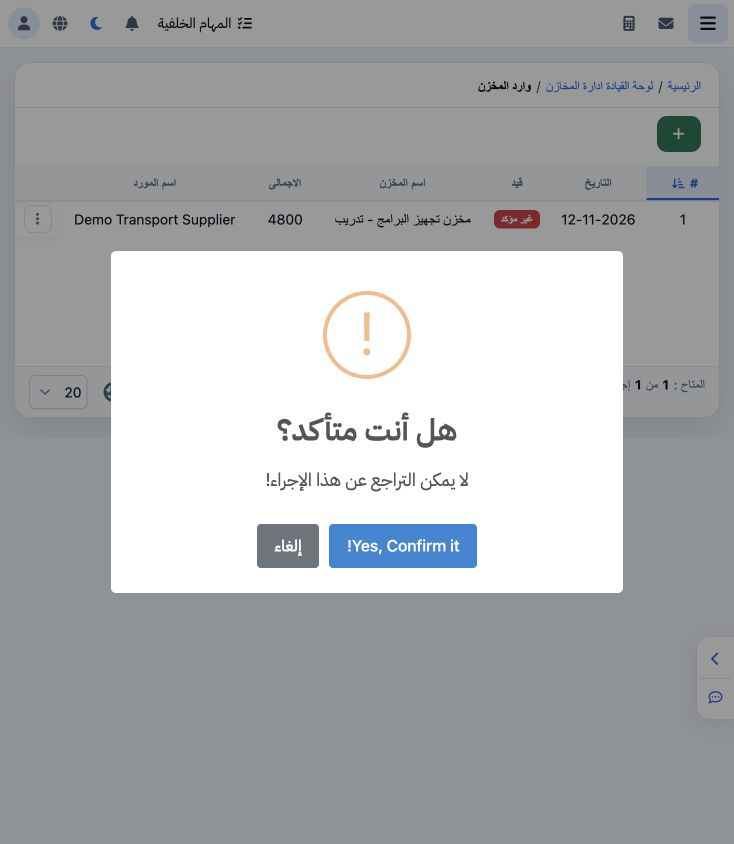
7 Choose Post, review the confirmation and select Yes, Confirm it. Follow the status until a journal link appears. In this example, refreshing...
Choose Post, review the confirmation and select Yes, Confirm it. Follow the status until a journal link appears. In this example, refreshing the list displayed the journal link.

8 Review journal J-68

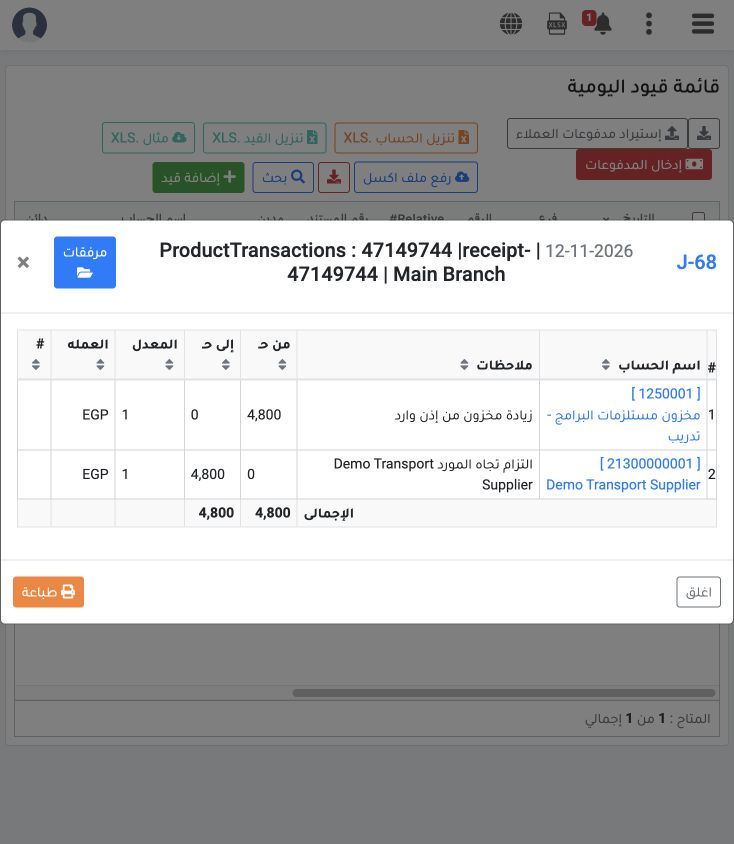
8 Journal J-68 dated 12 November 2026 debits account 1250001, Programs Supplies Inventory – Training, EGP 4,800 and credits supplier account 2...
Journal J-68 dated 12 November 2026 debits account 1250001, Programs Supplies Inventory – Training, EGP 4,800 and credits supplier account 21300000001, Demo Transport Supplier, EGP 4,800. The rate is 1 and the journal balances.

Sign in to record the lessons you have read. Sign in