Skip to content
Trio Travel guide

Product Movement Report

On this page
  1. 1 Bag movements
  2. 2 Booklet movements after editing
  3. 3 Filter by movement period
  4. 4 Export the movement report

1 Bag movements

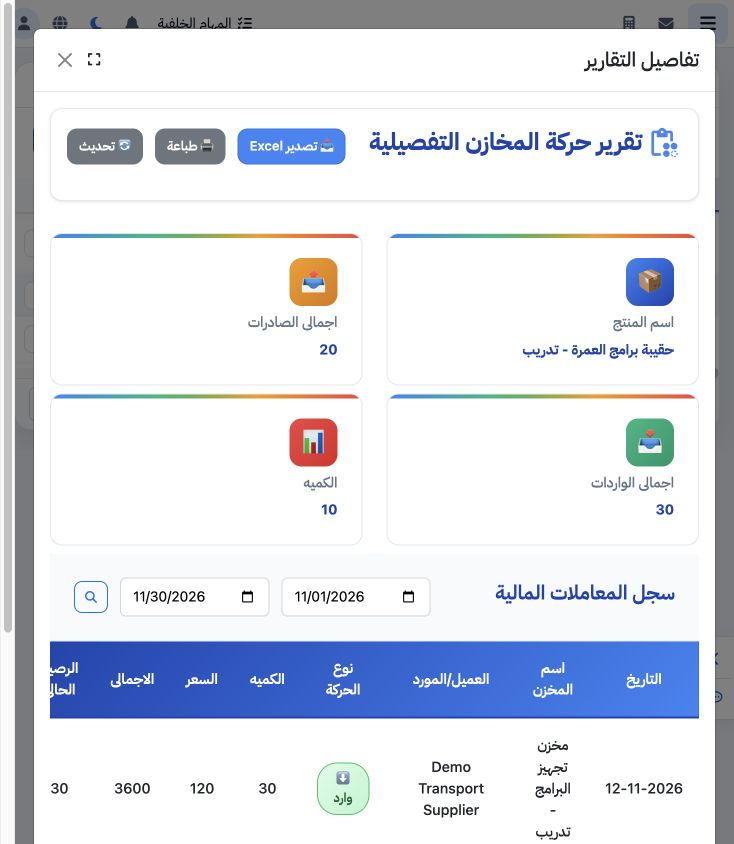
1 Choose Report Details from the product menu. The cards show 30 bags received, 20 delivered and 10 remaining. The table shows the supplier re...
Choose Report Details from the product menu. The cards show 30 bags received, 20 delivered and 10 remaining. The table shows the supplier receipt of 3,600, customer delivery of 2,400 and balance after each movement.

2 Booklet movements after editing

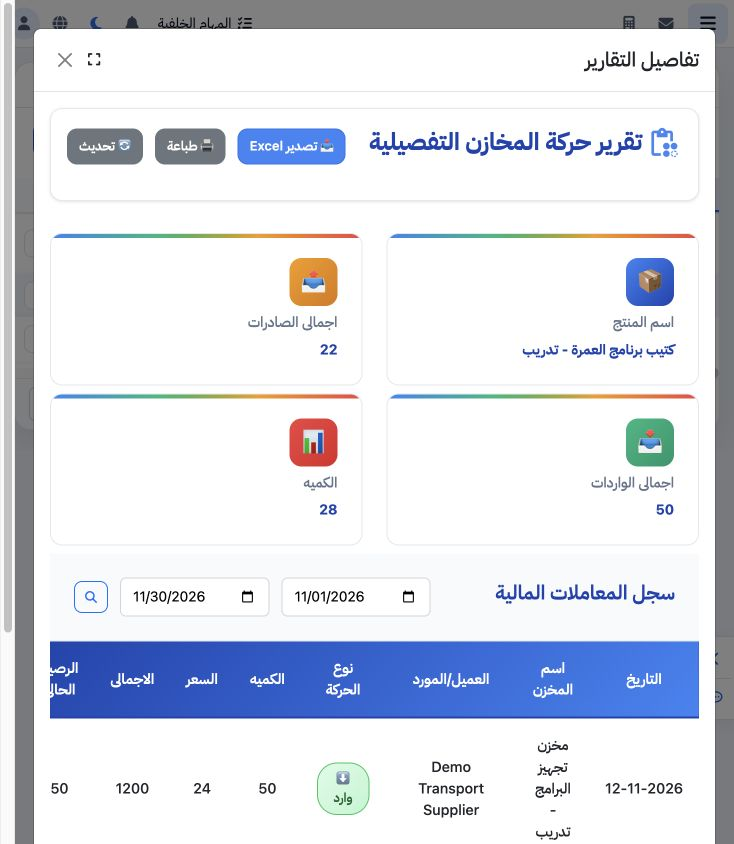
2 The booklet report shows receipt of 50 at 24, value 1,200; delivery of 22, value 528; and balance 28. Its rows reflect the edited receipt pr...
The booklet report shows receipt of 50 at 24, value 1,200; delivery of 22, value 528; and balance 28. Its rows reflect the edited receipt price and edited delivery quantity.

3 Filter by movement period

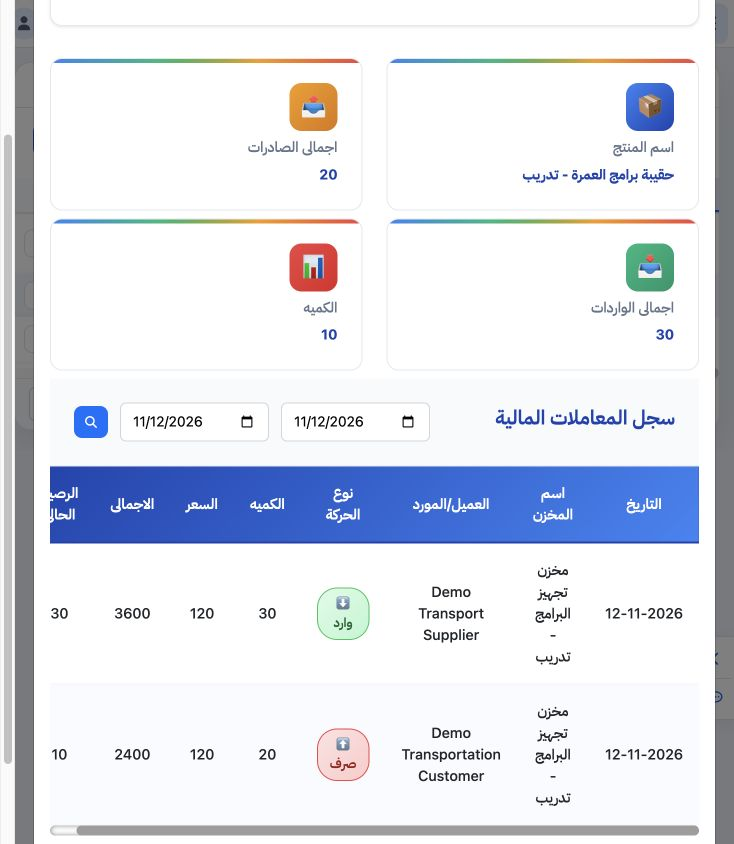
3 Set the start and end dates and choose the adjacent search control. This example sets both to 12 November 2026 and retains both bag movement...
Set the start and end dates and choose the adjacent search control. This example sets both to 12 November 2026 and retains both bag movements. Refresh requests the report data again.

4 Export the movement report

4 Choose Export Excel. The actual workbook has nine columns for date, movement direction, quantity, price, total, balance, warehouse, customer...
Choose Export Excel. The actual workbook has nine columns for date, movement direction, quantity, price, total, balance, warehouse, customer and supplier. The booklet export matches quantities 50 and 22 with balance 28; the bag export matches balance 10.

Sign in to record the lessons you have read. Sign in