Skip to content
Trio Travel guide

Trio Travel Meal Plans Guide

On this page
  1. View the meal plan list
  2. Search for a plan
  3. Review or clear search results
  4. Add a plan
  5. Open a plan’s actions
  6. Rename a plan

View the meal plan list

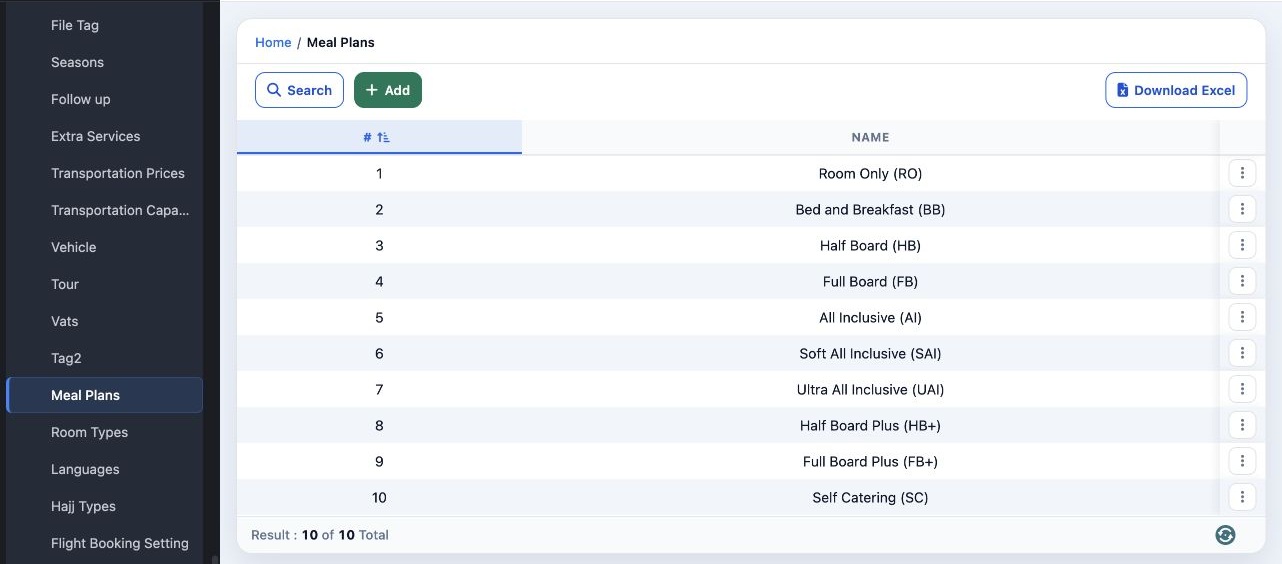
1 In Settings, open Meal Plans to view the plan names. To download an Excel spreadsheet, select Download Excel.
In Settings, open Meal Plans to view the plan names. To download an Excel spreadsheet, select Download Excel.

Search for a plan

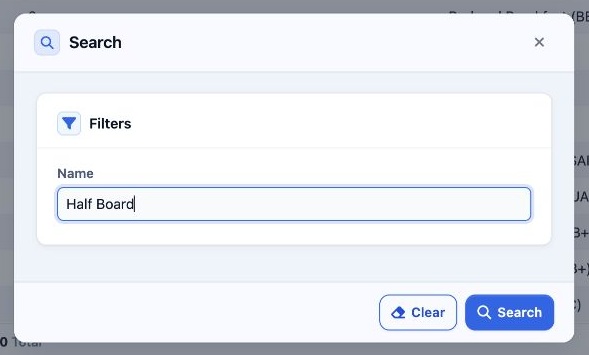
2 Select Search, enter all or part of the plan name in Name, then select Search in the dialog.
Select Search, enter all or part of the plan name in Name, then select Search in the dialog.

Review or clear search results

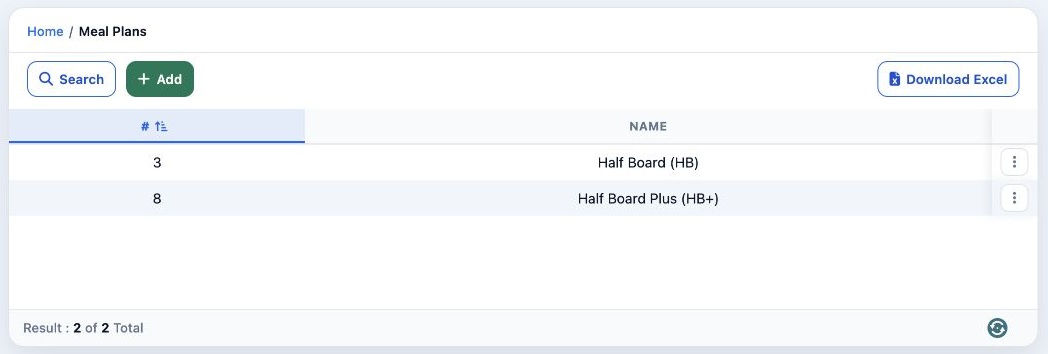
3 The table shows matching plans. To return to the full list, reopen Search, select Clear, then close the dialog.
The table shows matching plans. To return to the full list, reopen Search, select Clear, then close the dialog.

Add a plan

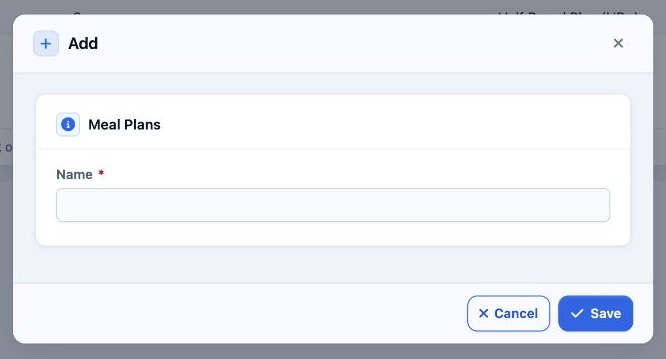
4 Select Add, enter the plan name in Name, then select Save.
Select Add, enter the plan name in Name, then select Save.

Open a plan’s actions

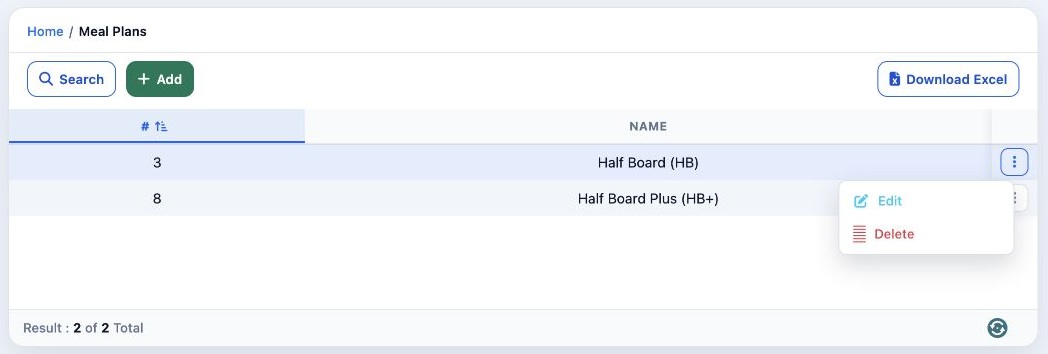
5 Open the three-dot menu in the plan’s row. It contains Edit and Delete. To rename the plan, select Edit.
Open the three-dot menu in the plan’s row. It contains Edit and Delete. To rename the plan, select Edit.

Rename a plan

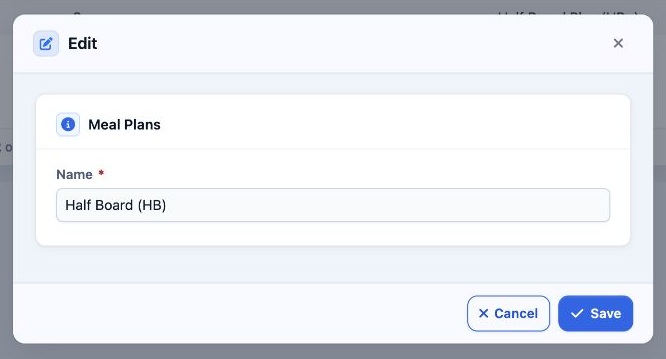
6 Change the value in Name, then select Save.
Change the value in Name, then select Save.

Sign in to record the lessons you have read. Sign in