Skip to content
Trio Travel guide

Trio Travel Hotels Guide

On this page
  1. View the hotel list
  2. Search for a hotel
  3. Review or clear search results
  4. Add a hotel
  5. Open a hotel’s actions
  6. Edit hotel details

View the hotel list

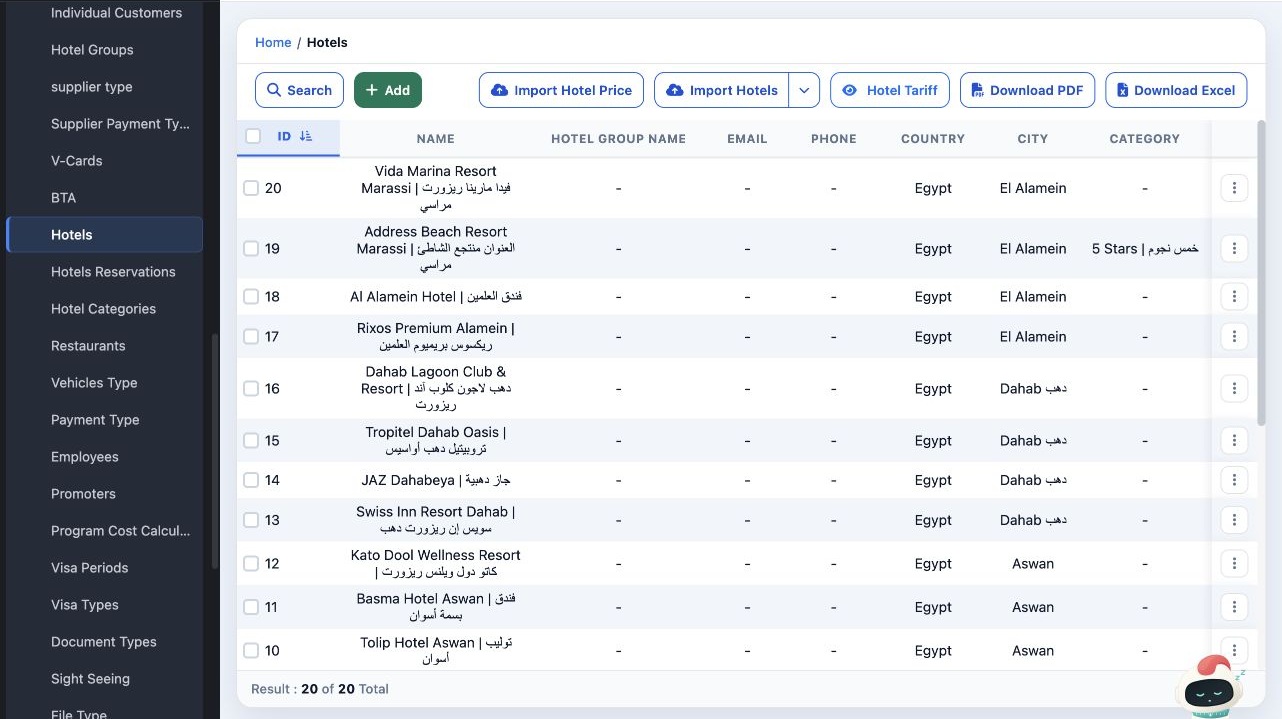
1 In Settings, open Hotels. The table shows the hotel name, group, contact details, country, city and category when available. Use the downloa...
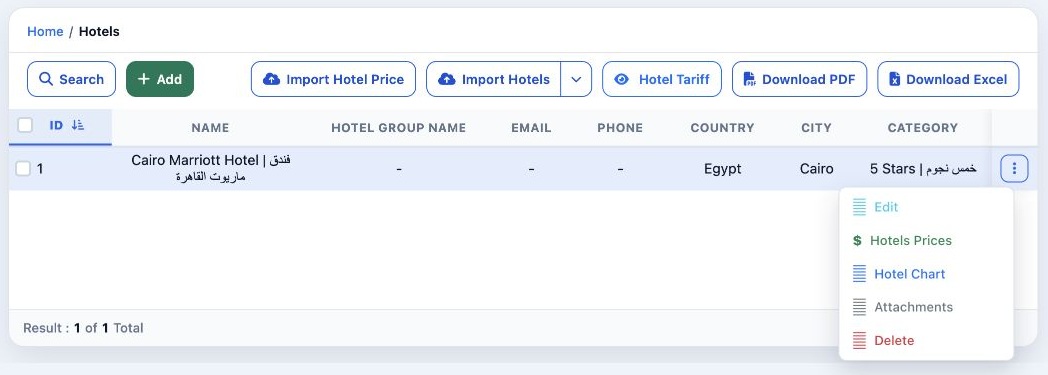
In Settings, open Hotels. The table shows the hotel name, group, contact details, country, city and category when available. Use the download buttons above the table to export the list as PDF or Excel.

Search for a hotel

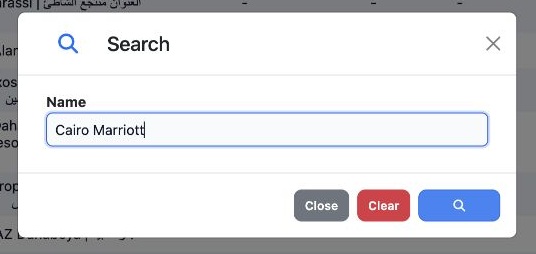
2 Select Search, then enter all or part of the name in Name, such as Cairo Marriott. Select the blue magnifying glass in the dialog to run the...
Select Search, then enter all or part of the name in Name, such as Cairo Marriott. Select the blue magnifying glass in the dialog to run the search.

Review or clear search results

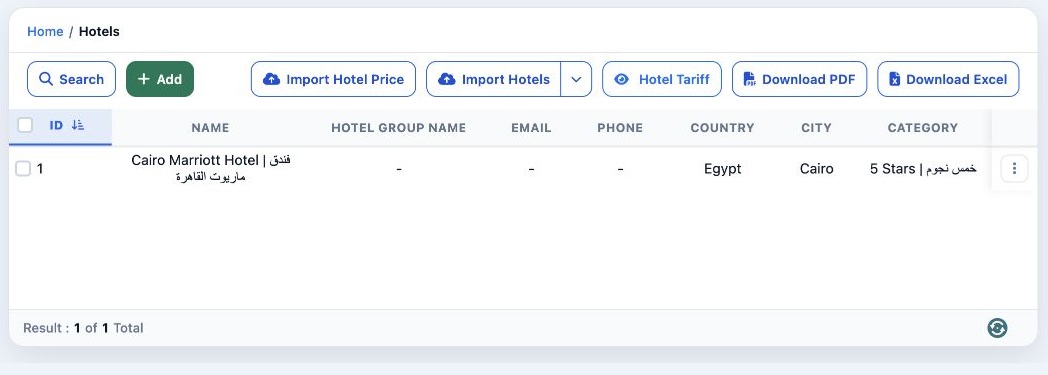
3 The table shows the matching hotels. To restore the full list, reopen Search, select Clear, then select the magnifying glass to run the sear...
The table shows the matching hotels. To restore the full list, reopen Search, select Clear, then select the magnifying glass to run the search with an empty name.

Add a hotel

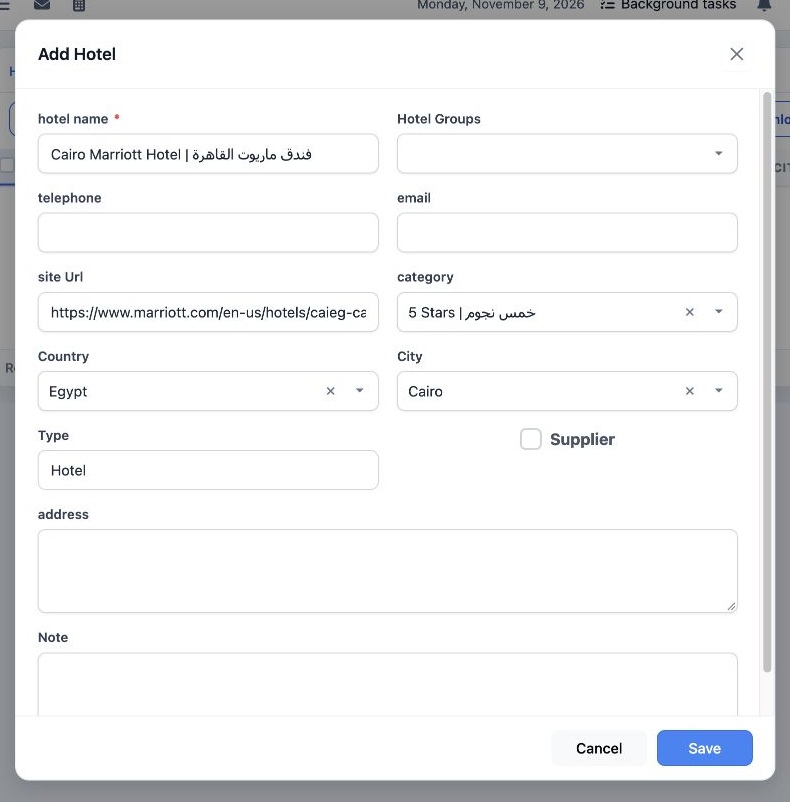
4 Select Add and enter the hotel name. Select the country and city. Enter the website and select a category if available. Check that Type is s...
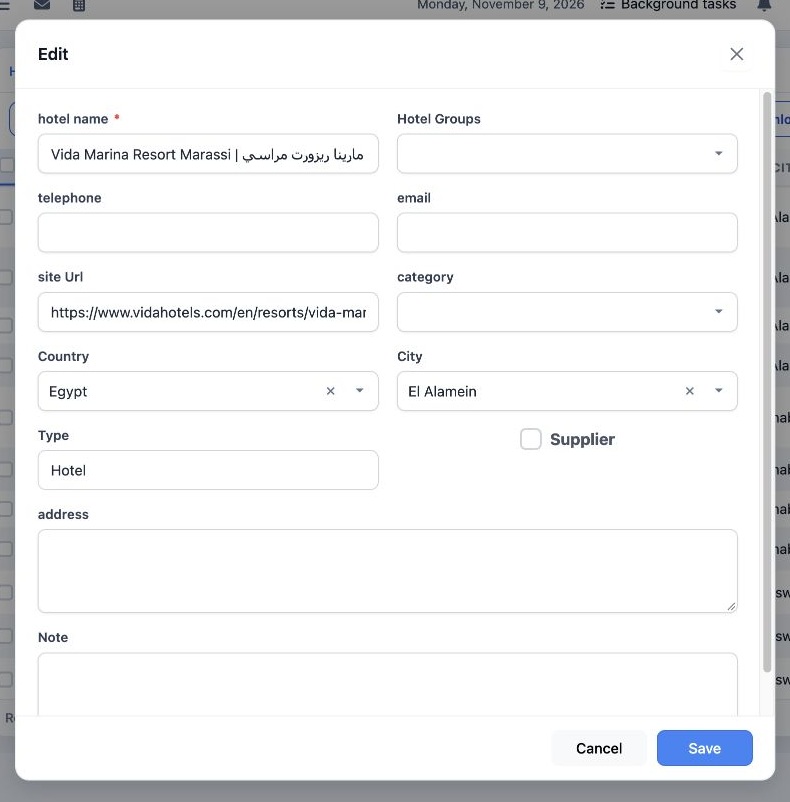
Select Add and enter the hotel name. Select the country and city. Enter the website and select a category if available. Check that Type is set to Hotel, then select Save.

Open a hotel’s actions

5 Open the three-dot menu in the hotel’s row. The menu includes Edit, Hotels Prices, Hotel Chart, Attachments and Delete. To open the hotel’s...
Open the three-dot menu in the hotel’s row. The menu includes Edit, Hotels Prices, Hotel Chart, Attachments and Delete. To open the hotel’s details, select Edit.

Edit hotel details

6 The form opens with the hotel’s saved details. Update the relevant fields, then select Save. To leave without saving, select Cancel.
The form opens with the hotel’s saved details. Update the relevant fields, then select Save. To leave without saving, select Cancel.

Sign in to record the lessons you have read. Sign in