Skip to content
Trio Travel guide

Lead Sources

On this page
  1. 1 Add and edit a source
  2. 2 Search and export
  3. 3 Delete a training source

Define where an enquiry came from so the source can be selected when creating a lead.

1 Add and edit a source
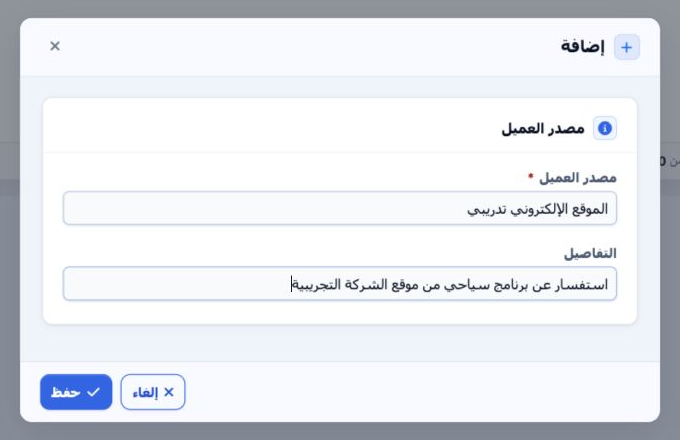
1 Open CRM, CRM Management, then Lead Source (مصدر العميل). Select Add, enter the required name and optional details, then Save. To edit a sou...
Open CRM, CRM Management, then Lead Source (مصدر العميل). Select Add, enter the required name and optional details, then Save. To edit a source, use Edit in its row menu, change the values and save. The example source was saved and its description was updated to cover Umrah and domestic tourism enquiries.

2 Search and export

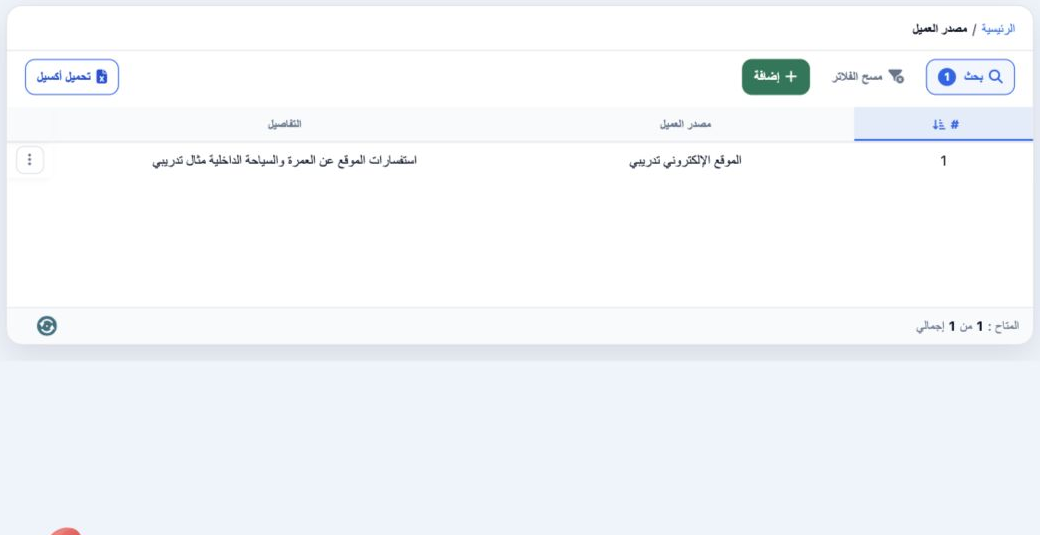
2 Select Search, enter the name and run the search. The screenshot shows one source with its updated description. Clear Filters restores the l...
Select Search, enter the name and run the search. The screenshot shows one source with its updated description. Clear Filters restores the list. Select Download Excel to download the data; this test produced a CSV file containing the Arabic name and details. The source becomes available in the Lead Source selector on the contact form.

3 Delete a training source

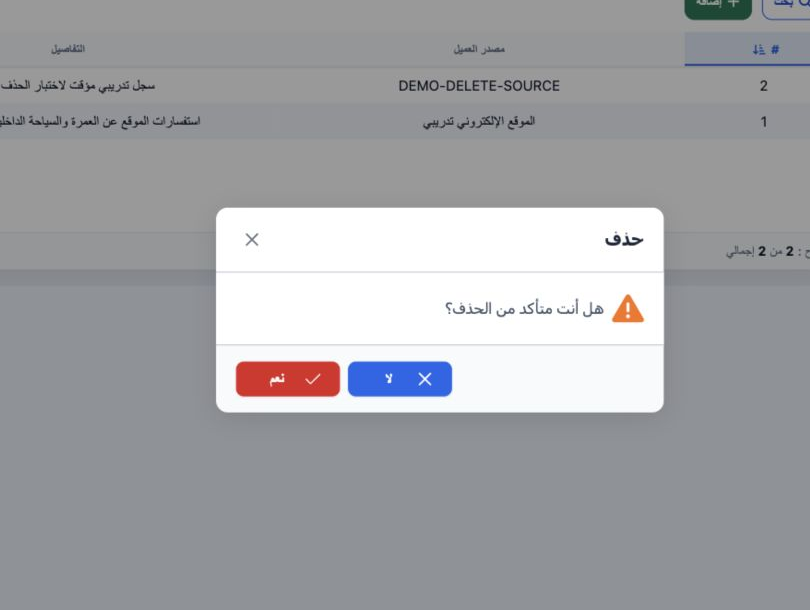
3 Open the intended source’s row menu and select Delete. Check which record you selected before confirming Yes, or choose No to cancel. Only t...
Open the intended source’s row menu and select Delete. Check which record you selected before confirming Yes, or choose No to cancel. Only the temporary DEMO-DELETE-SOURCE record was removed in this test. The primary website source remained available and was used on the lead.

Sign in to record the lessons you have read. Sign in