Skip to content
Trio Travel guide

Schedule a Lead Call

On this page
  1. 1 Enter the planned call
  2. 2 Find the planned call

Save a planned follow-up call and find it in Activities.

1 Enter the planned call
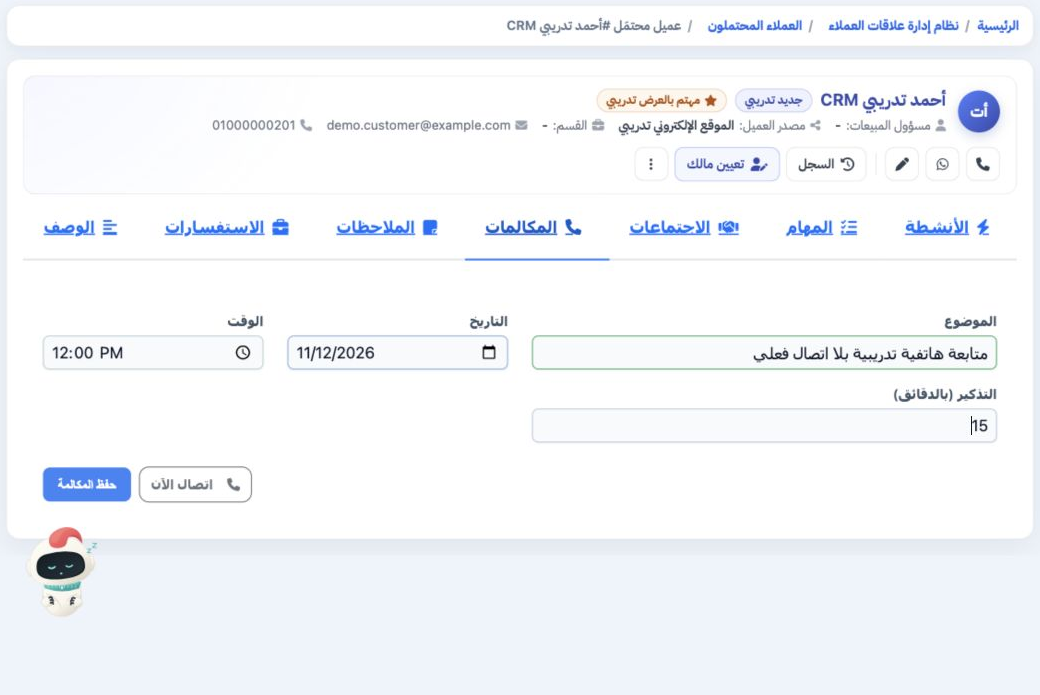
1 Open the lead record, then Calls. Enter the subject, date, time and reminder in minutes, then choose Save Call. The example is a training fo...
Open the lead record, then Calls. Enter the subject, date, time and reminder in minutes, then choose Save Call. The example is a training follow-up scheduled for 12 November 2026 at noon with a 15-minute reminder.

2 Find the planned call

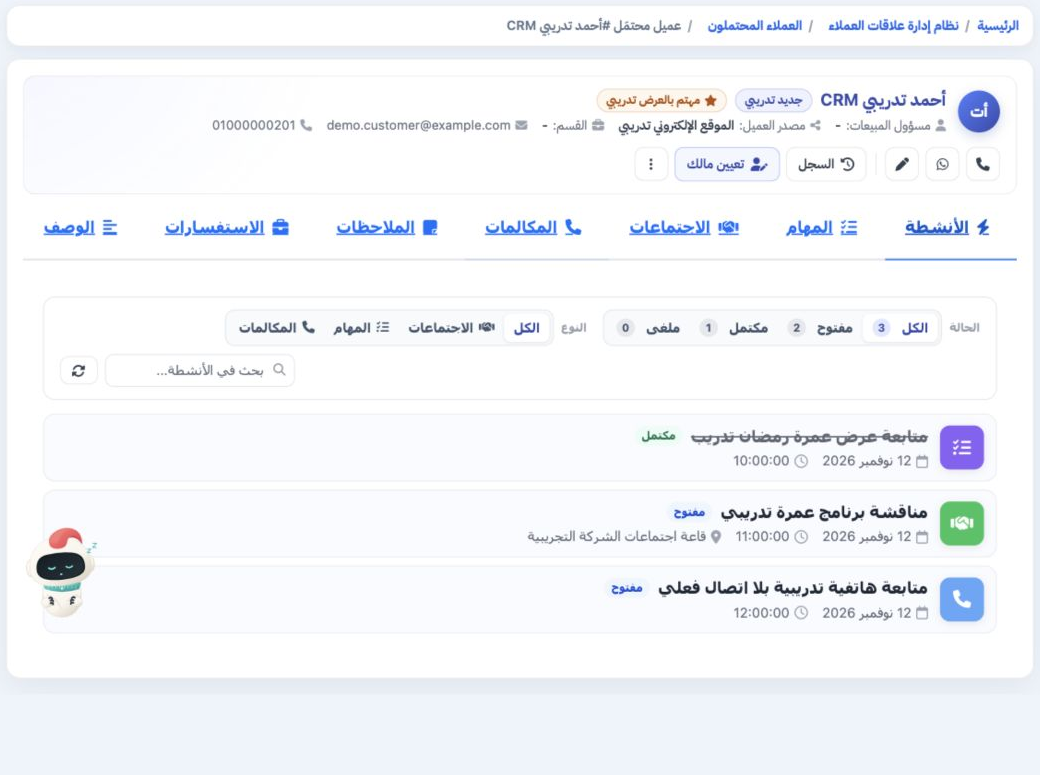
2 Open Activities and choose All or Open, then the Calls type if you want to narrow the results. Review the subject, schedule and status. The...
Open Activities and choose All or Open, then the Calls type if you want to narrow the results. Review the subject, schedule and status. The planned training call appears as Open; the example also contains an open meeting and a completed task.

Sign in to record the lessons you have read. Sign in