Skip to content
Trio Travel guide

Lead Follow Up Meetings

On this page
  1. 1 Prepare the meeting
  2. 2 Review the saved meeting

Record a lead meeting and check it in Activities.

1 Prepare the meeting
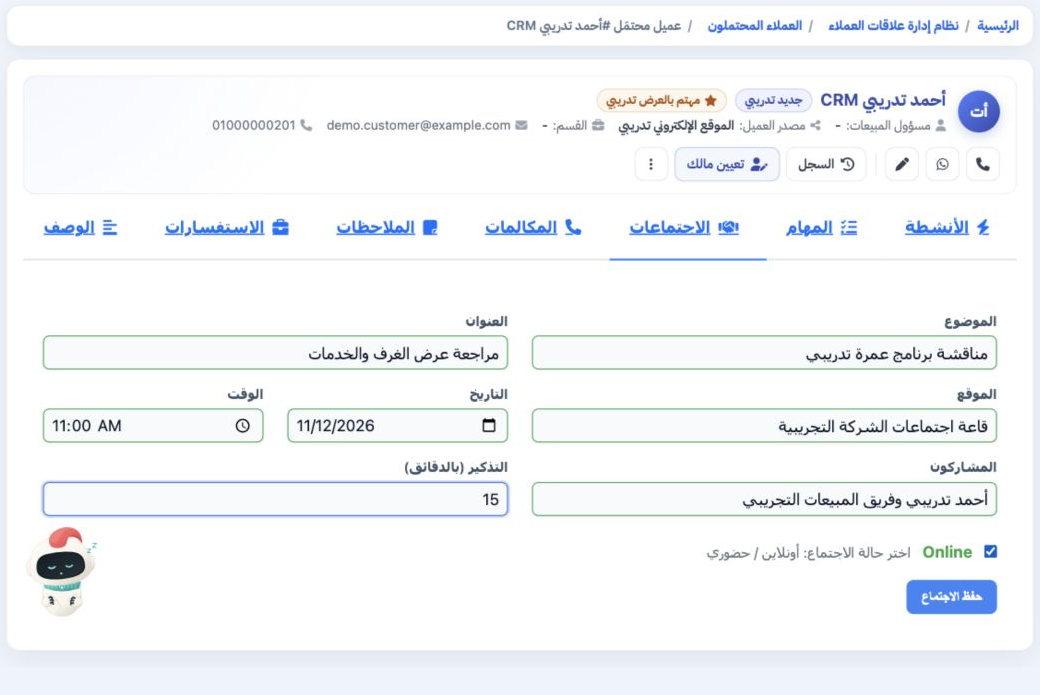
1 Open the lead record, then Meetings. Complete the subject, title, location, date, time, participants and reminder in minutes. This example e...
Open the lead record, then Meetings. Complete the subject, title, location, date, time, participants and reminder in minutes. This example enters the training company’s meeting room in the location field on 12 November 2026 at 11 AM, with a 15-minute reminder. The meeting mode label changed to Online when its checkbox was selected in the illustrated form, before choosing Save Meeting.

2 Review the saved meeting

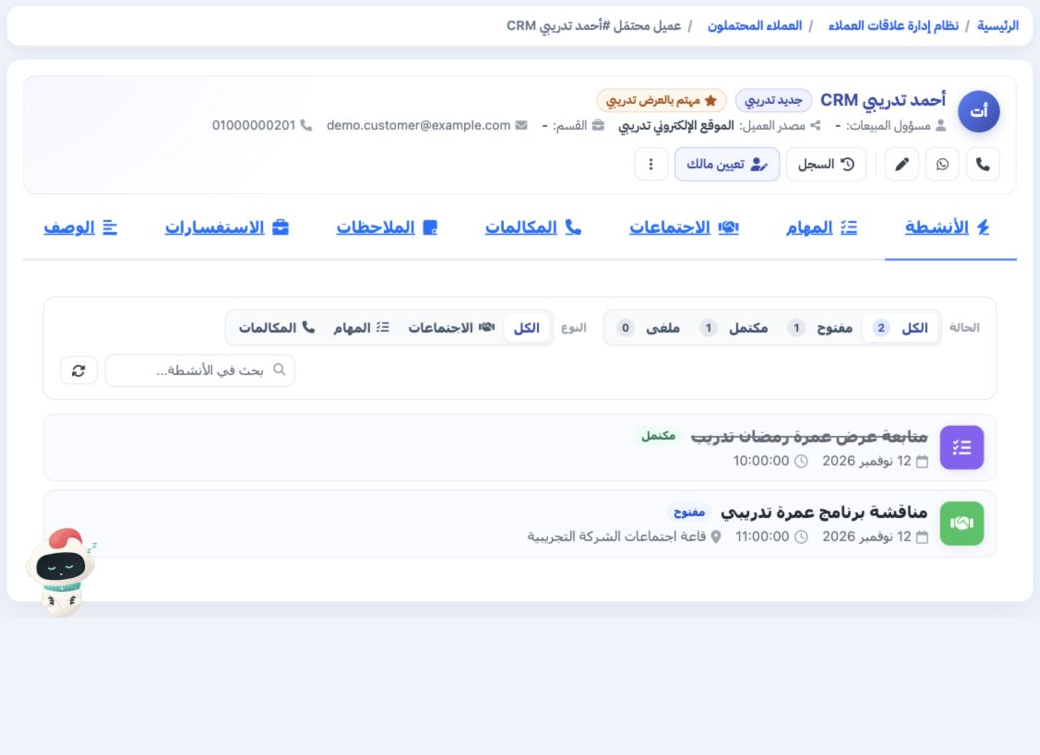
2 Open Activities and select All or Open to see the new meeting. Choose the Meetings type to narrow the results. Its subject, date, time and l...
Open Activities and select All or Open to see the new meeting. Choose the Meetings type to narrow the results. Its subject, date, time and location appear in the activity record. If Completed is still selected, the open meeting is excluded; use Reset or change the selected status.

Sign in to record the lessons you have read. Sign in