Skip to content
Trio Travel guide

Invoice Header and Footer

Set invoice header and footer text and print visibility in company settings.

Edit and save the text
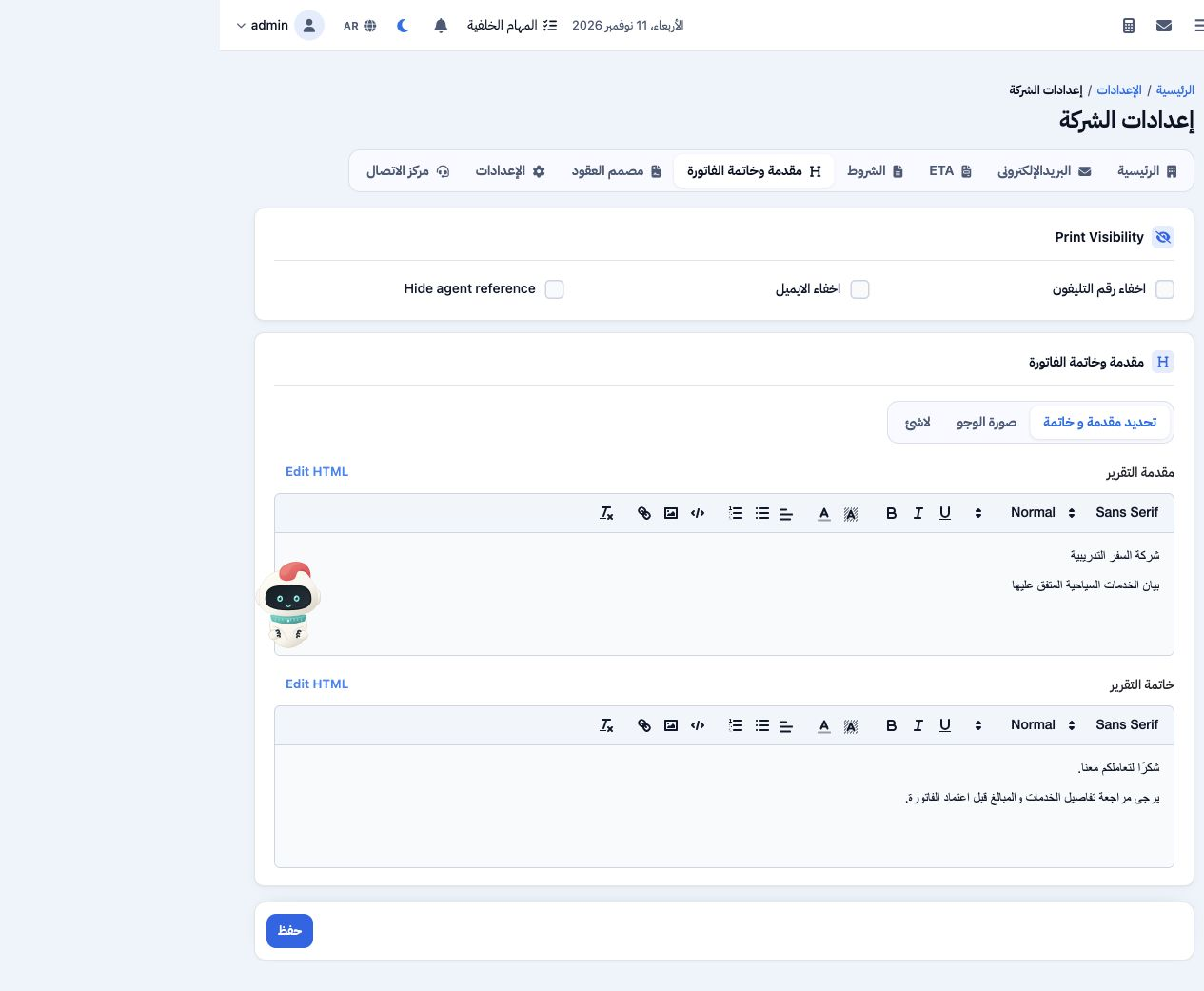
1 Open Settings from the user menu, then Invoice Header and Footer (مقدمة وخاتمة الفاتورة). Select the custom header and footer mode (تحديد مق...
Open Settings from the user menu, then Invoice Header and Footer (مقدمة وخاتمة الفاتورة). Select the custom header and footer mode (تحديد مقدمة و خاتمة). Enter the header in the first editor and footer in the second, using the formatting toolbar as needed. Print visibility controls can hide the phone, email and agent reference. Select Save, then reopen the tab to verify the text. The screenshot shows the saved example.

Sign in to record the lessons you have read. Sign in