Skip to content
Trio Travel guide

Creating a Reservation

On this page
  1. Add the reservation
  2. Open the reservation to add services

Add the reservation

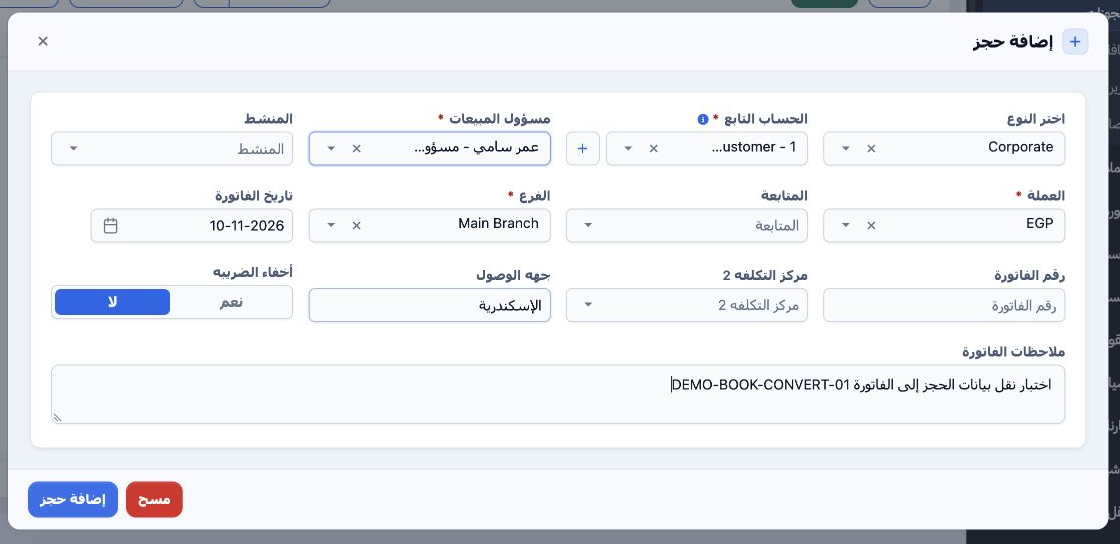
1 Go to Portal → Bookings → Add Reservation. Select the customer type and account, sales officer, currency and branch. Enter the destination a...
Go to Portal → Bookings → Add Reservation. Select the customer type and account, sales officer, currency and branch. Enter the destination and notes if needed, then select Add Reservation.

Open the reservation to add services

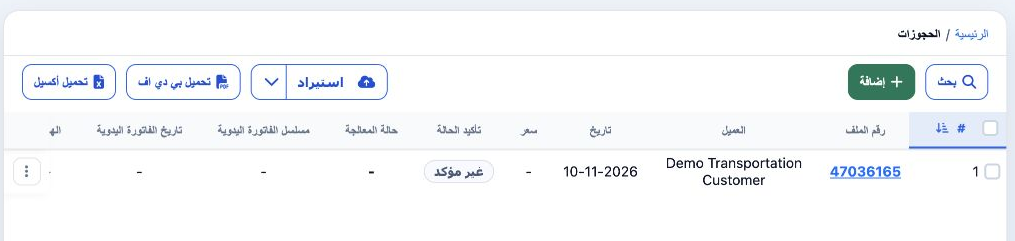
2 Open the file number in the reservation register, 47036165 in this example, then choose the service type inside the reservation.
Open the file number in the reservation register, 47036165 in this example, then choose the service type inside the reservation.

Sign in to record the lessons you have read. Sign in