Skip to content
Trio Travel guide

Extra Service in a Reservation

On this page
  1. Define the service
  2. Add the service to the reservation
  3. Review the line and its actions

Define the service

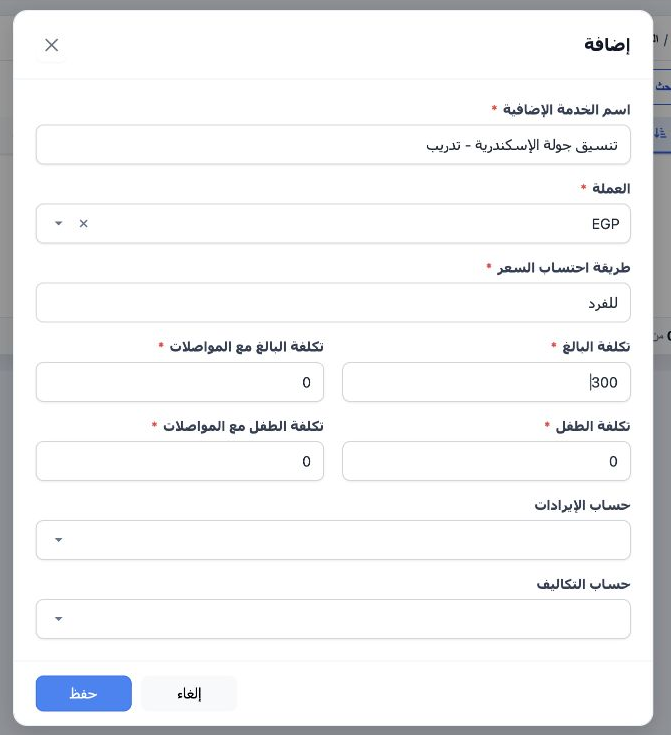
1 In Portal → Settings → Extra Services, add the service, choose the currency and pricing basis, enter the cost, and save.
In Portal → Settings → Extra Services, add the service, choose the currency and pricing basis, enter the cost, and save.

Add the service to the reservation

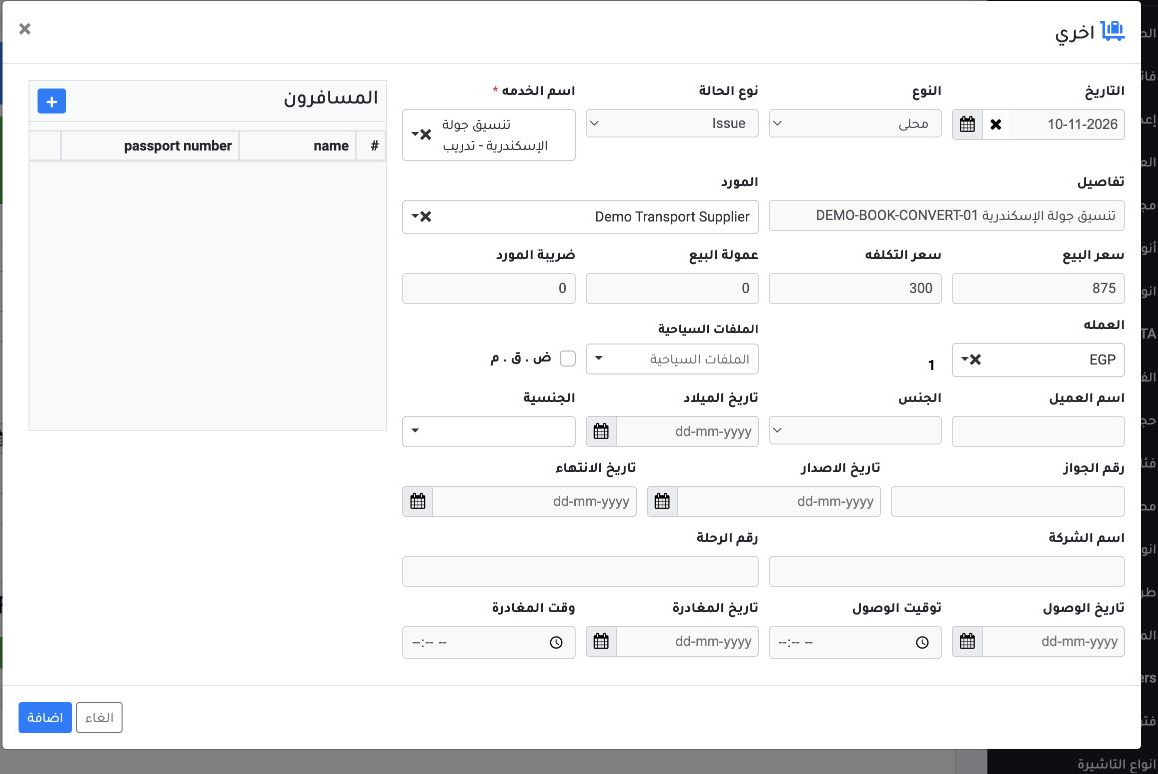
2 Inside the reservation, open Other, then choose the service. Enter its date, type and description, and select the supplier and currency. The...
Inside the reservation, open Other, then choose the service. Enter its date, type and description, and select the supplier and currency. The example uses an EGP 875 sale price and EGP 300 cost. Select Add.

Review the line and its actions

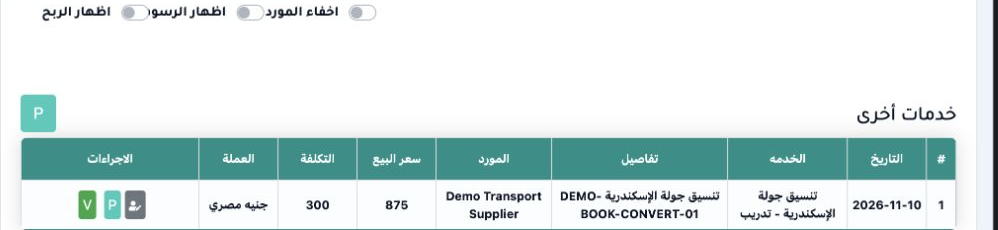
3 Review the service line, sale price and cost. The row showed edit and delete icons before export. Both disappeared after export in this exam...
Review the service line, sale price and cost. The row showed edit and delete icons before export. Both disappeared after export in this example.

Sign in to record the lessons you have read. Sign in