Skip to content
Trio Travel guide

Charter Flight Search

On this page
  1. 1 Search criteria
  2. 2 Passenger count
  3. 3 Review and select a result
  4. 4 Review the summary and continue

1 Search criteria

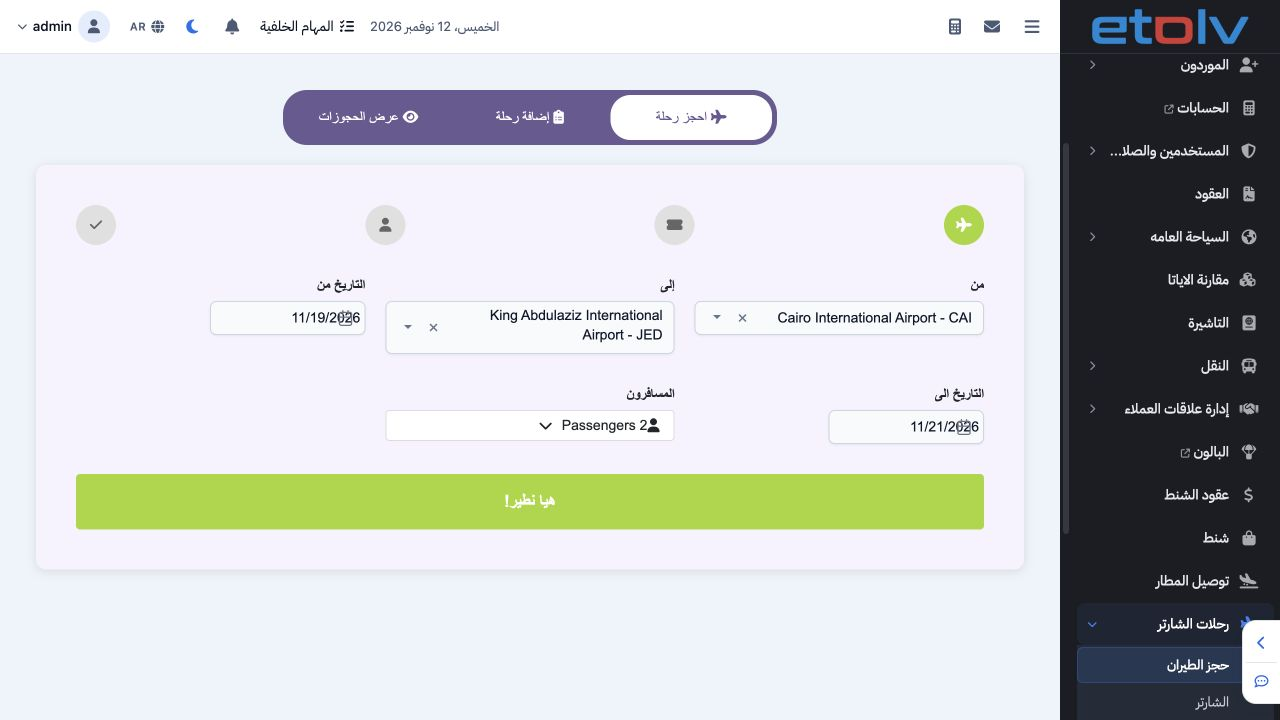
1 Open Charter Flights → Flight Booking, then Book Flight. Select departure and arrival airports from the lists and the start and end dates fr...
Open Charter Flights → Flight Booking, then Book Flight. Select departure and arrival airports from the lists and the start and end dates from the calendars. The example uses CAI to JED and 19–21 November 2026 to display the saved 20 November flight.

2 Passenger count

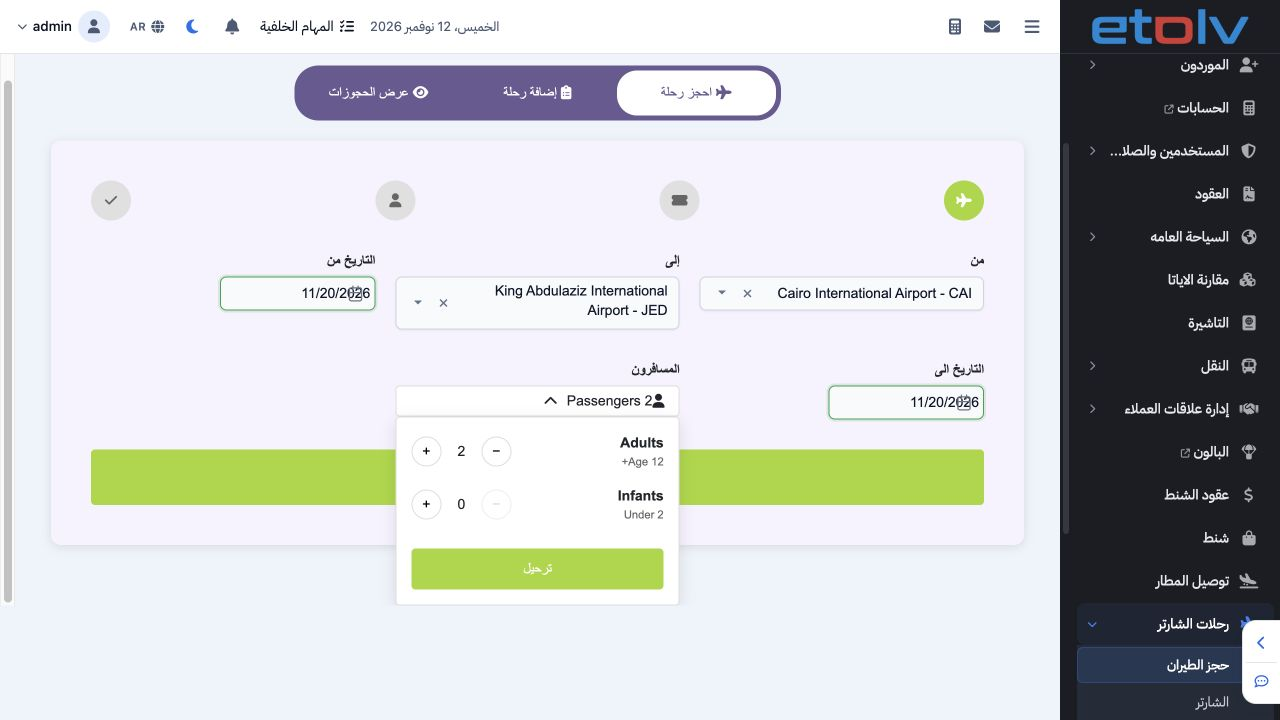
2 Open Passengers. Plus and minus adjust adult and infant counts. Select two adults and zero infants for this example, then use the displayed...
Open Passengers. Plus and minus adjust adult and infant counts. Select two adults and zero infants for this example, then use the displayed Post button to apply the count. Choose Let’s Fly to display flights.

3 Review and select a result

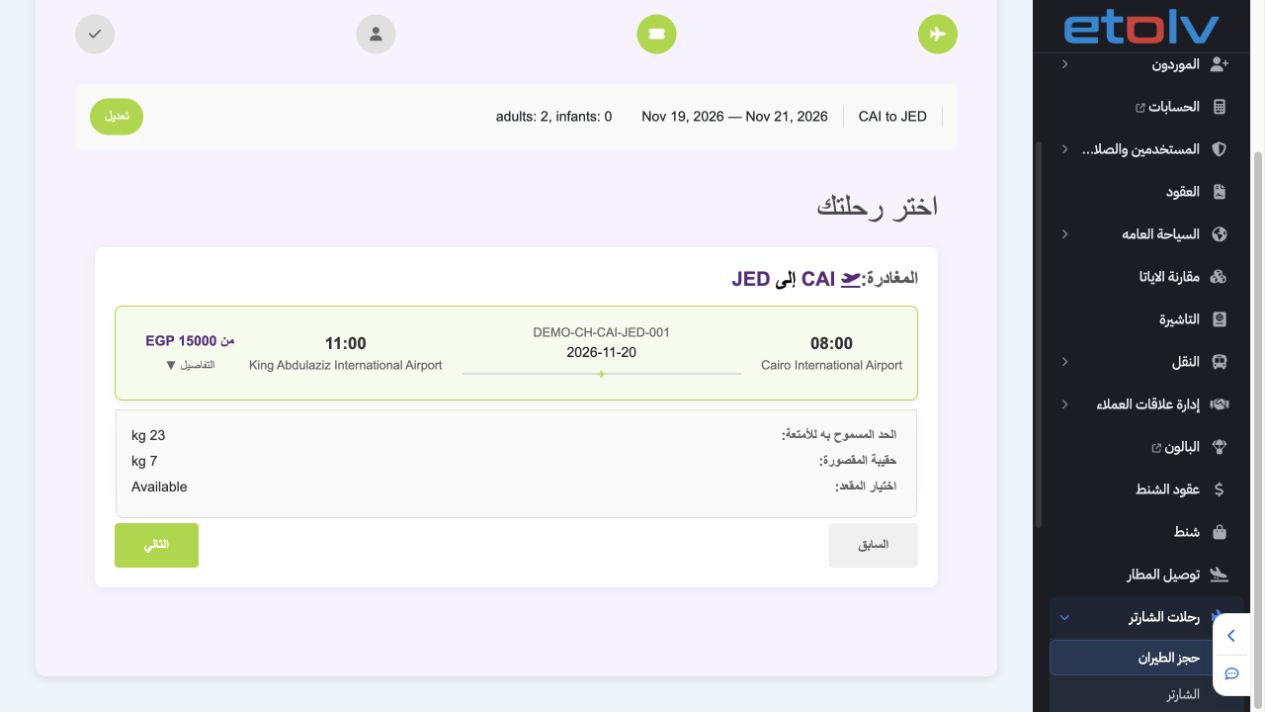
3 The result shows DEMO-CH-CAI-JED-001 on 20 November, 08:00–11:00, starting at EGP 15,000. Details expands baggage allowances: 23 kg checked...
The result shows DEMO-CH-CAI-JED-001 on 20 November, 08:00–11:00, starting at EGP 15,000. Details expands baggage allowances: 23 kg checked and 7 kg cabin. Select the flight card and verify that Next is enabled; clicking the card again deselects it.

4 Review the summary and continue

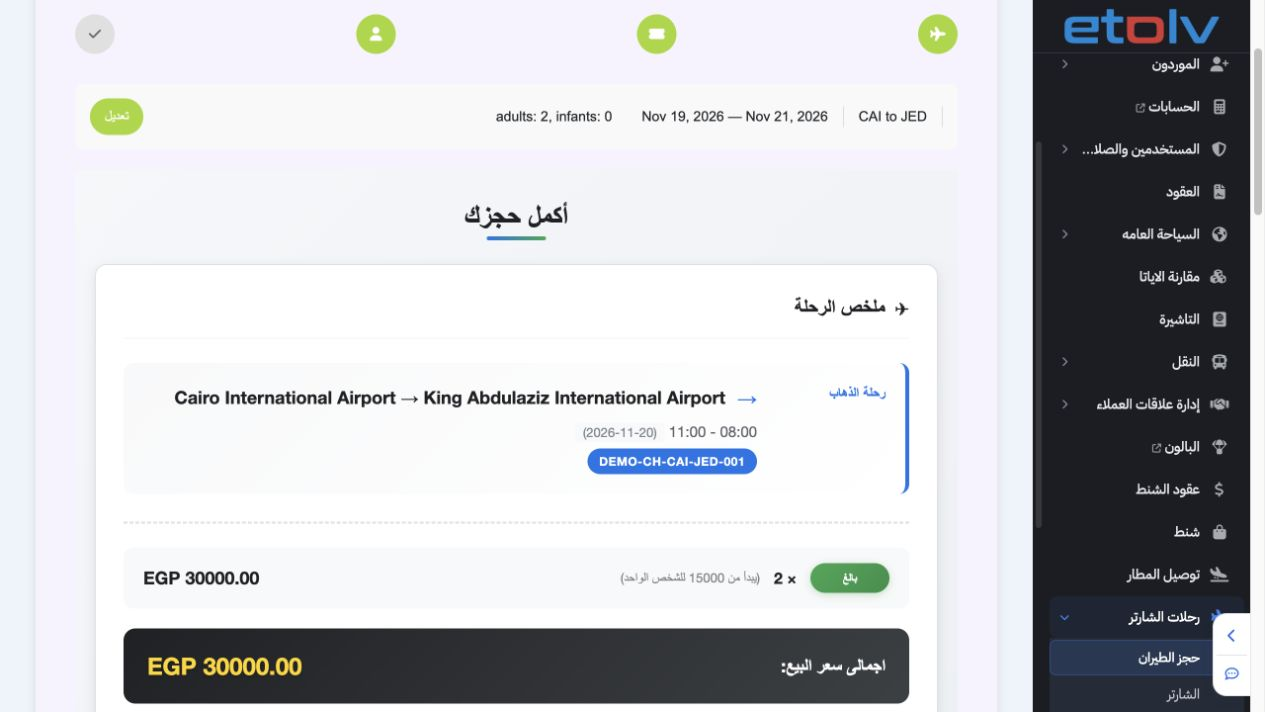
4 Choose Next to open passenger details. The flow carries the outbound selection, adult count and currency: two adults, EGP and total 30,000 i...
Choose Next to open passenger details. The flow carries the outbound selection, adult count and currency: two adults, EGP and total 30,000 in the example. Complete each passenger card and review the summary before Confirm Booking. Previous returns to the preceding step.

Sign in to record the lessons you have read. Sign in