Skip to content
Trio Travel guide

Charter Flight Definitions

On this page
  1. 1 Charter definitions
  2. 2 Flight details
  3. 3 Terminals baggage and capacity
  4. 4 Seat price groups
  5. 5 Validate seat allocation
  6. 6 Edit the definition
  7. 7 Search flights
  8. 8 Book and review remaining seats

1 Charter definitions

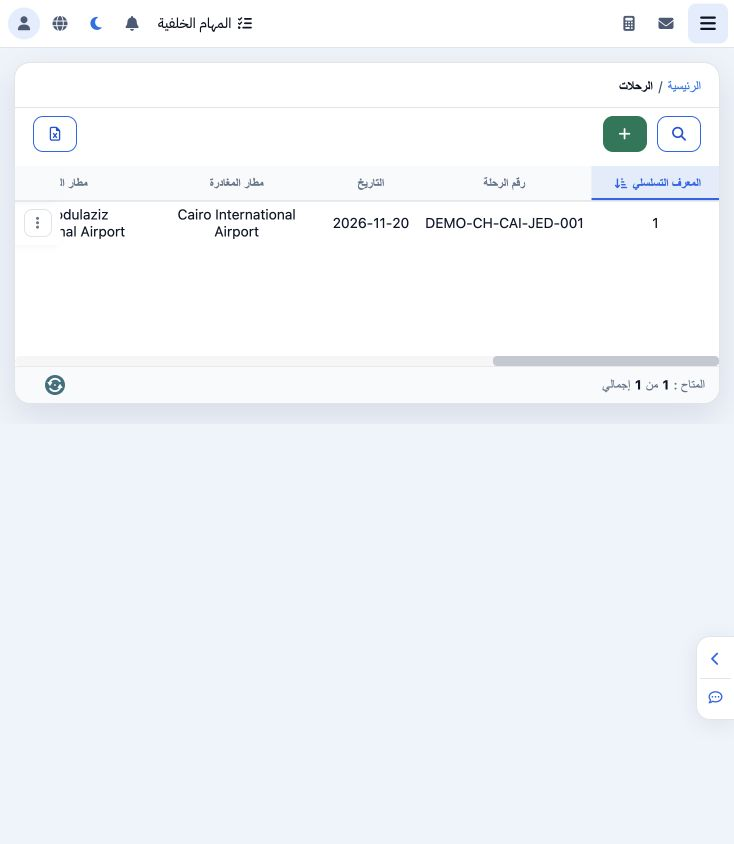
1 Open Charter Flights → Charter. The list shows flight number, airports, date and times, class, cost, currency, airline, PNR, seats and seat...
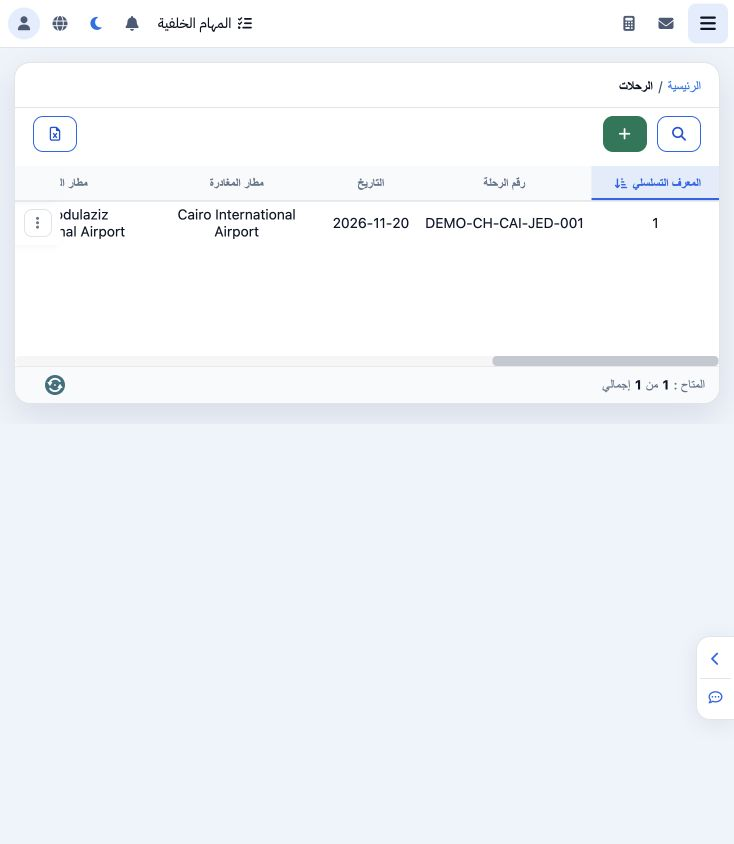
Open Charter Flights → Charter. The list shows flight number, airports, date and times, class, cost, currency, airline, PNR, seats and seat prices. Choose + to add a definition.

2 Flight details

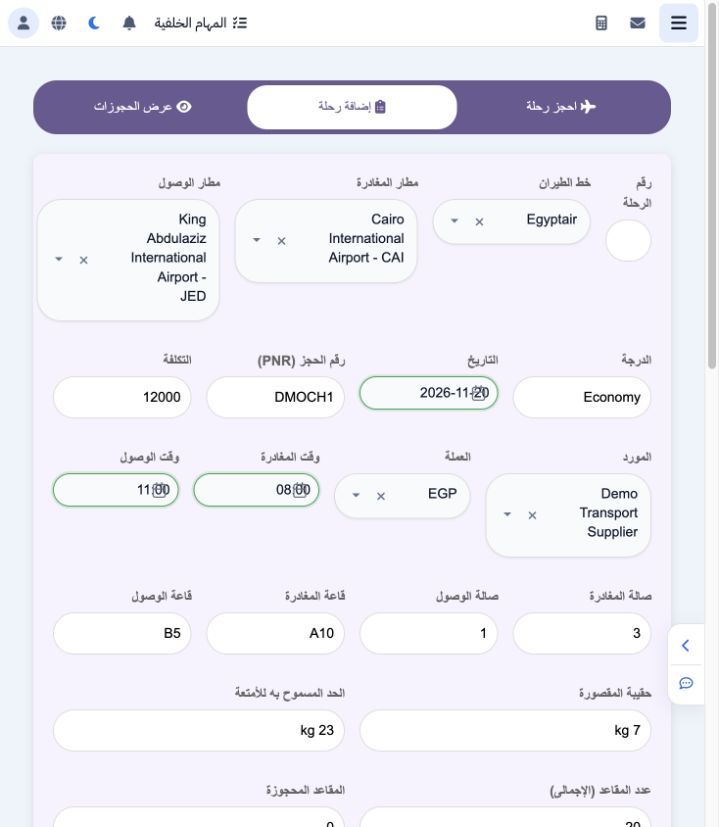
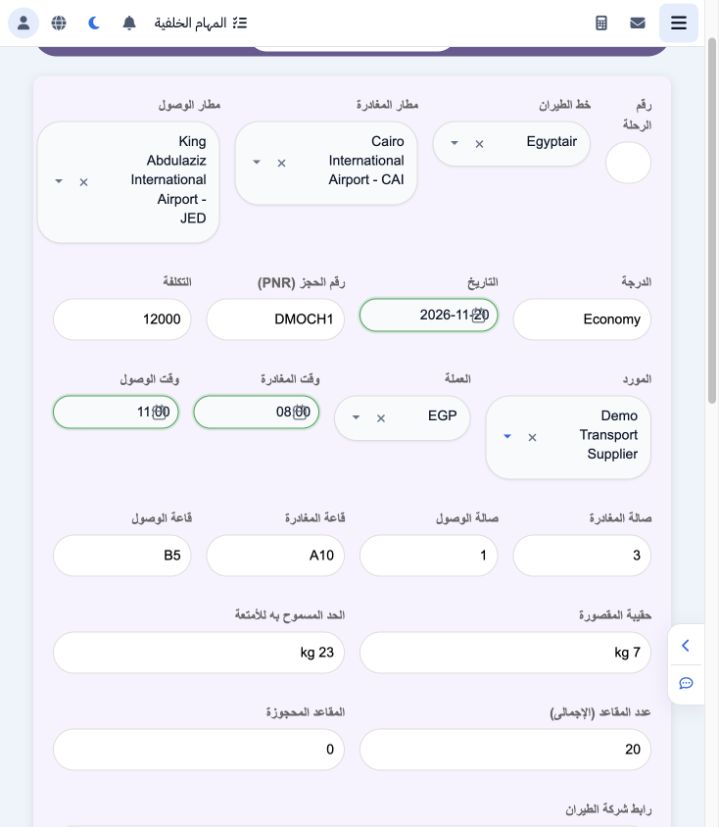
2 Enter flight number and select airline, departure and arrival airports. The example uses DEMO-CH-CAI-JED-001, Egyptair, CAI to JED on 20 Nov...
Enter flight number and select airline, departure and arrival airports. The example uses DEMO-CH-CAI-JED-001, Egyptair, CAI to JED on 20 November 2026, 08:00–11:00. Enter class, PNR, cost, supplier and currency; the training values are Economy, DMOCH1, EGP 12,000 and Demo Transport Supplier.

3 Terminals baggage and capacity

3 Enter departure and arrival terminals and gates, cabin baggage and checked baggage allowance. The example uses terminals 3 to 1, gates A10 t...
Enter departure and arrival terminals and gates, cabin baggage and checked baggage allowance. The example uses terminals 3 to 1, gates A10 to B5, 7 kg cabin and 23 kg checked baggage. Enter total and reserved seats and an airline link when used. The example starts with 20 total and zero reserved seats.

4 Seat price groups

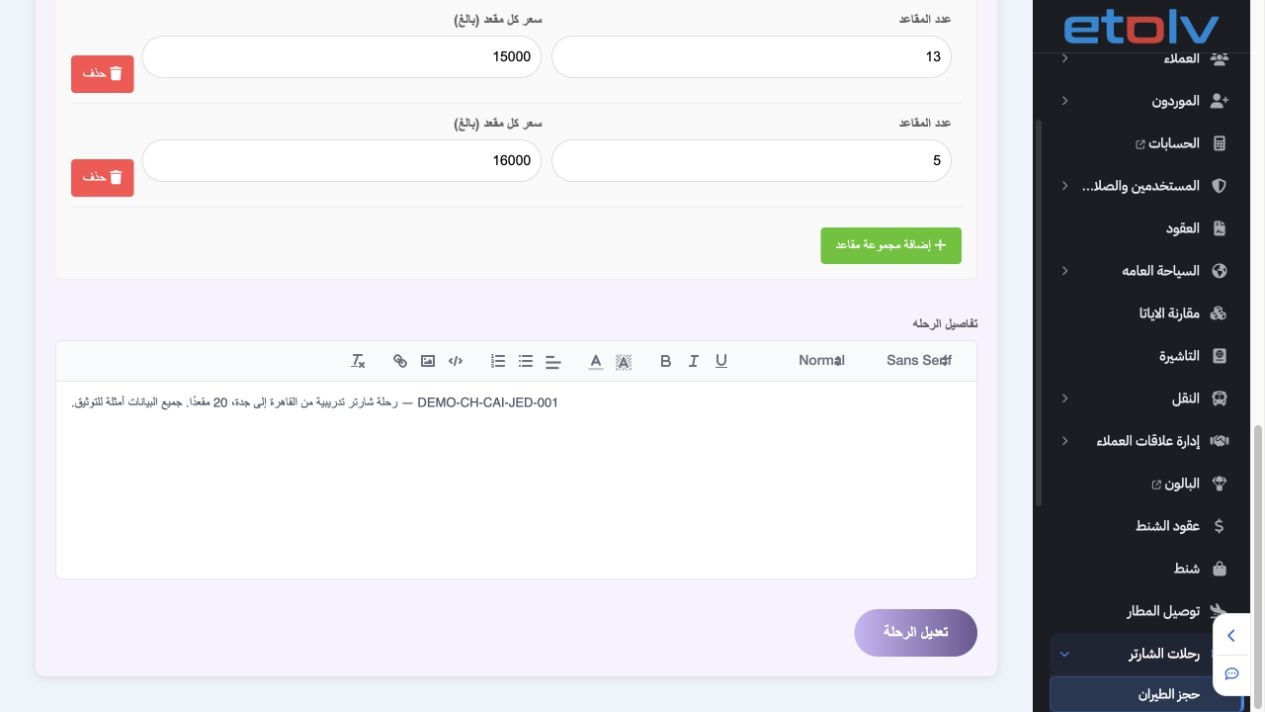
4 Choose Add Seat Group and enter seats and adult price for each group, then the flight description. The example was created with 15 seats at...
Choose Add Seat Group and enter seats and adult price for each group, then the flight description. The example was created with 15 seats at 15,000 and 5 at 16,000. This screenshot is after two passengers booked: 13 and 5 remain. Delete removes a draft group; a new empty group was added and removed without saving changes to the stored groups.

5 Validate seat allocation

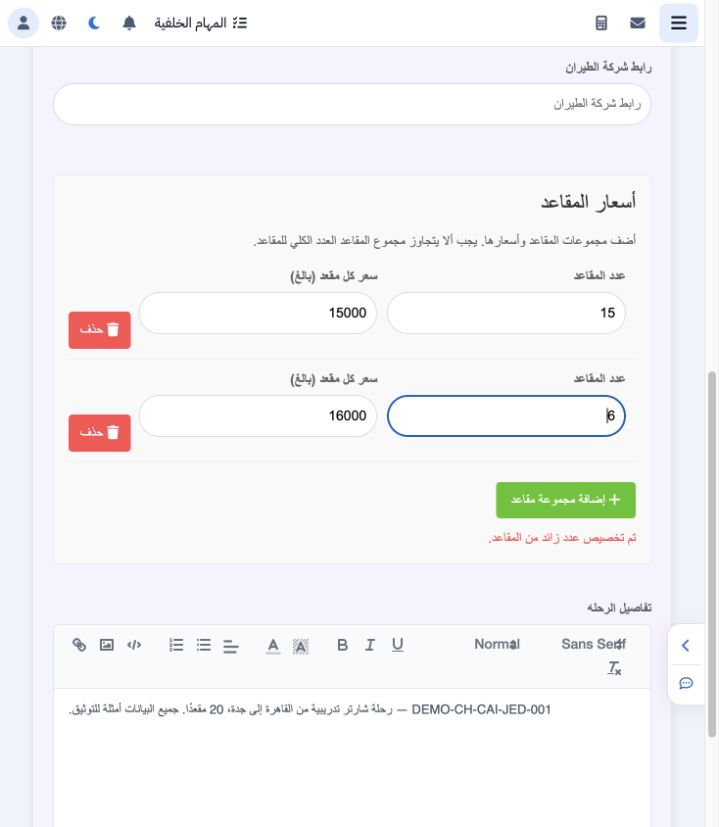
5 At creation, the seat allocation must match capacity. Testing 15 + 6 against capacity 20 displayed an overallocated warning and disabled sav...
At creation, the seat allocation must match capacity. Testing 15 + 6 against capacity 20 displayed an overallocated warning and disabled saving. The second group was restored to 5, giving total 20 and enabling the displayed Book Flight save button.

6 Edit the definition

6 Choose Edit from the flight menu and wait for its saved values to load. PNR was changed from DMOCH1 to DMOCH2. Choose Edit Flight, then veri...
Choose Edit from the flight menu and wait for its saved values to load. PNR was changed from DMOCH1 to DMOCH2. Choose Edit Flight, then verify the reference, airports, times and prices in the list.

7 Search flights

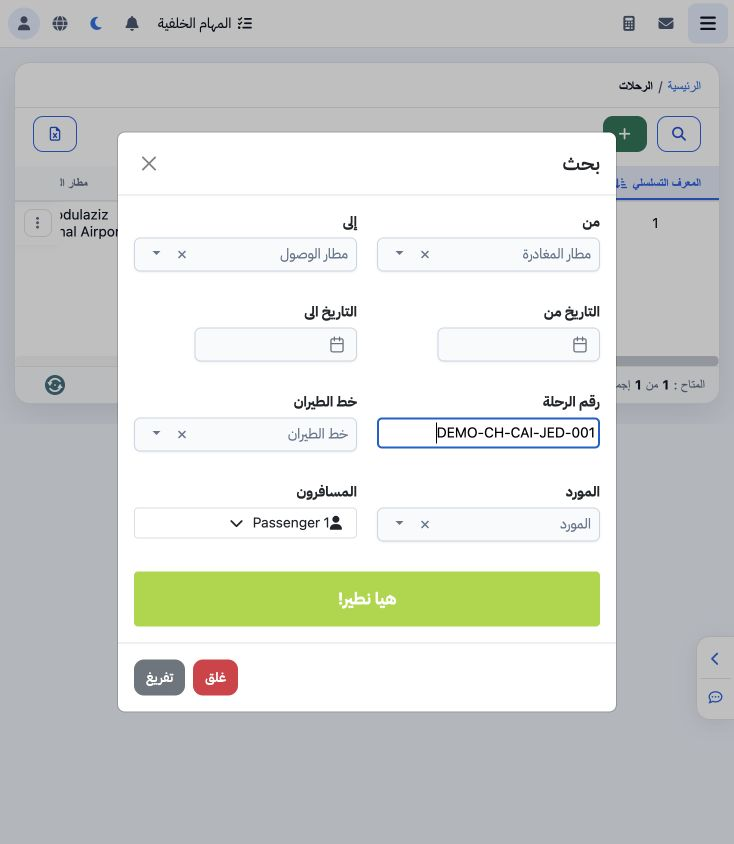
7 Open Search and enter flight number, or airports, dates, airline, supplier and passengers as needed. Searching DEMO-CH-CAI-JED-001 returns o...
Open Search and enter flight number, or airports, dates, airline, supplier and passengers as needed. Searching DEMO-CH-CAI-JED-001 returns one flight. The search action is labelled Let’s Fly; Clear removes criteria.

8 Book and review remaining seats

8 Choose Book Ticket from the flight menu, then complete passengers on its booking screen. Saving two adults left 18 of 20 seats. The 15,000 g...
Choose Book Ticket from the flight menu, then complete passengers on its booking screen. Saving two adults left 18 of 20 seats. The 15,000 group decreased from 15 to 13; the 16,000 group retained 5 seats.

Sign in to record the lessons you have read. Sign in